Vigor2925 Series User’s Guide
311
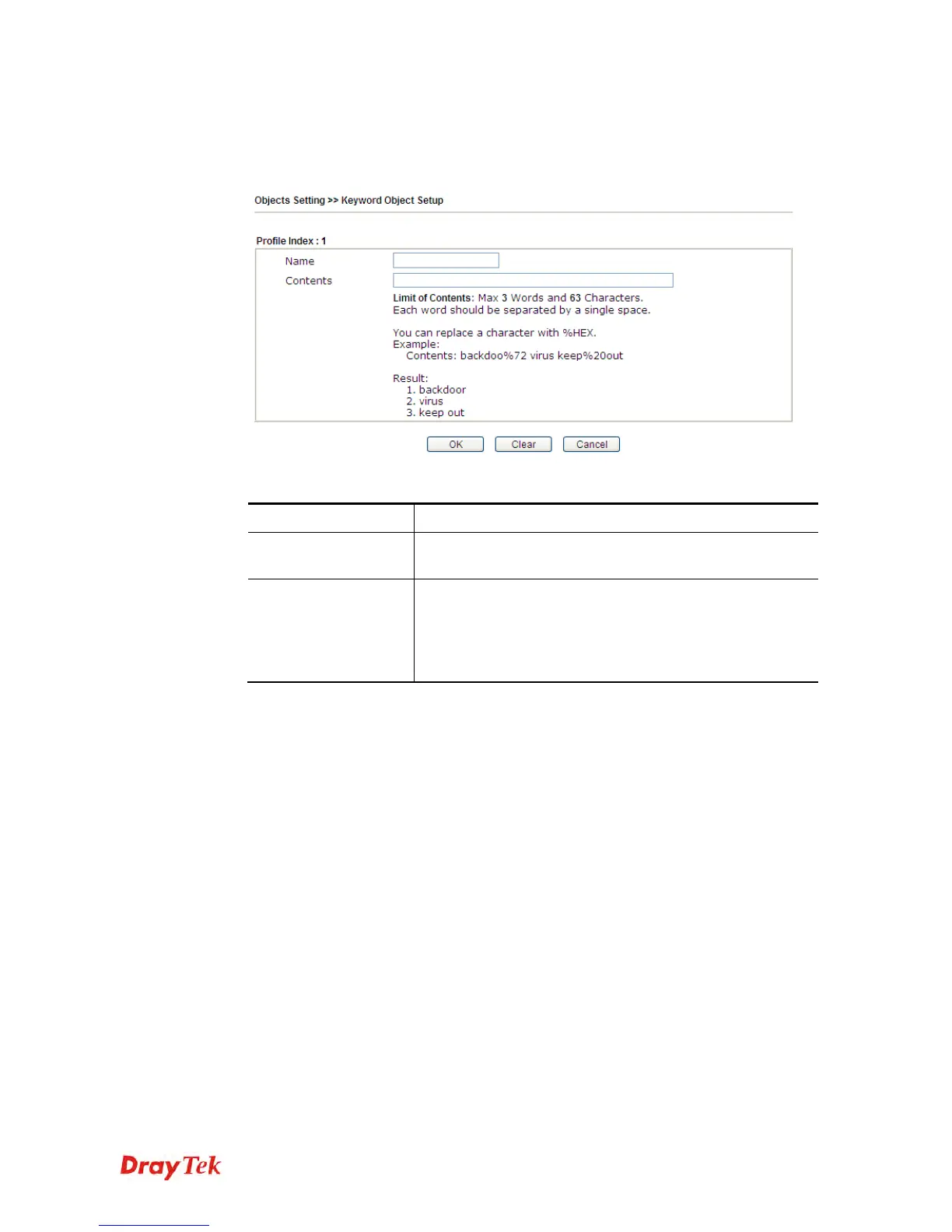
To set a new profile, please do the steps listed below:
1. Click the number (e.g., #1) under Index column for configuration in details.
2. The configuration page will be shown as follows:
Available settings are explained as follows:
Item Description
Name
Type a name for this profile, e.g., game. Type a name for
this profile, e.g., game.
Contents
Type the content for such profile. For example, type
gambling as Contents. When you browse the webpage, the
page with gambling information will be watched out and be
passed/blocked based on the configuration on Firewall
settings.
3. After finishing all the settings, please click OK to save the configuration.












 To Next Page