Vigor2925 Series User’s Guide
82
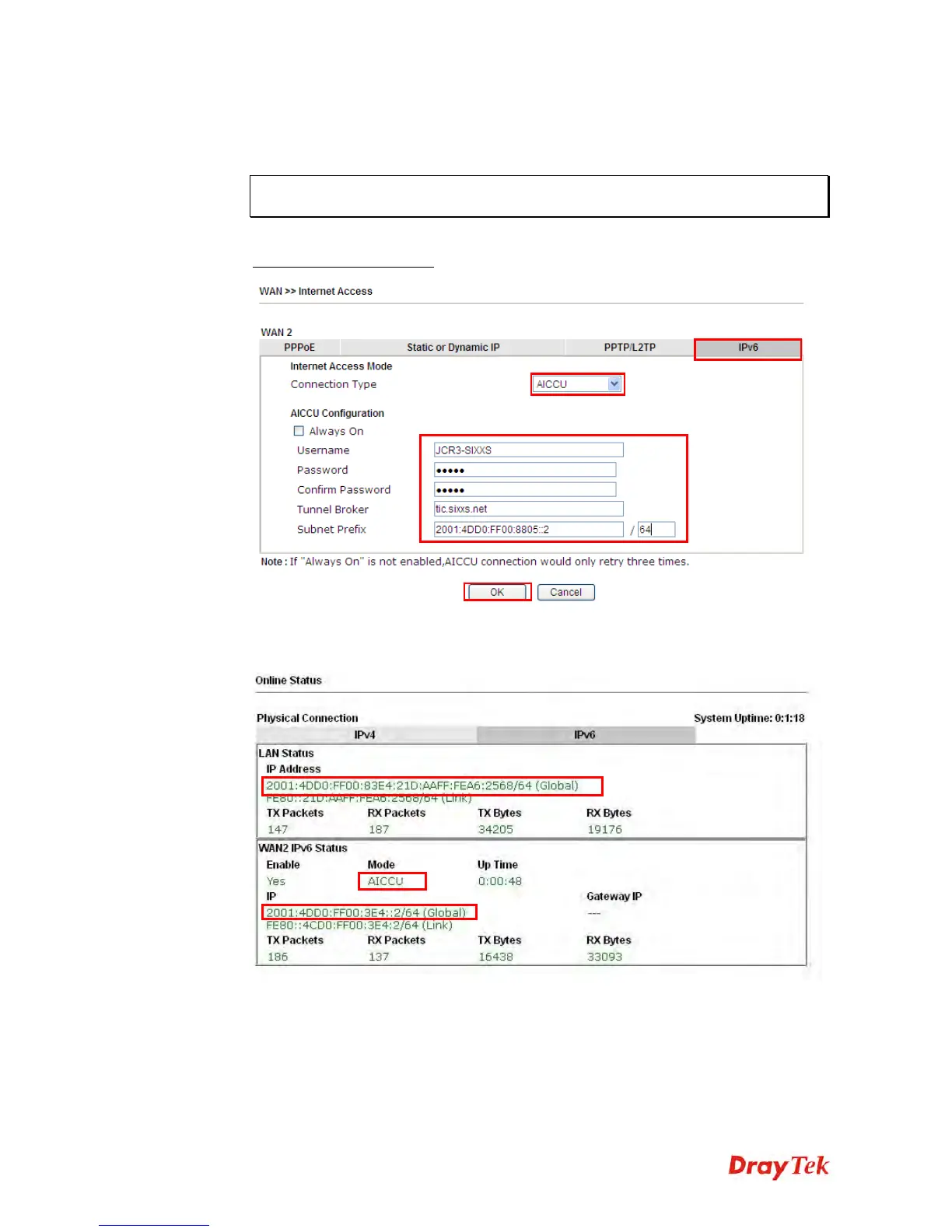
AICCU – Tunnel application
Choose AICCU and type the information for AICCU of IPv6.
Note: While using such mode, you have to make sure the IPv4 network connection is
normal.
(In the following figure, the AICCU information is obtained from
https://www.sixxs.net/main/
after applied for the service.)
Click OK and open Online Status. If the connection is successful, the physical
connection will be shows as follows:


 To Next Page
 Loading...









