11
Chapter 1 Before Operation
Copyright © 2018 Duplo Corporation All Rights Reserved
No. Name Function
[10]
Menukey Opens the menu selection screen.
[11]
(foldingmode)key(*1)
Standard folding can be selected.
ForthepapersizeofLP(non-standardsizepaper)and181.9
mm/7.16inchesorless,themodecannotbechangedfromsingle
fold.
IfthepapersizeisCF(non-standardsizefoldingpaper)orthe
operationmodeisSF(stopperxedmode),themodecannotbe
changed.
[12]
C(clear)key On the main screen, clears counters.
Wheninputtinganumericalvalue,setsthevaluetotheinitialvalue..
[13]
(count)key Opens the counter set screen.
[14] (customfolding)key(*1) Standardpapersizescanbeselected.
[15] Paperfeedpressurelabel(*1) Refer to this label when setting paper feed pressure according to the
paper quality.
[16] Stackerrollerpositioningtable(*2) Usedasameasuringscaleforadjustingthestackerrollerposition.
(*1)DF-870only
(*2)DF-850only
4-2. Screen menus
4-2-1. Top screen
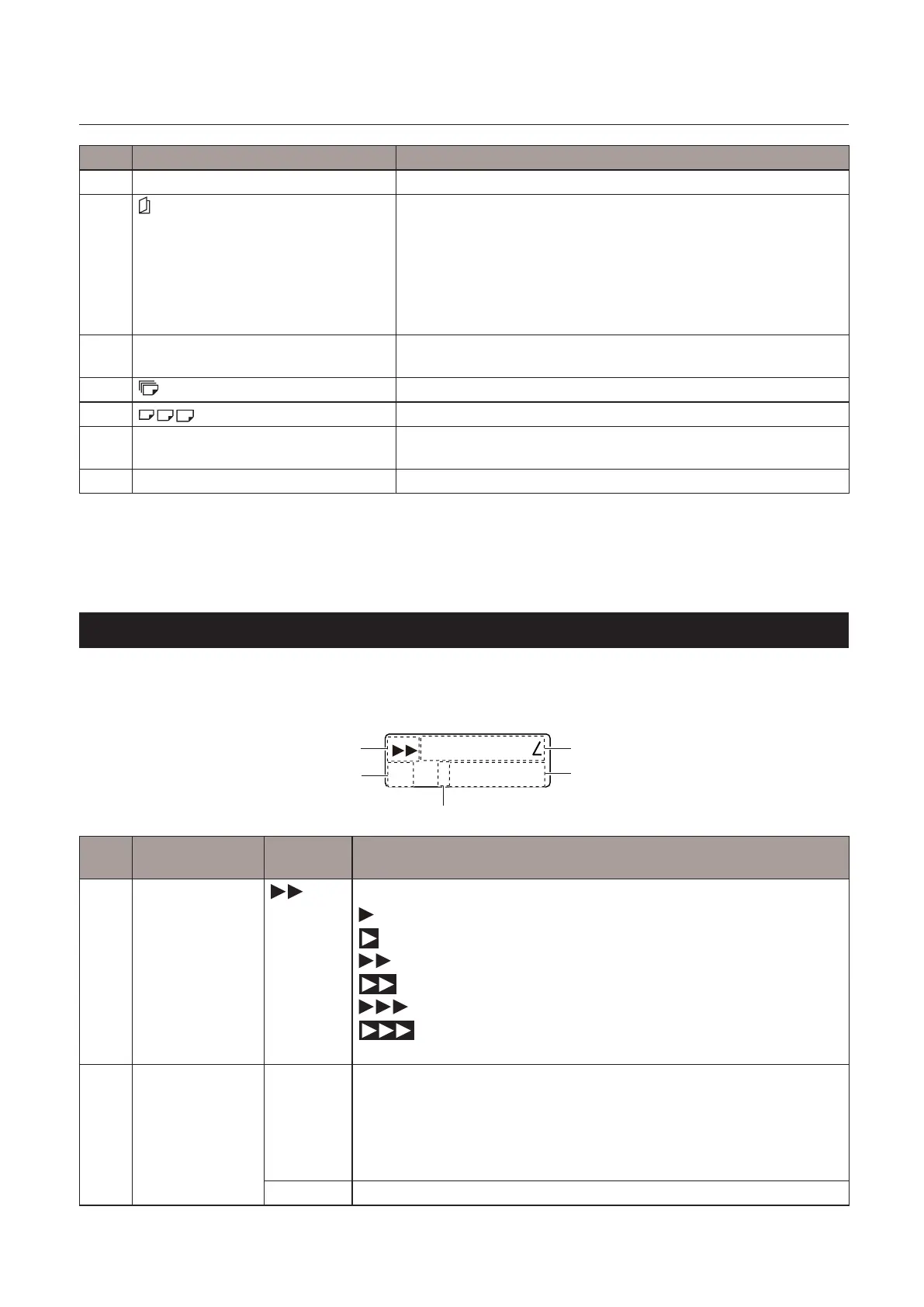
Thetopscreenisascreendisplayedrstwhenyouturnonthepower.
SingleFold
A3 +count:0000
[1]
[2]
[5]
[3]
[4]
No. Name Default
value
Function
[1] Processing speed
display
The currently selected process speed is displayed.
(1speed)
(1speed+)
(2speed)
(2speed+)
(3speed)
(3speed+)
See“4-2-2.Menulist”(p.12)[DEFSpeed].
[2] Papersizedisplay
(*)
[A3](EU) Thecurrentpapersizeisdisplayed.
[A3]/[B4]/[A4]/[B5]/[A5]/[B6]
[LP](Non-standardsizepaper)
[CF](Non-standardsizefoldingpaper)
[SF](Stopperxedmode)
[LGR](NA) [LGR]/[LGL]/[LTR]/[ST/IN]/[LP]/[CF]/[SF]



 To Next Page