E Operation Omega 2
Media weight [kg] Minimum w idth [mm]
30 750
20 500
10 250
Procedure
The plate mediu m is loaded in the follo win g steps:
Initiate loading process in the so ftware.
Set loadin g aids in place.
Align and print plate m ed ium .
6.5.1 Initiating loading procedure in the software
1. Click Media.
2. Select the desired media channel.
3. Click Load.
The Load/Unload Media dialog window appears.
4. Set the suction area (→ Page 34 / Setting suction area).
5. Click OK.
The Load dialog window appears.
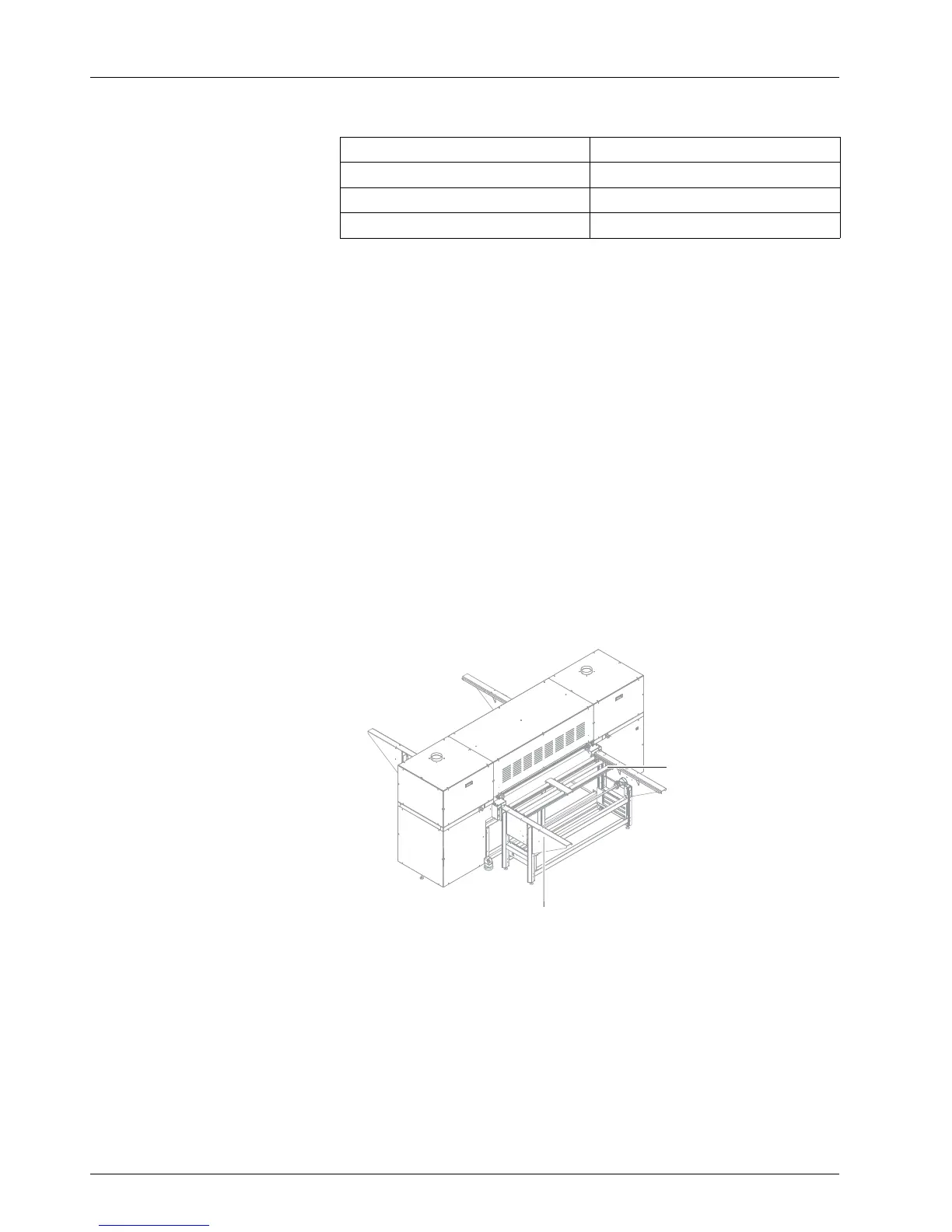
6.5.2 Setting loading aids in place
1
2
Fig. 23 Setting loading aid in place
1. Place loading aid (1) on loading table (2) and push toward conveyor
belt until it engages.
2. If necessary, set additional loading aids in place and move them next
to one another.
3. Prepare l
oading aids on the unloading side in the same way.
42 / 9 1 2004 – 2014 © Durst Ph ototechnik AG – www.d urst-online .com , Omega 2, Issued 0 7/20 14



 To Next Page