Omega 2 EOperation
6.5.3 A ligning and printing a plate medium
The plate medium is sucked on centrally by the conveyor belt. It should
be positioned as follows:
– As centrally as possible, so that it is positioned optimally in the
suction area.
– As centrally as possible between the suction holes to achieve even
suction of the side media edges.
3
1
2
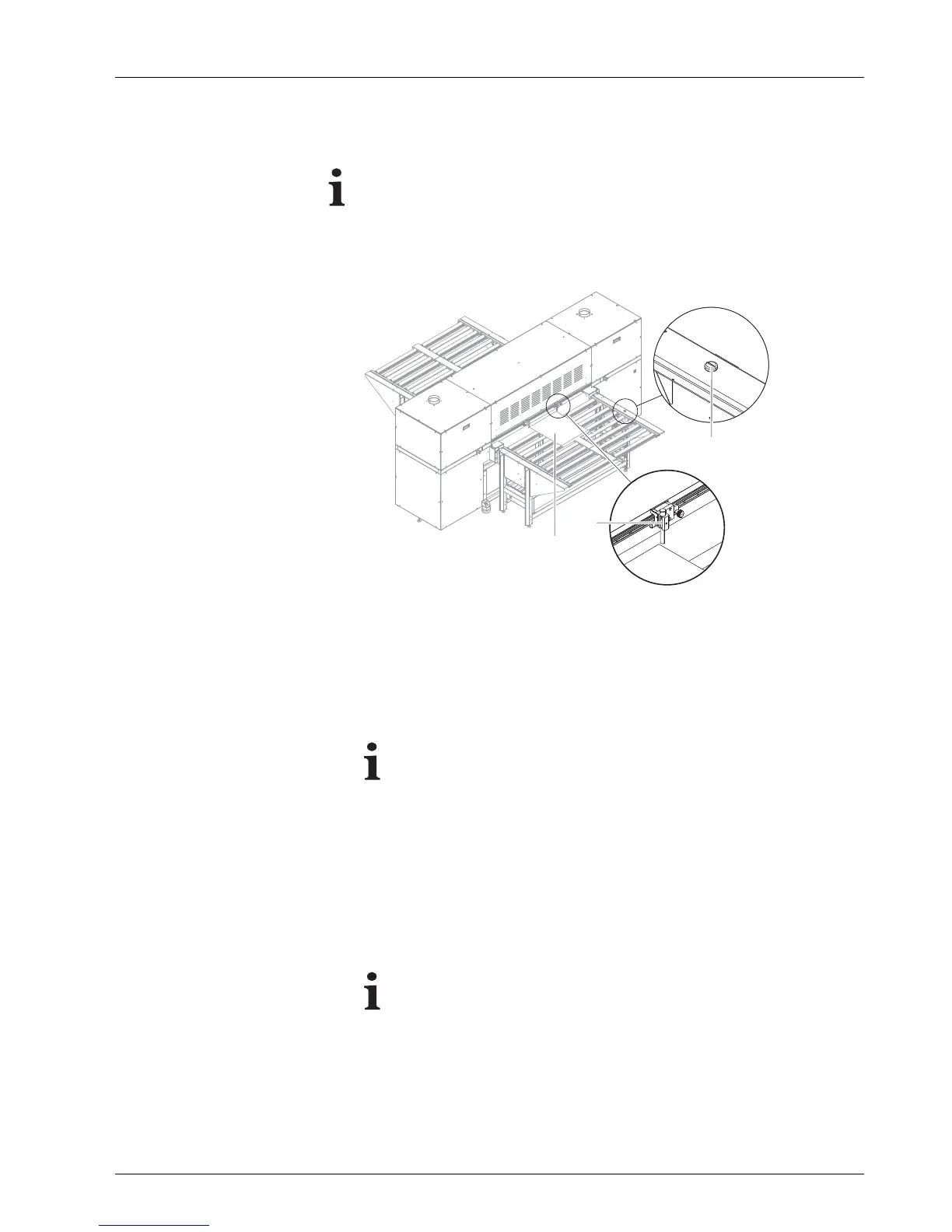
Fig. 24 Setting a plate medium in place
1. Position right guide (2) at the right-hand media edge on the loading side.
2. Place plate medium (3) on the loading tabl
e.
3. Click OK in the software.
The Media Load Position dialog window appears.
It can only be e nsured tha t the p rin ter will not print past the
medium edge if the position of the medium edge is entered
exactly in the software.
4. Read position of the right-hand media edge on the scale and enter it
in the software.
5. Confirm with OK.
6. Start printing process in the software in the Queue dialog window.
Loading flap in the printer folds down.
Green button (1)
lights up.
With a heavy plate medium, there is a risk that it could turn upright
at its end in the printer due to the elastic rolls of the loading table.
7. Push plate medium into the printer up to the loading flap. With heavy
plate media, ensure that they are not upright at their end, but rather lie
flat on the conveyor belt.
8. C are fully move plate medium so t he right edge touches the guide.
2004 – 2014 © Durst Pho totechn ik AG – www.durst-online.co m , Omega 2 , Issued 07/201 4 43 / 91



 To Next Page