Contextual help of the web interface – 127
•
•
•
•
•
•
3.7.7.2 Syslog
3.7.7.2.1 Settings
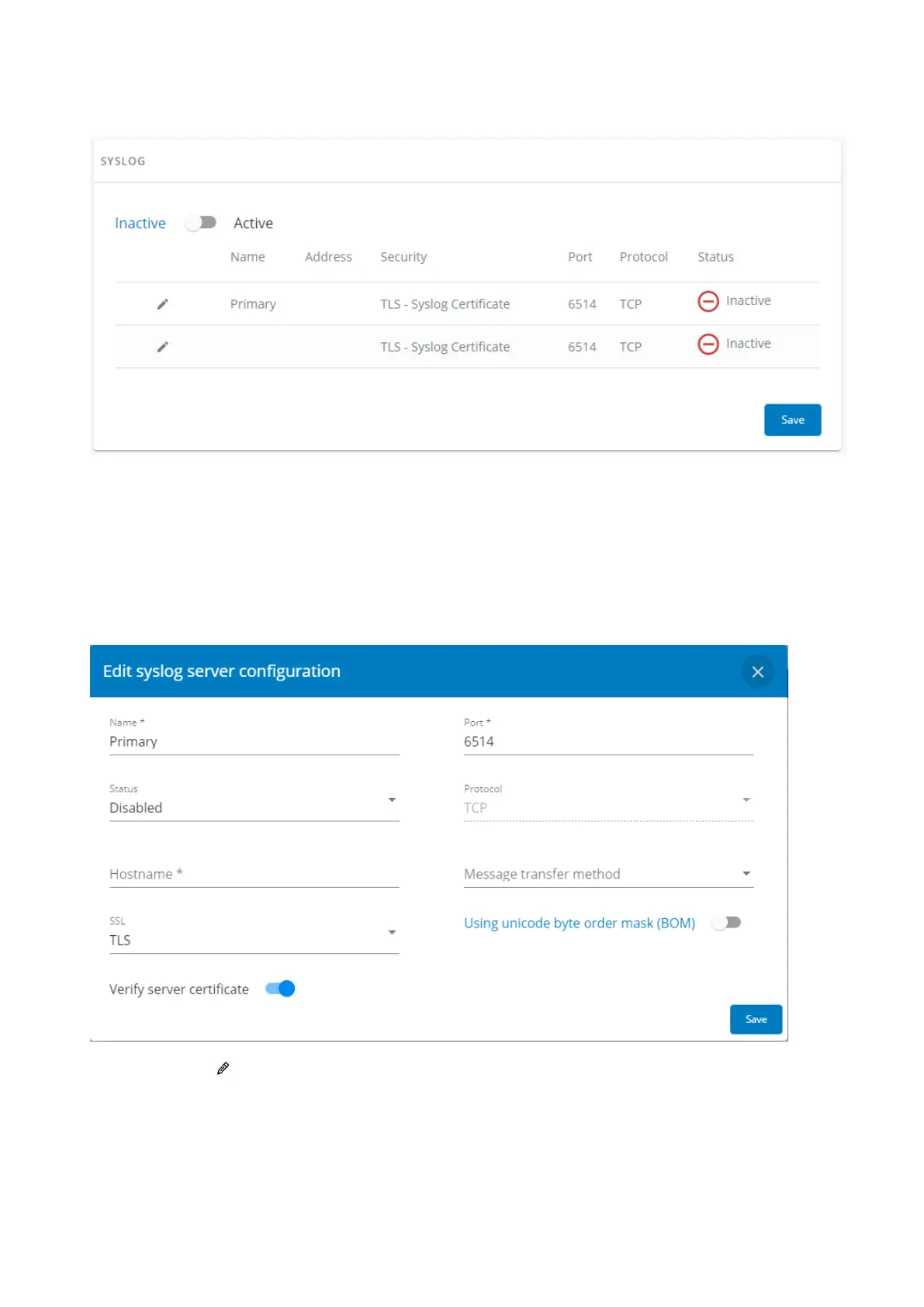
This screen allows an administrator to configure up to two syslog servers.
To configure the syslog server settings:
1- Enablesyslog.
PressSaveafter modifications.
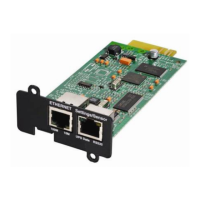
2- Configurethe syslog server:
Click the edit icon to access settings.
Enter or change the server name.
SelectYesin the Active drop-down list to activate the server.
Enter the Hostname and Port.
Select the Protocol – UDP/TCP.
In TCP, select the message transfer method – Octet counting/Non-transparent framing.


 To Next Page