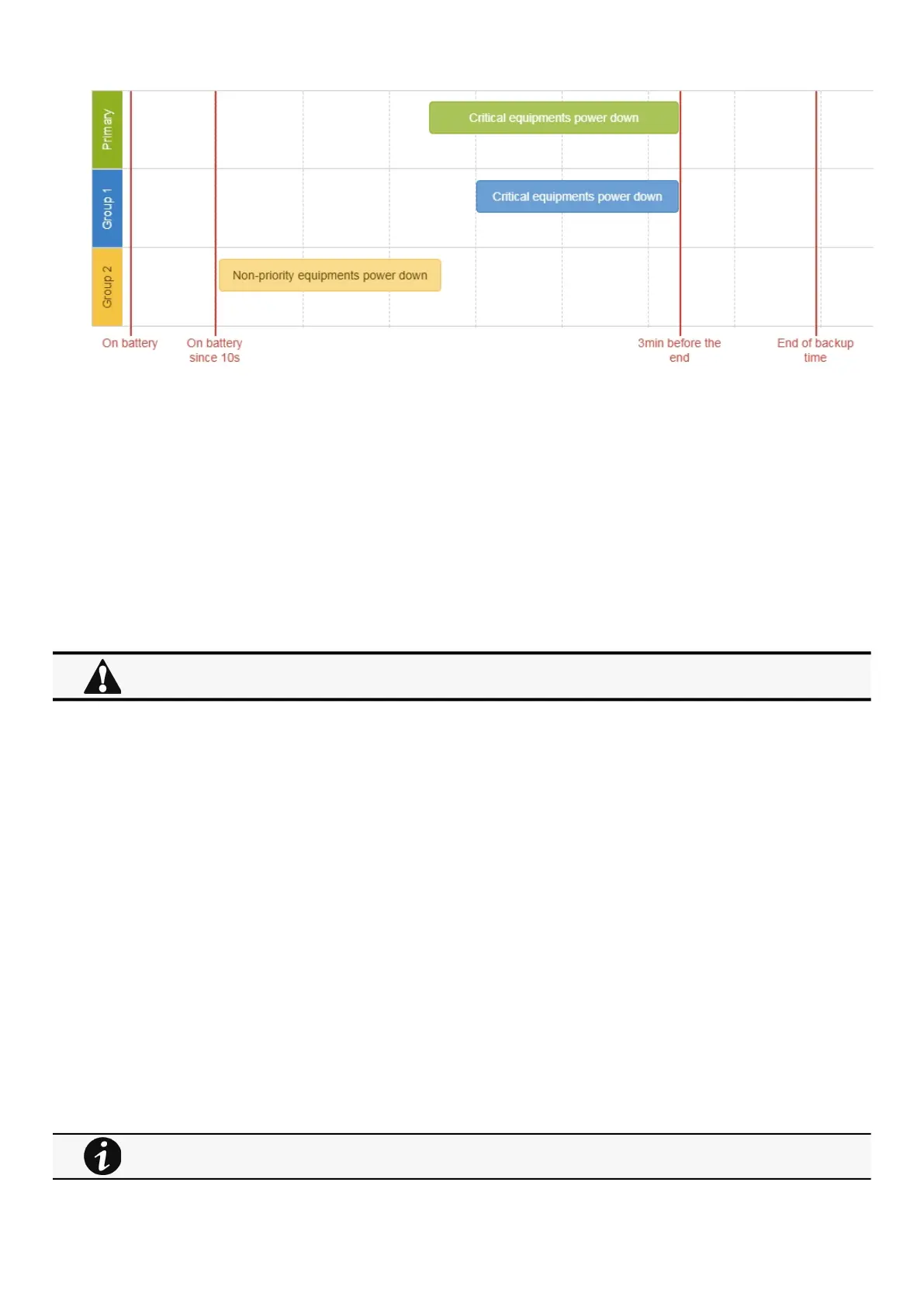
Powering down/up applications (examples)
Servicing the Network Management Module – 185
•
•
•
•
•
•
4.3.2.2 Step 1: Installation setup
4.3.2.2.1 Objective
Use load segmentation provided by the UPS to independently control the power supply of each IT equipment categories
(Applications, Database servers, Storage).
Load segmentation also allows IT equipment to restart sequentially on utility recovery(Restart sequentially the IT equipment on
utility recovery).
4.3.2.2.2 Resulting setup
UPS provides outlets (Group 1 and Group 2) and a primary output.
Connections can be done as described below:
Group 2: non-priority equipment
Group 1: critical equipment
Primary:criticalequipment
4.3.2.3 Step 2: Agent settings
4.3.2.3.1 Objective
Ensure IT solution is shutdown gracefully.
4.3.2.3.2 Resulting setup
1. InstallIPPSoftware on each server (Application, Database servers, Storage) and register the UPS load segment as power source:
Critical equipment:Group 1
Non-priority equipment:Group 2
Critical equipment: Entire UPS
2. Pair agent to the Network Module (Pairing agent to the Network Module).
When done, each server appears in the Agent list.
3. Navigate toContextual help>>>Protection>>>Agent shutdown sequencingpage
When primary shuts OFF, both group 1 and group 2 shut OFF immediately.
For examples of Agent settings, see the Agents shutdown sequencing sections.



 To Next Page