www.eaton.com
Network
Management Card
(Network-MS)
User Manual
Network Management Card
– User Manual 34003991XT_EN/JC
Page
25/143
4.2.1.1 UPS status icons.
The various icons showing the status of the UPS are:
Normal operation
Alarm present. This icon links directly to the
alarm page.
Loss of communication with the UPS
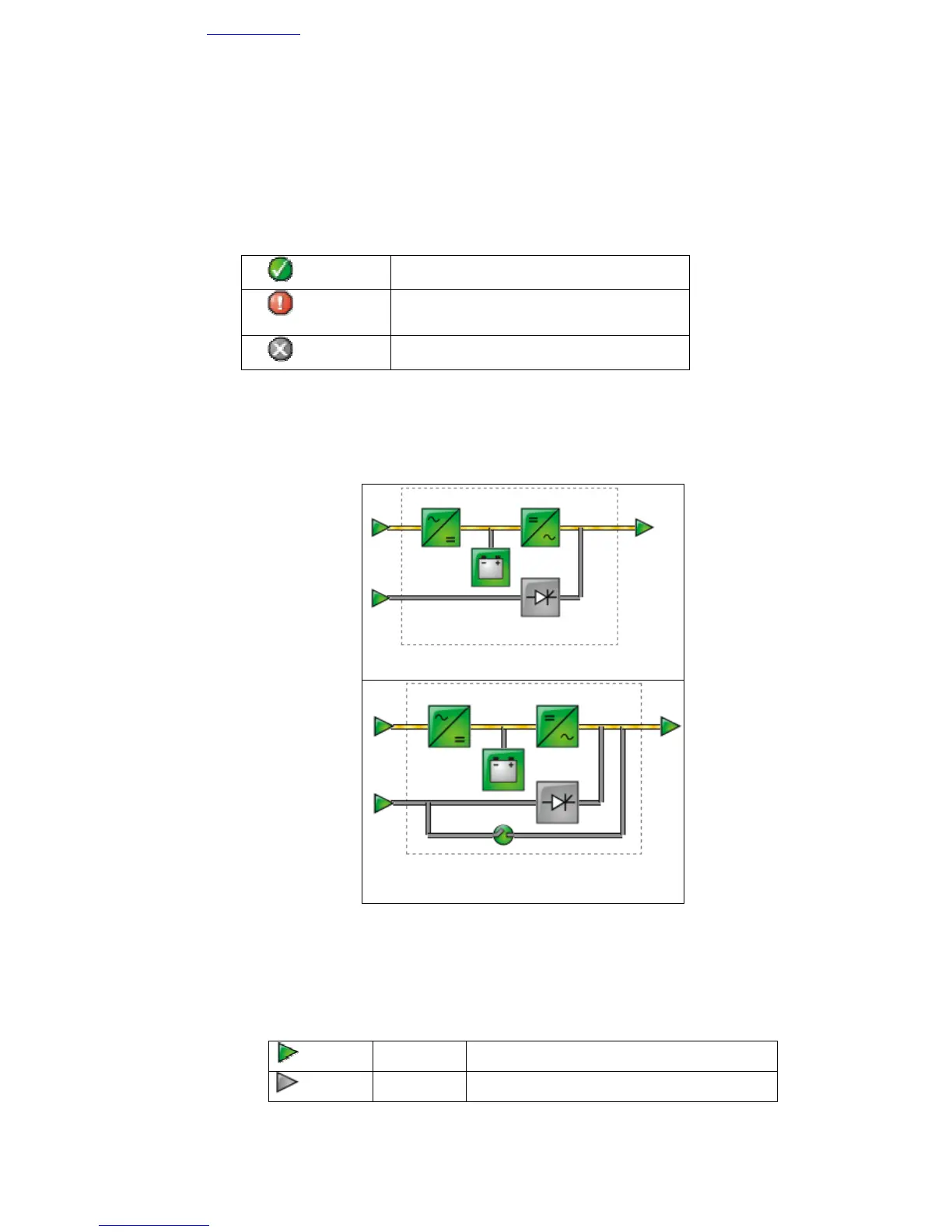
Animated synoptic: An animated synoptic gives a global overview of the UPS current operating mode.
This synoptic is available on all On-Line UPS.
The synoptic drawing depends on the UPS topology. The different drawings are described in the table below.
UPS with automatic bypass
UPS with automatic and manual bypass
Note: In case of loss of communication with the UPS, all the elements of the synoptic are grey.
The various elements of the synoptic are the following ones:
• AC Normal Input:
Green In tolerances
Gray Out of tolerances



 To Next Page