WINAQMS MINI DAS User manual 1.0 Installation and Setup
5
2
2
2
I
I
I
n
n
n
s
s
s
t
t
t
a
a
a
l
l
l
l
l
l
a
a
a
t
t
t
i
i
i
o
o
o
n
n
n
a
a
a
n
n
n
d
d
d
S
S
S
e
e
e
t
t
t
u
u
u
p
p
p
2.1 Setting up users and permissions in Windows 2000/XP
Only user accounts that have been granted the required permissions can run
WinAQMS Mini DAS. Users can be added from the local domain (the domain local
to the WinAQMS Mini DAS) or from an external domain administered by a domain
controller server. WinAQMS Mini DASs come with two users set up (the
Administrator and WinAQMS Mini DAS users) on the DAS and WinAQMS Mini
DAS installed and operational.
2.1.1 Adding local users to the WinAQMS Mini DAS
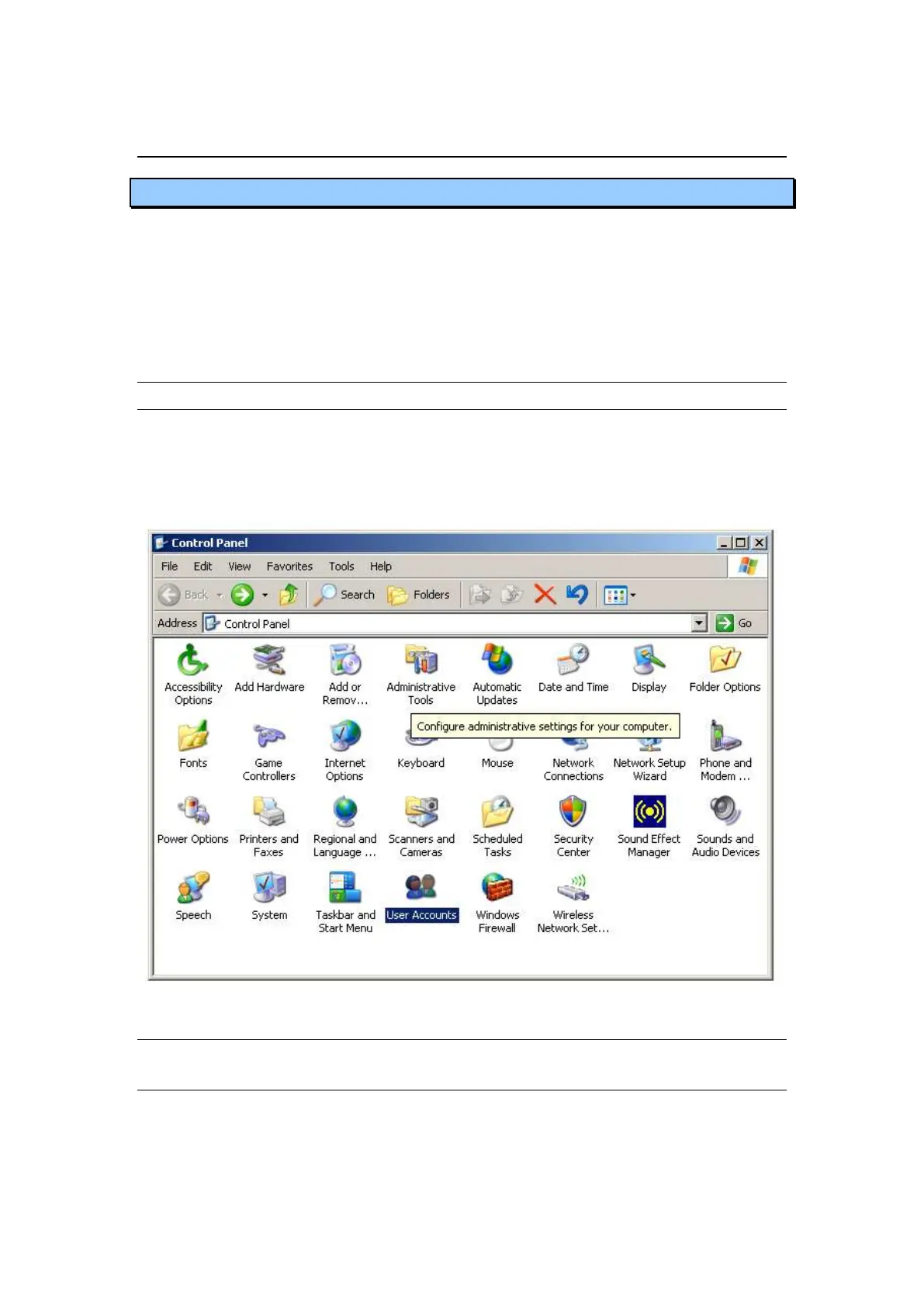
Log in to the DAS as administrator or someone with administrator privileges. Go to
the Control Panel and double click on User Accounts as shown in Figure 5. Within
this new window select the New Account link and create a name for the account in the
appropriate field. Once this is done select the administrator button and press the
Create Account button.
Figure 5 The Control panel
2.1.2 Giving the WinAQMS Mini DAS user permission to log on as
a service
1. In "Control Panel" open "Performance and Maintenance"
2. Click on "Administrative tools" and open "Local Security Policy"



 To Next Page