WinAQMS Mini DAS User manual 1.0 Edit Menu
21
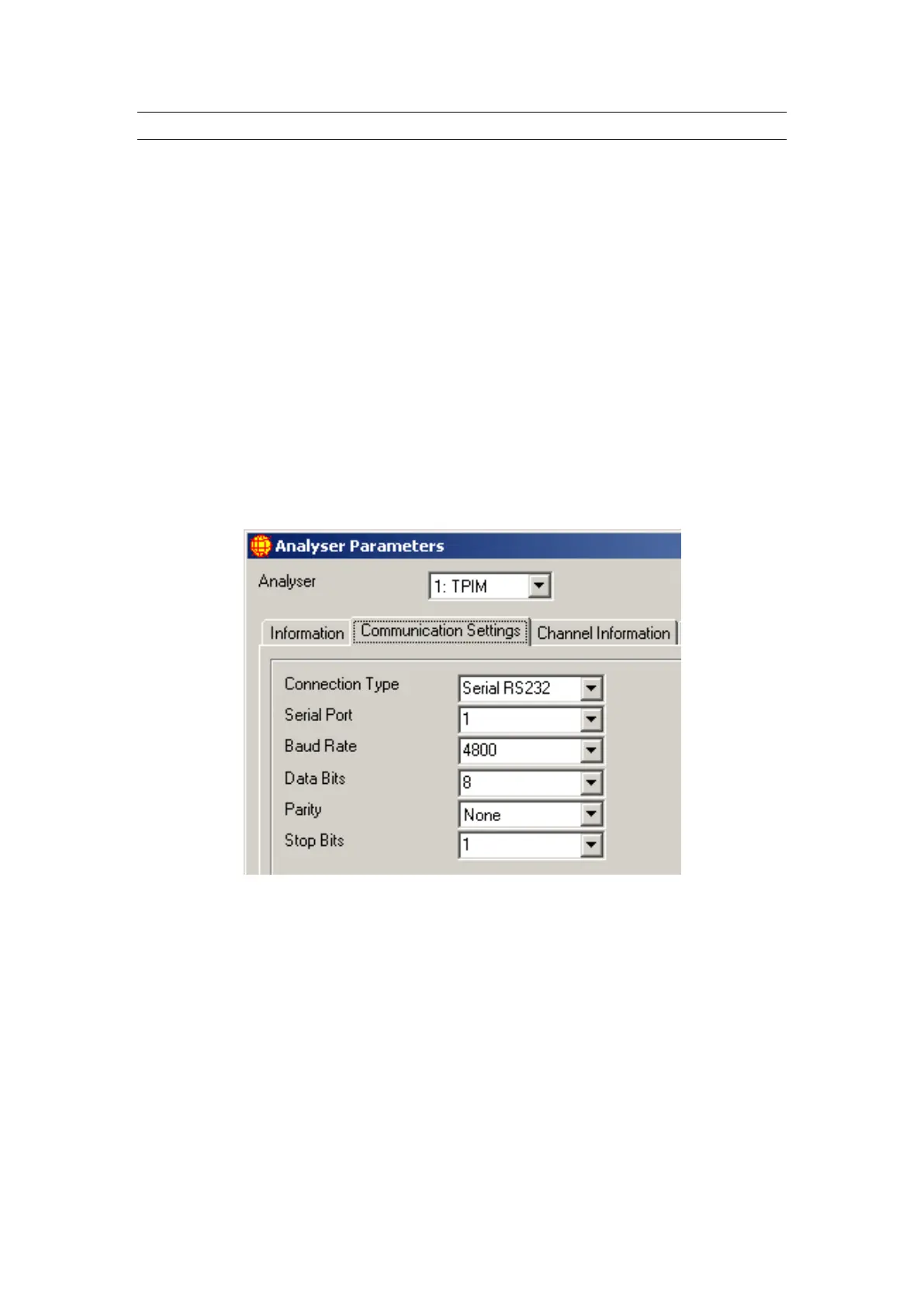
4.2.2 Communication Settings
The Communication Settings tab shows the settings WinAQMS Mini DAS is using to
communicate with the selected analyser.
o Connection Type list box shows whether the connection to the analyser is
Serial RS232 or U.S.B. (Universal Serial Bus).
o Serial Port list box shows all serial ports which WinAQMS Mini DAS finds
on the system
o Baud Rate shows a list of communication speeds ranging from 110 to 256000
baud
o Data Bits can be from 4 to 8
o Parity can be even, mark, none, odd or space
o Stop Bits can be 1, 1.5 or 2. Most analysers have 8 data bits, no parity and 1
stop bit.
Whenever possible an analyser should be set up with the maximum possible baud rate
to ensure the fastest possible communication between the DAS and the analyser.
WinAQMS Mini DAS can communicate with Ecotech EC98XX/Serinus series
analysers via a U.S.B. type A or type B cable. If a U.S.B. connection is selected a
dropdown list of U.S.B. analysers connected to the DAS will be displayed.
Figure 24 Communication Settings in Analyser Parameters



 To Next Page