General Information WinAQMS Mini DAS User manual 1.0
14
Security
WinAQMS Mini DAS can be set to require a username and password to be entered
before access to the system is enabled. Users in WinAQMS Mini DAS have a
username, password and a security level. Usernames and Passwords can be up to 32
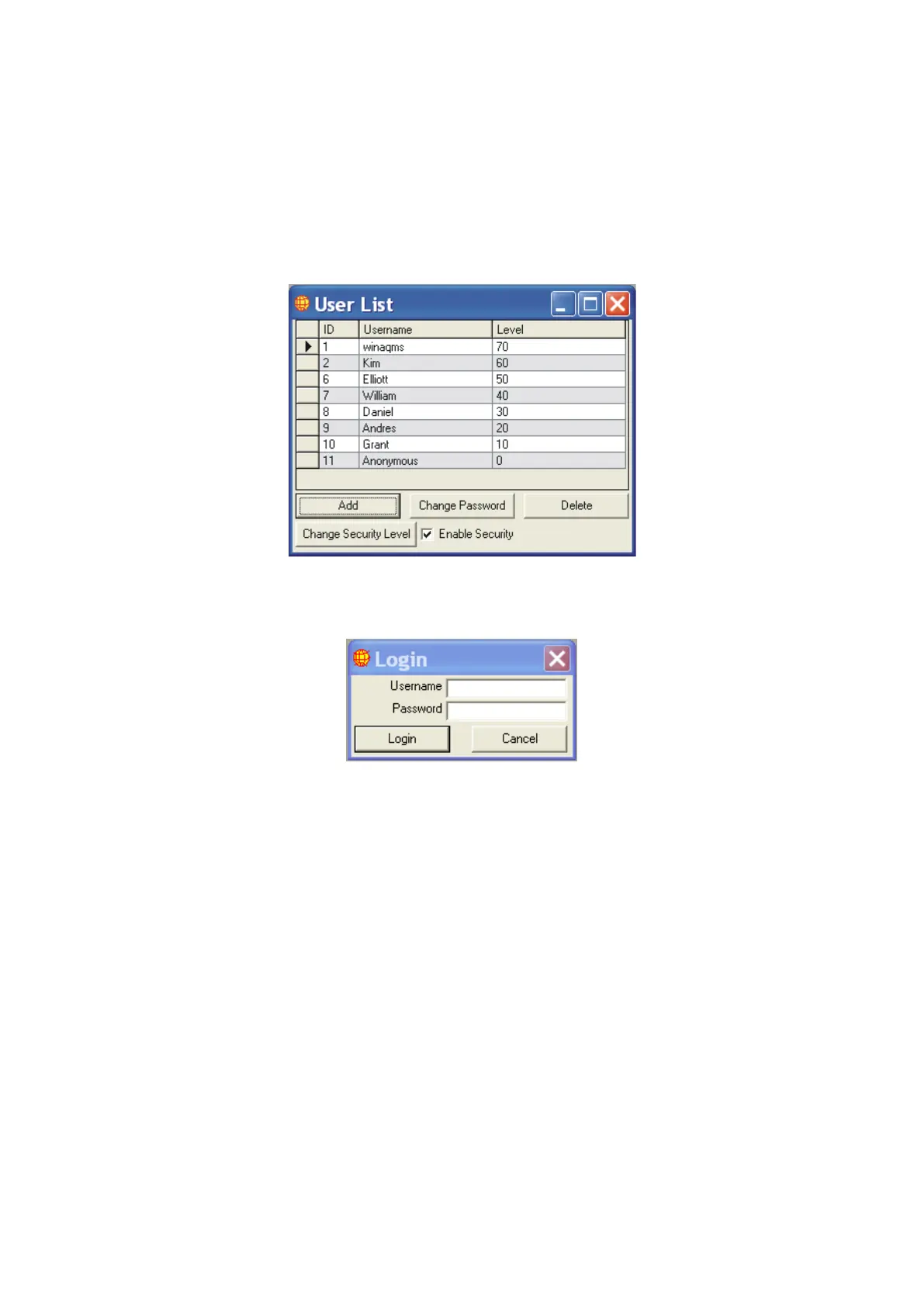
characters in length and are case-sensitive. Figure 20 below shows the User List
options when a user with the highest security level (70) has logged into the system.
Figure 20 User List Window
The Enable Security checkbox will enable or disable security. Once enabled
WinAQMS Mini DAS will require users to enter a username and password into the
login box as shown below in Figure 21.
Figure 21 Login Window
Each user is able to change their own password (except for those with a security level
of 0). To change a password, double click on the user in the list or select the users
record and press the Change Password button. You will be prompted to enter the old
password, the new password and to confirm the new password. To change a users
security level highlight the user in the list and click the Change Security Level button.
If a user level less than 0, or greater than 70, is entered then the user security level
will not be changed.
A level 70 user can add new users, delete existing users, change the user levels and
change the password of other users without needing to know their passwords.



 To Next Page