Edit Menu WinAQMS Mini DAS User manual 1.0
46
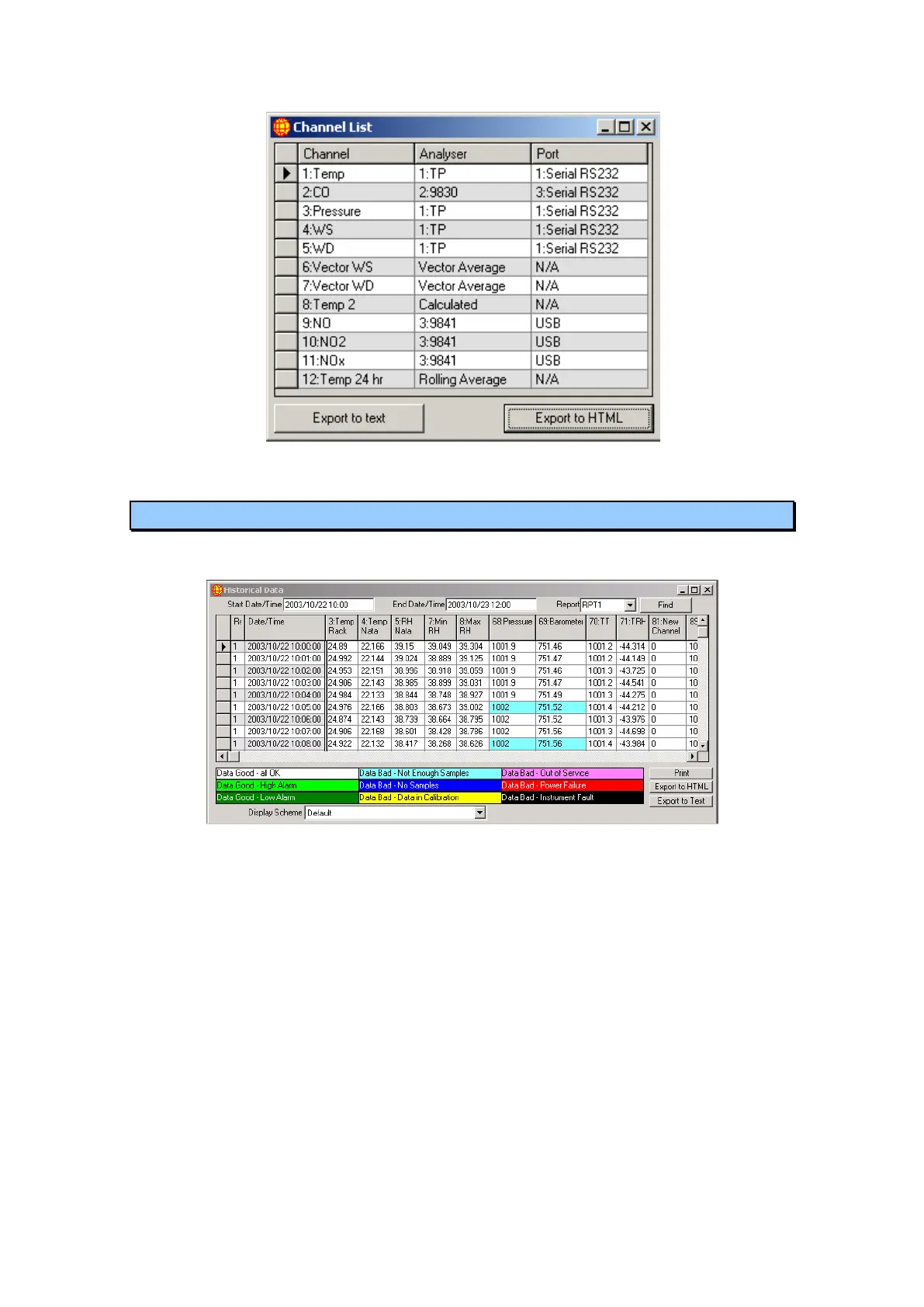
Figure 50 Channel list screen
5.3 Historical Data
The Historical Data window displays data from the database as a table.
Figure 51 Historical Data
It has a Start Date/Time field that indicates the time of the first data value you
want to look at. The Start Date/Time has a default value of the current date with
no time specified. If no time is specified it is taken as being 12:00 midnight or
00:00 in 24 hour time for the date entered.
The End Date/Time field shows the date and time of the last data reading you
want to look at. The End Date/Time has a default value of the day after the current
day at 12:00 midnight or 00:00 in 24 hour time. It is not recommended that you
view more than 1 week‟s data as the time required to retrieve this data may
become excessive over slower communications links.
The Report Name field indicates the report you are looking at and can be one of
RPT1 (Report 1), RPT2, RPT3, RPT4, Span, Zero, Precision or All. RPT1 to
RPT4 show the data for the four reports which WinAQMS Mini DAS supports.
Span, Zero and Precision show the report data from when the channels went into
calibration. The Span and Precision reports show all 16 Span or Precision reports.



 To Next Page