Manual Menu WinAQMS Mini DAS User manual 1.0
60
6.4 Digital Outputs
Digital Outputs is an aid which can be used to help check calibration sequences as
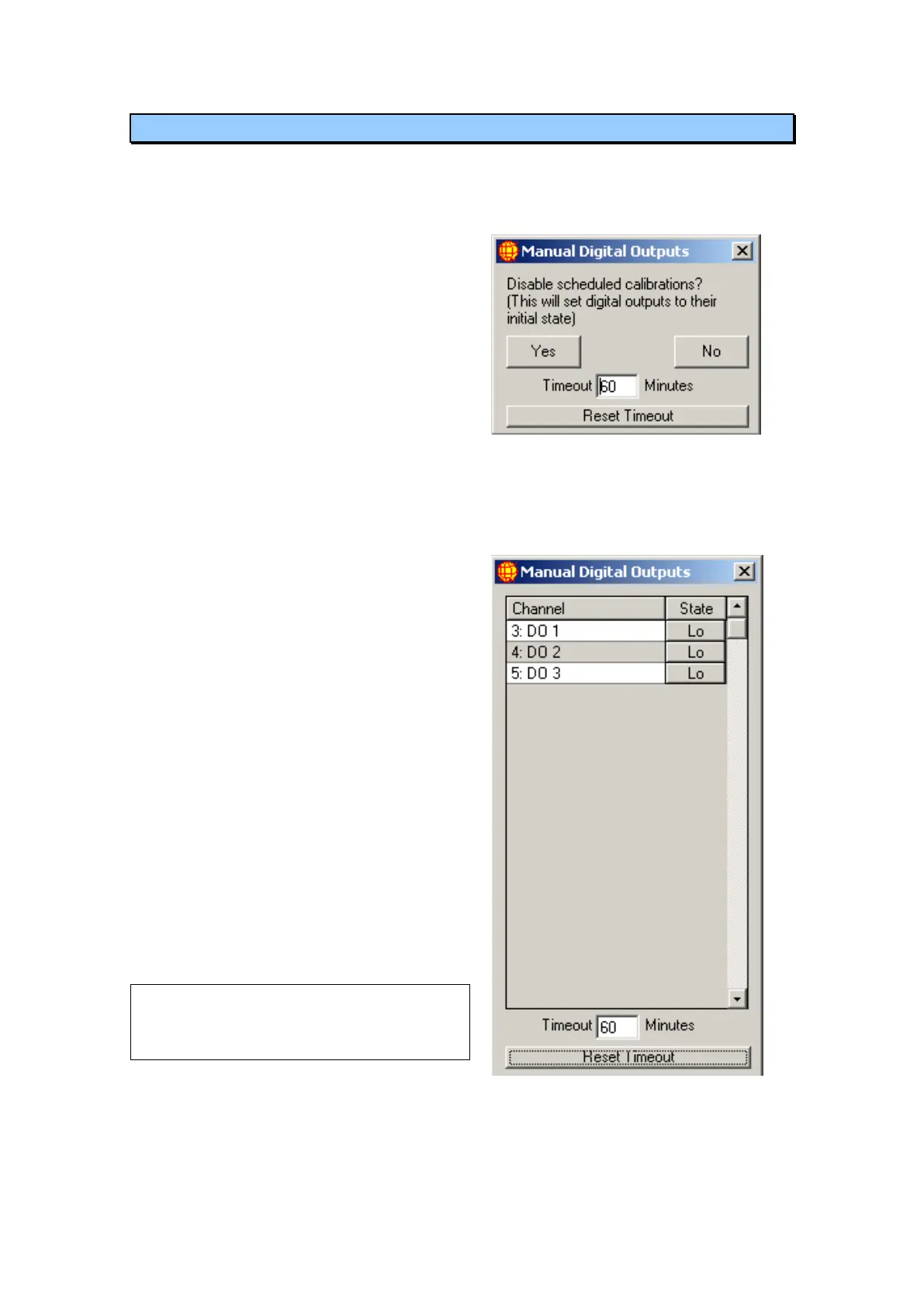
well as the functionality of digital outputs. When this option is selected a window
similar to Figure 74 will be displayed.
If you choose to disable scheduled
calibrations then any automatic
calibration that had already started will
be aborted and any calibration that is
set to start while this window is open
will not do so. The reason this option is
given is to stop automatic calibrations,
which may change digital outputs,
from interfering with the manual
changing of digital outputs.
Figure 70 Disabling scheduled
calibrations
After a choice is made, to enable or
disable scheduled calibrations is made a
window similar to the one in Figure 75 is
shown. It lists all digital output channels
and their current digital state. To change
an outputs state click on the State button to
the right of the Channel and it will toggle
between Hi and Lo.
The timeout value (defaults to 120
minutes) decrements every minute. When
the timeout value reaches 0 the Manual
Digital Outputs window will close. When
the window closes all automatic
calibrations will be enabled once again. To
reset or update the timeout, change the
numeric value in the timeout box and click
on the Reset Timeout button.
Note: If the start time for an automatic
calibration passes while calibrations have
been disabled the calibration time will move on
to its next scheduled start time.
Figure 71 Manually setting digital
outputs



 To Next Page