Edit Menu WinAQMS Mini DAS User manual 1.0
38
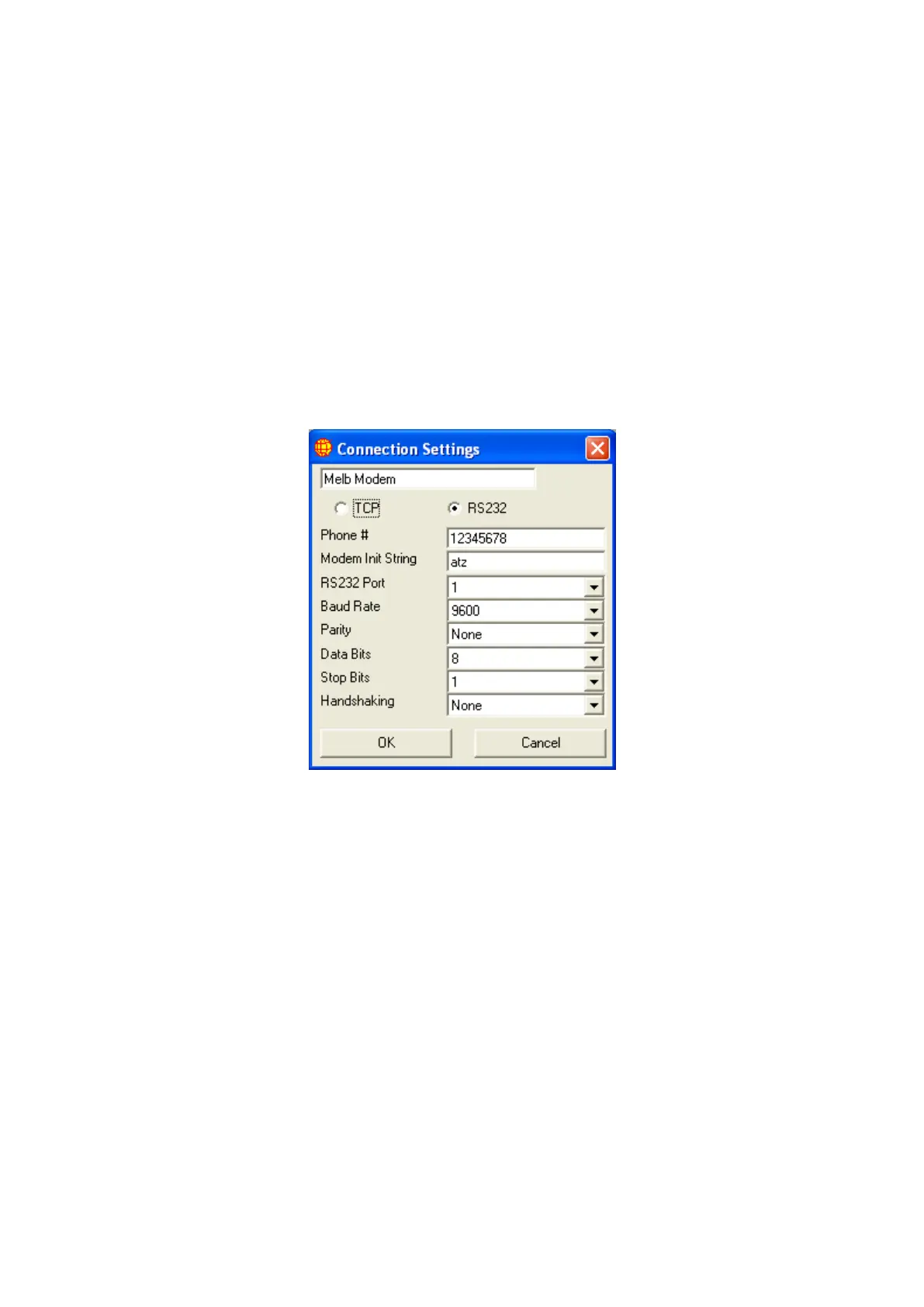
RS232 connection has the following fields
Phone #: The phone number that will be dialed by WinAQMS Mini
DAS. If this field is empty then no phone number will be
dialed.
Modem Init String: This string command will be sent to the RS232 port prior to the
Phone # being dialed.
RS232 Port: The port that will be used to make the connection.
Baud Rate: The speed at which the RS232 port will be set to operate at.
110-256000 (9600 default).
Parity: Space, Odd, None (default), Mark or Even
Data Bits: 4 to 8 (default).
Stop Bits: 1 (default), 1.5 or 2
Handshaking: None (default), XOn/XOff, RTS/CTS or XOn/XOff+RTS/CTS
Figure 41 RS232 Connection Settings
TCP/IP connection has the following fields
Logger Name/IP: The IP address or name of the DAS (192.168.0.1
default).
Dialup Connection: This is a dropdown list of the dialup connections that
are set up on the DAS. The default is not to use a
connection.
Username and Password: The username and password required to authenticate
onto the remote DAS.
Domain: The name of the Microsoft Windows domain that a
DAS is connected to. If there is no domain then leave
this value as a *.
Telnet Port: The port that the client will use to connect to the DAS
(32684 default).
Secure Telnet: This checkbox allows you use a secure telnet
connection between the WinAQMS Mini DAS Client



 To Next Page