WinAQMS Mini DAS User manual 1.0 Manual Menu
61
6.5 Channel State
Channel state allows the Out of Service status to be set for each channel. The channel
can be set to be out of service for a specified duration of time or indefinitely.
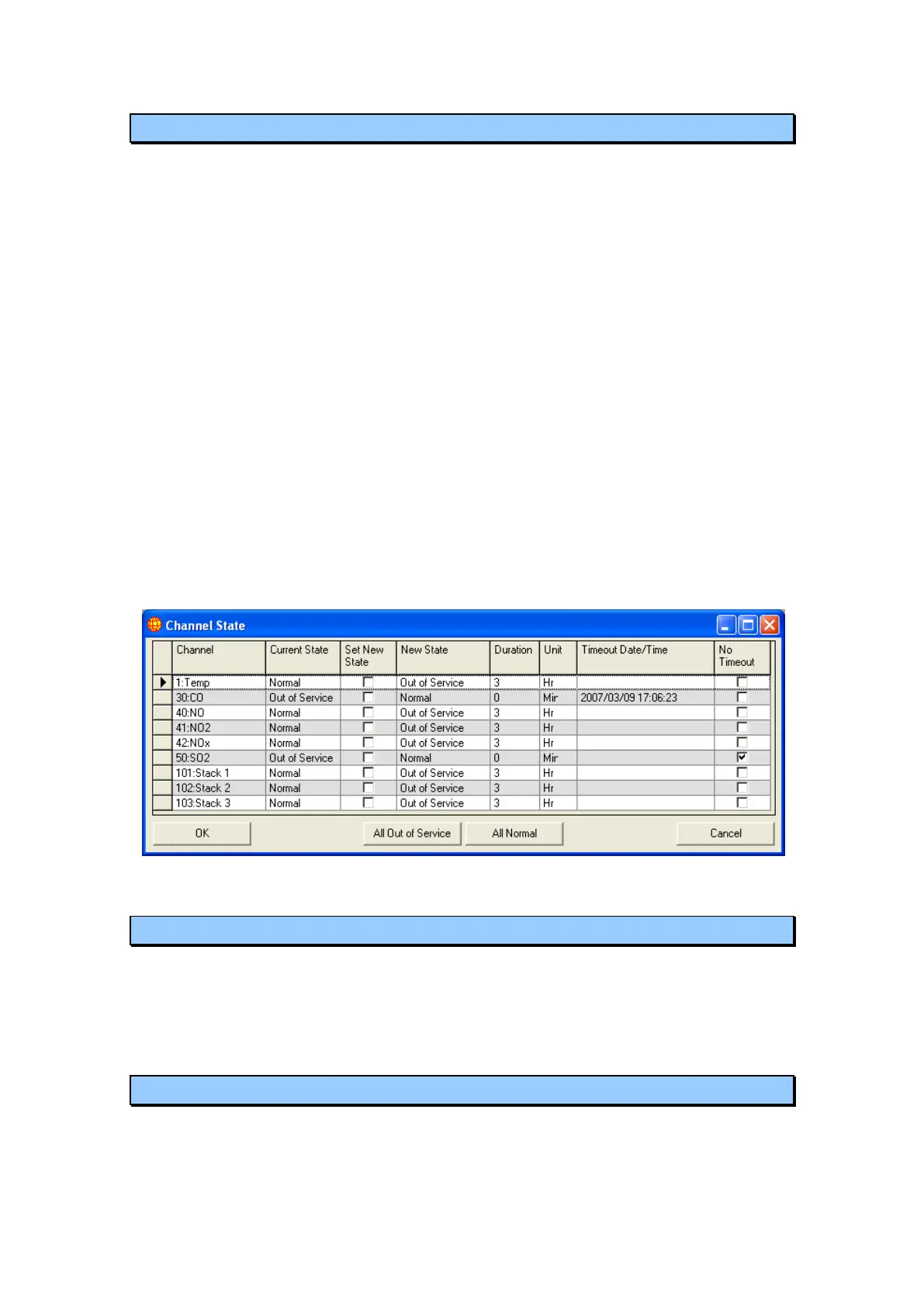
Current State: Is the current state of the channel (Normal or Out of Service)
Set New State: This checkbox tells WinAQMS Mini DAS to update the channel with
a new state (specified in the New State field) when the OK button is pressed.
New State: This list shows the new state (Normal or Out of Service) to which a
channel will be changed.
Duration and Unit: These two fields show the time that a channel will be set to be
out of service.
Timeout Date/Time: This field shows when a channel with a Current State of Out of
Service will return to Normal state. It also will set the timeout time for a channel
All Out of Service: This button will set the Set New State checkbox to checked and
the New State listbox to Out of Service for all channels. The All Normal button will
set the Set New State checkbox to checked and the New State listbox to Normal for
all channels.
In this diagram channel 30 (CO) has been set to the Out of Service state until 2007/3/9
17:06:23, channel 50 (SO
2
) has been set to the Out of Service state indefinitely and all
other channels are running normally.
Figure 72 Channel State
6.6 Restart Server
When the Restart Server option is selected all logging is suspended and all settings
will be loaded from the database. Once the settings have finished loading, WinAQMS
Mini DAS will begin logging with those settings. During this restart a small number
of data readings may not occur. This process takes about 10 seconds.
6.7 Suspend/Resume Logging
This option, available from the Manual menu, will stop all logging being done by
WinAQMS Mini DAS until the option is again selected. Once Suspend Logging has
been chosen its text will become Resume Logging. Communication ports will not be



 To Next Page