Edit Menu WinAQMS Mini DAS User manual 1.0
18
Data File Prefix. The data that WinAQMS Mini DAS records is stored in ASCII
text files in C:\Data\<year>\<month>\ and are named with the data file prefix then
with a numeric <year><month><day>.waq. A new data file is made at the start of
each day so any change made to the Data File Prefix field will take affect at the
start of the next day of logging.
Secure Telnet Connection, Specifies whether a secure (encrypted) telnet
connection will be established between the WinAQMS Mini DAS client and
server.
Certificate Name, Within this field place the Certificate Name to allow the secure
connection to proceed. The Certificate name is taken from the digital certificate
which can be obtained by contacting Ecotech.
Note: To use the secure connection component of WinAQMS
Mini DAS the user must first contact Ecotech and arrange its
setup and receive a digital certificate. Securing connections
should only be used when necessary.
4.2 Analyser Parameters
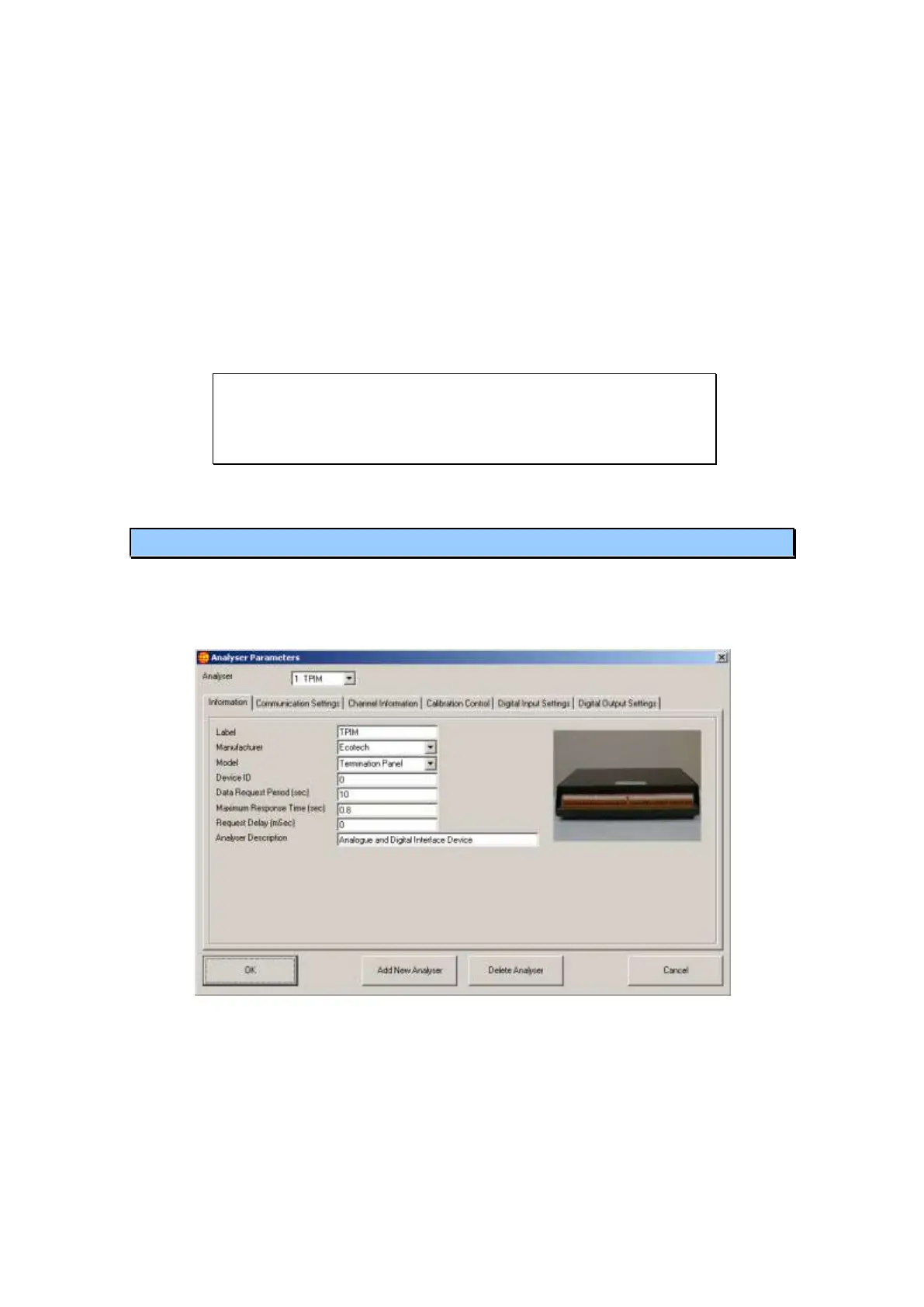
The Analyser Parameters window contains all the settings for each analyser as well as
for any analogue or digital channels that are provided by those analysers. Any
communication settings, calibration settings and digital input or output settings can be
altered in the Analysers Parameters window.
Figure 23 Analyser Parameters
The Analyser list box at the top of the window contains a list of all the analysers
currently in the WinAQMS Mini DAS system. Changing between different analysers
in the system using this list box will alter the information in the tabs to match the
chosen analyser. The options available in the tabs and the number of tabs will change,
depending on the analyser. E.g. for an Ecotech Termination Panel the Digital Input
Settings and Digital Output Settings tabs will appear, but a R&P Teom 1400a analyser
has no digital inputs or outputs so the corresponding tabs will not appear.



 To Next Page