Edit Menu WinAQMS Mini DAS User manual 1.0
30
4.3.2 Vector Averaged Channels
The second tab on the Calculated Channels window allows you to find the vector
average or the sigma theta of vector data which is often used for wind data. Since
each channel, however, can only record scalar (non-vector) data, to calculate a vector
average two channels must be set up, one to find the magnitude and the other the
direction of the vector average.
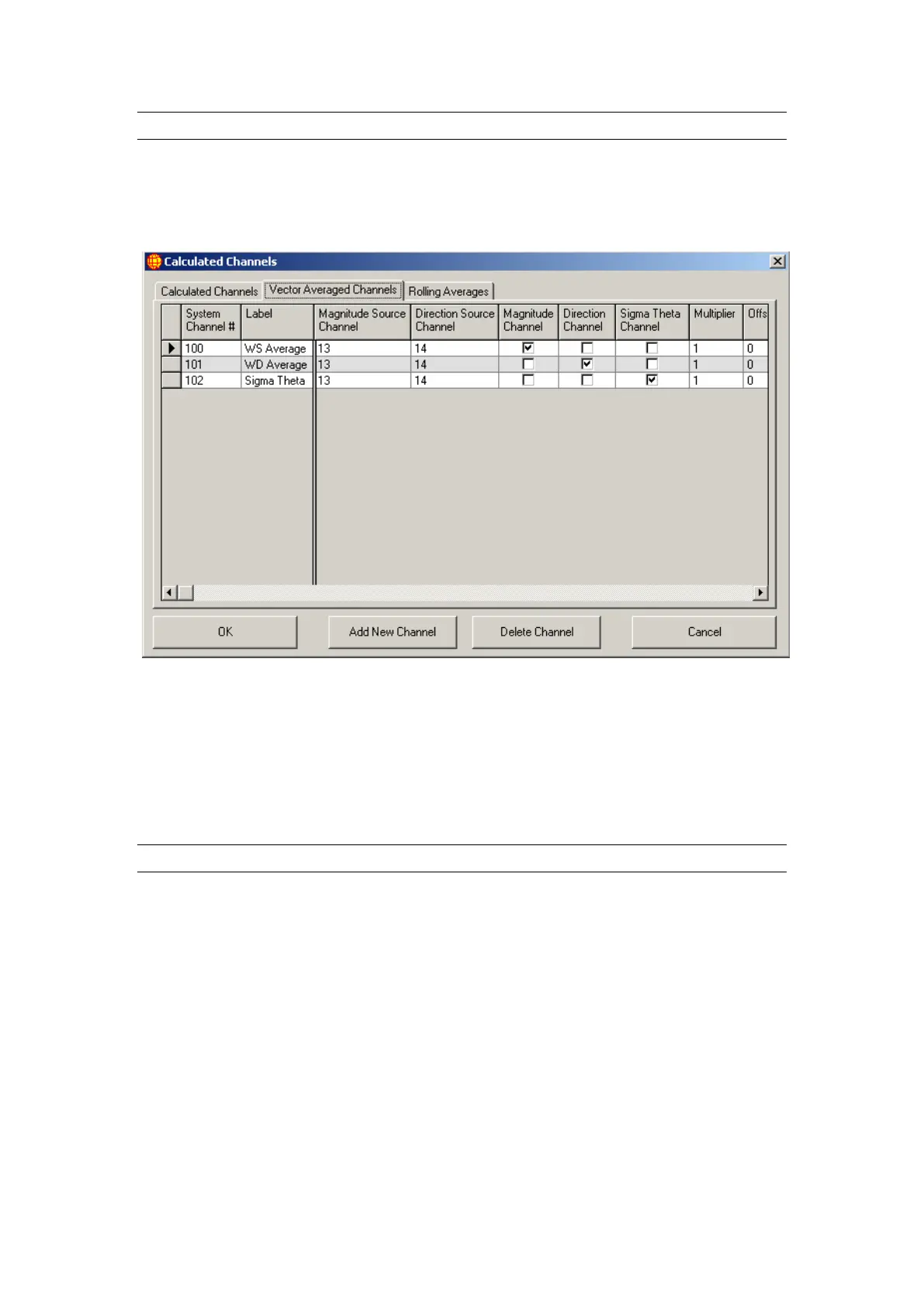
Figure 30 Vector Averaged Channels in Calculated Channels
Figure 30 shows an example of this. The wind speed and direction channels are
numbers 13 and 14 respectively. Having Magnitude Channel ticked means that
channel 100 will store the magnitude of the vector average. Channel 101, meanwhile,
with Direction Channel ticked, will record the direction of the vector average and
channel 102 with Sigma Theta Channel ticked will record the standard deviation of
wind direction for channel 14.
4.3.3 Rolling Averages
Rolling average channels can be made by specifying an existing channel as the Source
Channel and an existing report as the Source Report. The Rolling Count indicates how
many times the channel will roll the specified report. For example, if report 1 was
averaged every 5 minutes and report 2 was averaged every hour and an 8 hour rolling
average of 1 hour data was required then the Source Report value would be set to 2
(report 2), the Rolling Count would be set to 8 (8 hours).



 To Next Page