WinAQMS Mini DAS User manual 1.0 Manual Menu
55
6
6
6
M
M
M
a
a
a
n
n
n
u
u
u
a
a
a
l
l
l
M
M
M
e
e
e
n
n
n
u
u
u
The Manual menu is designed to allow the user to manually perform Calibrations,
communicate with software and alter other software aspects.
6.1 Start Calibration
The Start Calibration option on the Manual menu will manually start the calibration
for the selected channel. When the Start Calibration menu item is chosen you will be
asked if you want to disable scheduled calibrations. This will disable the automatic
calibrations for all channels. If you want the scheduled automatic calibrations to be
disabled then select the Yes button. If you do not want scheduled calibrations to be
disabled while you are running manual calibrations then select No.
If you choose to disable scheduled calibrations then any automatic calibration that had
already started will be aborted and any calibration that is set to start while this
window is open will not do so. The reason this option is given is to stop automatic
calibrations, which may change digital outputs, from interfering with the running of
manual calibrations.
This option is used to stop automatic calibration, which may change digital outputs,
instrument states and calibration settings, causing conflicts with the manual
calibration.
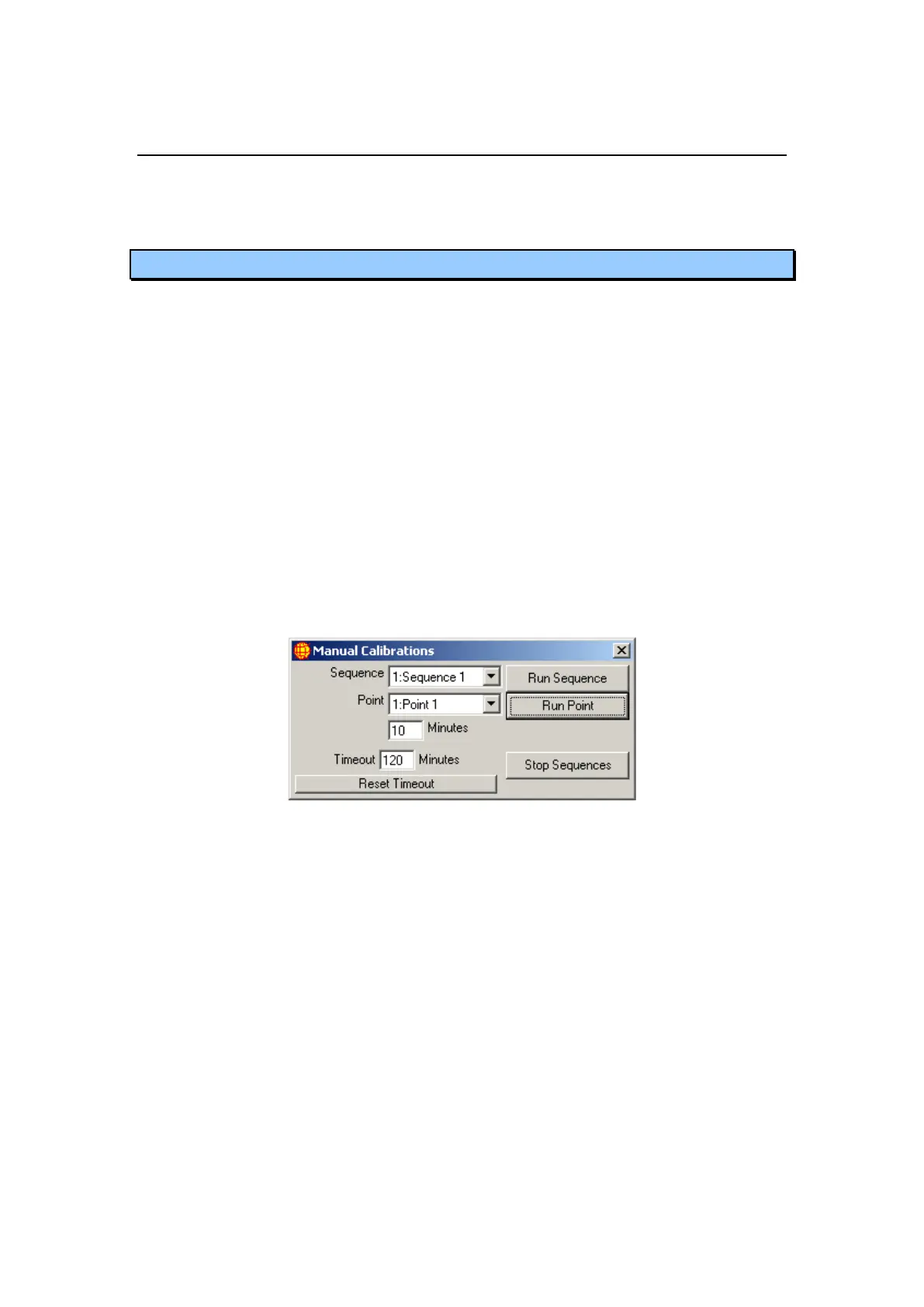
Figure 63 Start Manual Calibrations
Once a selection is made a window like that shown in Figure 63 will open. The
sequence/point will begin calibrating using the same digital inputs and outputs and the
same span, zero and precision times as was set for the automatic calibration . If the
channel was already in the middle of a calibration then it will drop out of the current
calibration, complete the requested manual calibration and then set its next calibration
time to occur as if the manual calibration did not occur. This means a manual
calibration will not mess up the timing of scheduled calibrations in the future. The
Sequence and Points options allow the user to choose which sequence or which point
from the sequence they wish to run manually (these sequences and points were
created in section 4.2.4 Calibration control). The duration is automatically updated to
the normal time taken for that point but can be altered when an individual point is
manually calibrated. Press the Run Sequence or Run Point button to run the selected
sequence or specific point. The Stop button will stop any manual calibration in
progress for that sequence.
The timeout value (defaults to 120 minutes) decrements every minute. When the
timeout value reaches 0 the Manual Calibration window will close. When the



 To Next Page