WinAQMS Mini DAS User manual 1.0 Edit Menu
35
Wincollect workstation through a network then a dialup connection
needs to be used.
The Username and Password fields are for the username and
password required by the dialup connection.
Note: If there is no Dialup Connection selected
from the dropdown list the Username and
Password fields will be hidden.
The Wincollect IP address field is the Wincollect workstations‟
TCP/IP address on the network. (LAN or dialup connection)
The Domain field is used if the Wincollect Workstation is part of a
domain but otherwise can be left blank.
4.5 Logs
WinAQMS Mini DAS has a Log feature which allows users to Log in all activity that
has been performed on or with the WinAQMS Mini DAS program to keep track of
work and changes performed.
1. Under the Edit menu select the Log menu item
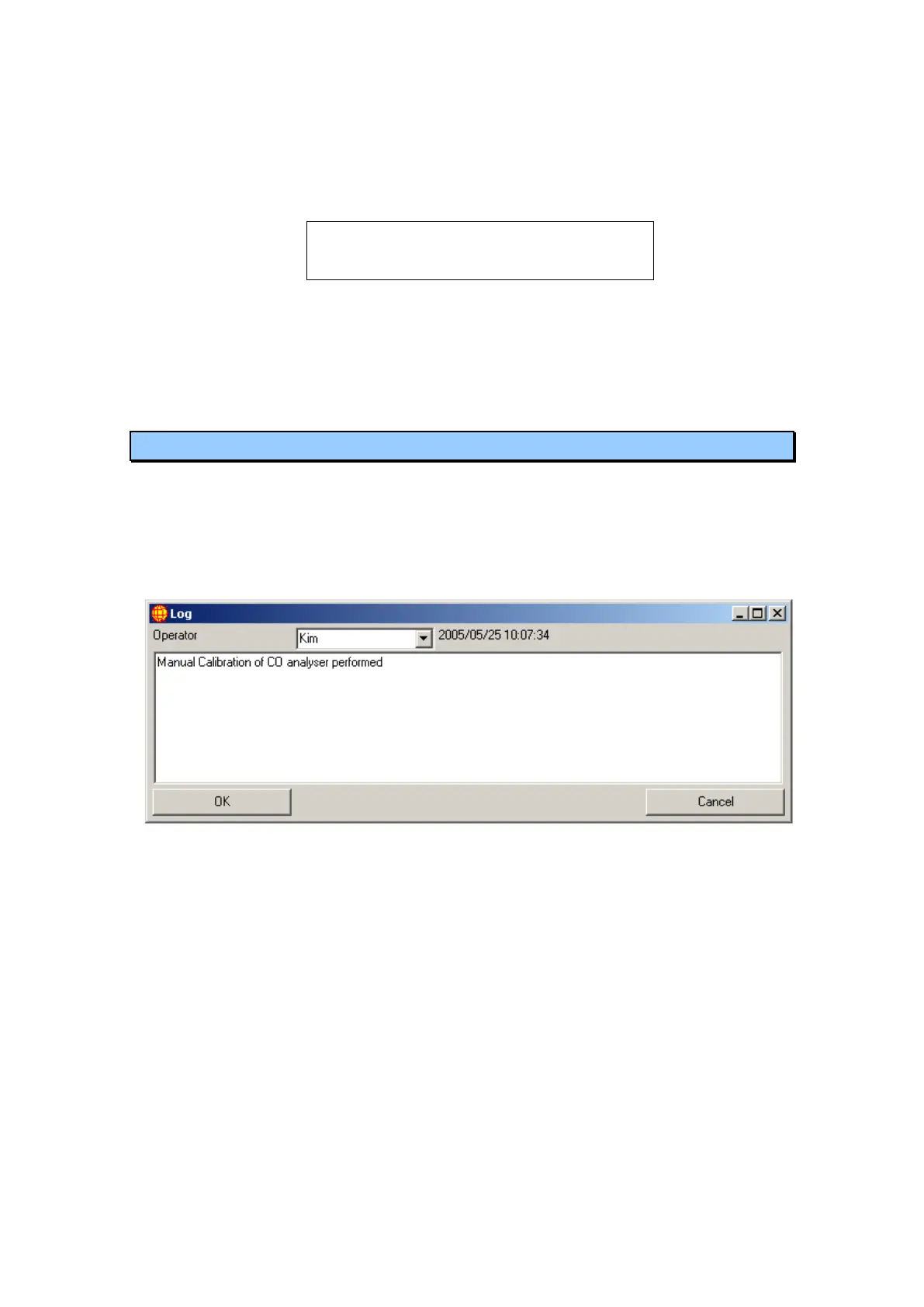
2. On the main Log screen click the Add new log entry, a new
window will appear (Figure 36).
Figure 36 Log entry window
3. Within this new window choose the operator name if not already
present then enter a new name
4. In the blank white space type in the task being performed the press
ok, if you wish not to save/enter the log then press cancel.
The main Log screen contains a summary of Log entries. By default the Log screen
will record the last 10 log entries; more can be accessed by changing the Start
Date/time.



 To Next Page