WinAQMS Mini DAS User manual 1.0 Edit Menu
43
4.11 Stack sequencing
Stack sequencing allows WinAQMS Mini DAS to set digital outputs in a repeating
cycle. The cycle is made up of a series of points which will run through sequentially
and repeat continuously. The stack sequencing will be suspended when a calibration
is in progress.
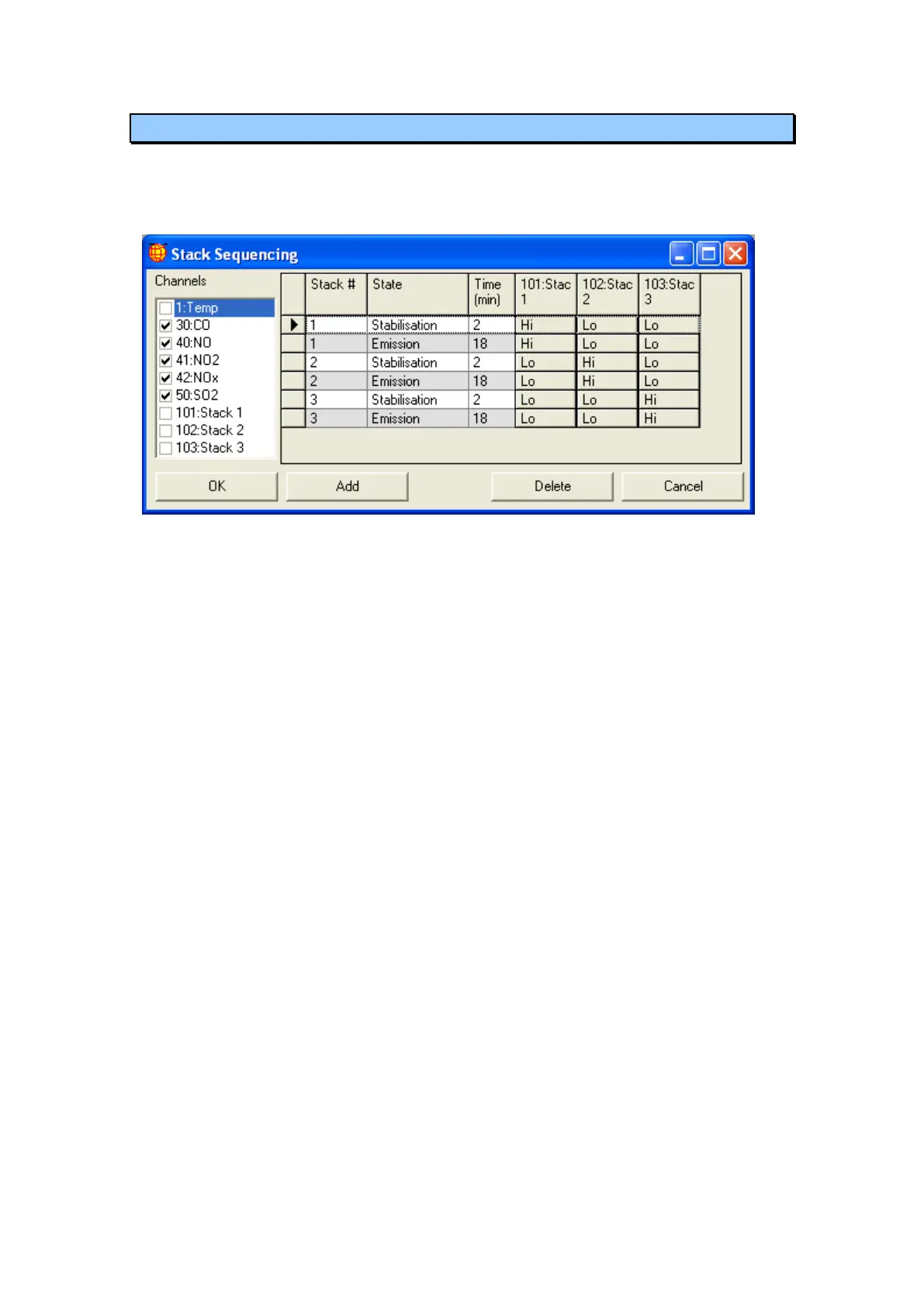
Figure 48 Stack sequencing window
Channels: the channels that are selected here will be marked with a calibration state
for the points which have a Stabilisation state.
State: dropdown list which allows the stack point to be set to Stabilisation or
Emission. In Stabilisation state channels will be marked with a calibration status. In
Emission state channels will not be marked with a calibration status.
Time (min): duration that the stack point will last before moving on to the next point.
Digital Outputs: each digital output in the system will be shown to the right of the
Time column. Each output in each point can be set with a value (Hi, Lo or no change)
which will be activated when the system is running the point.



 To Next Page