WinAQMS Mini DAS User manual 1.0 Edit Menu
17
4
4
4
E
E
E
d
d
d
i
i
i
t
t
t
M
M
M
e
e
e
n
n
n
u
u
u
The Edit menu allows the user to enter the specifications for running the program.
These specifications include the parameters for the DAS and analysers, calculated
channels for transformation of data, alarm generation and more.
4.1 System Parameters
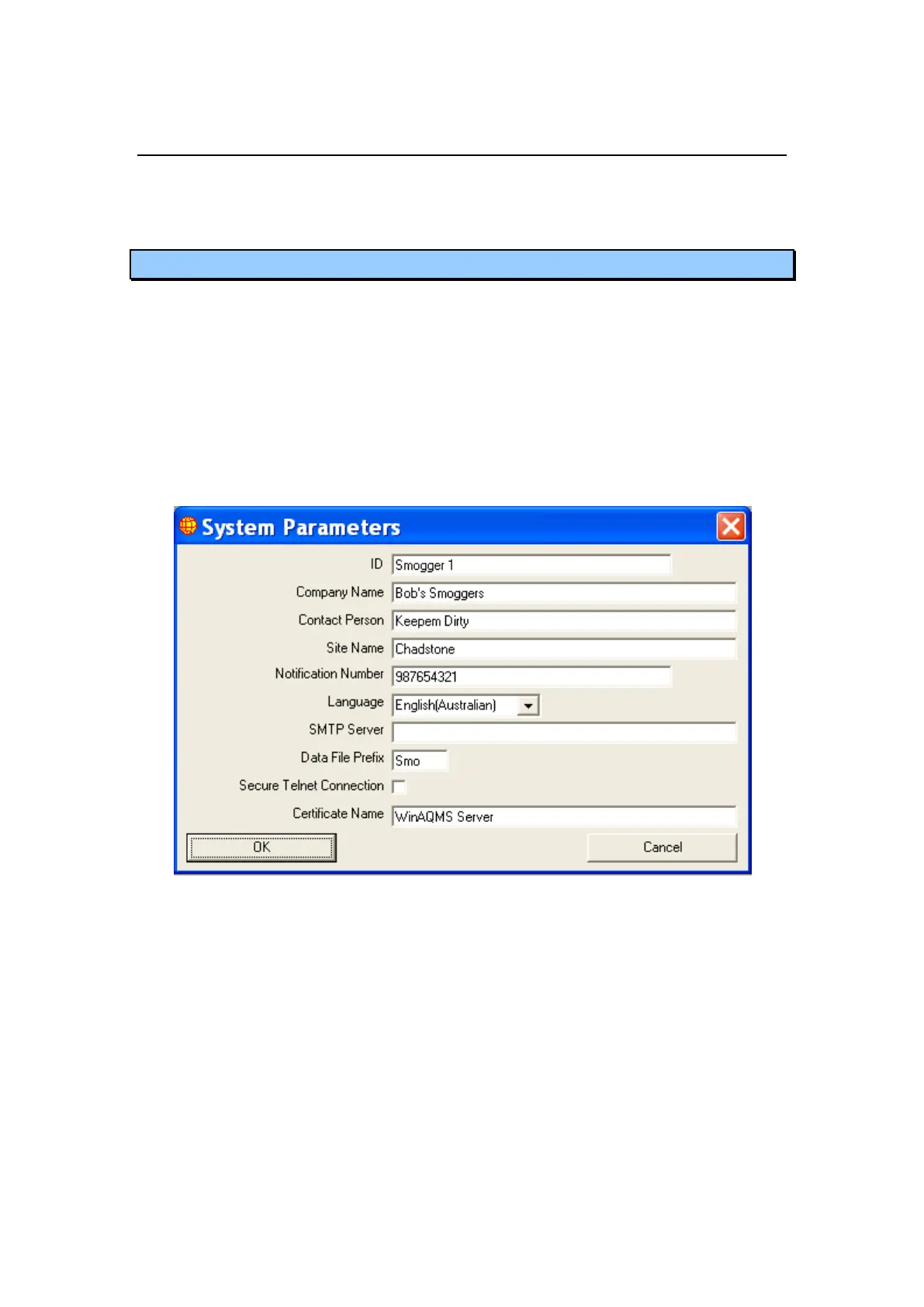
The System Parameters window contains the basic DAS information and some of the
system-wide settings. Basic DAS information includes:
ID, a text field for identifying the system.
Company Name, a text field for recording the name of the company using the
system.
Contact Person, a text field for recording the name of the person to contact
regarding the system.
Site Name, a text field for recording the name of the system site.
Notification Number, a text field for recording the telephone number to call if
faults occur.
Figure 22 System Parameters
System wide settings include:
Language: The language listbox offers you the choice of what language you want
WinAQMS Mini DAS‟s text to be displayed in (English, Chinese, Spanish). If
there is only one language displayed (Australian English) then that is the only
language available to you. If a different language from the current language is
chosen and the OK button is pressed then WinAQMS Mini DAS‟s menu structure
and buttons will be changed immediately to the new language with the exception
of windows which are already open. If a window is open prior to a language
change then it should be closed and then reopened to allow it to properly update
its text and buttons.
SMTP Server, the server name or IP address WinAQMS Mini DAS will use to
send emails if there is an alarm condition.



 To Next Page