WINAQMS MINI DAS User manual 1.0 Installation and Setup
7
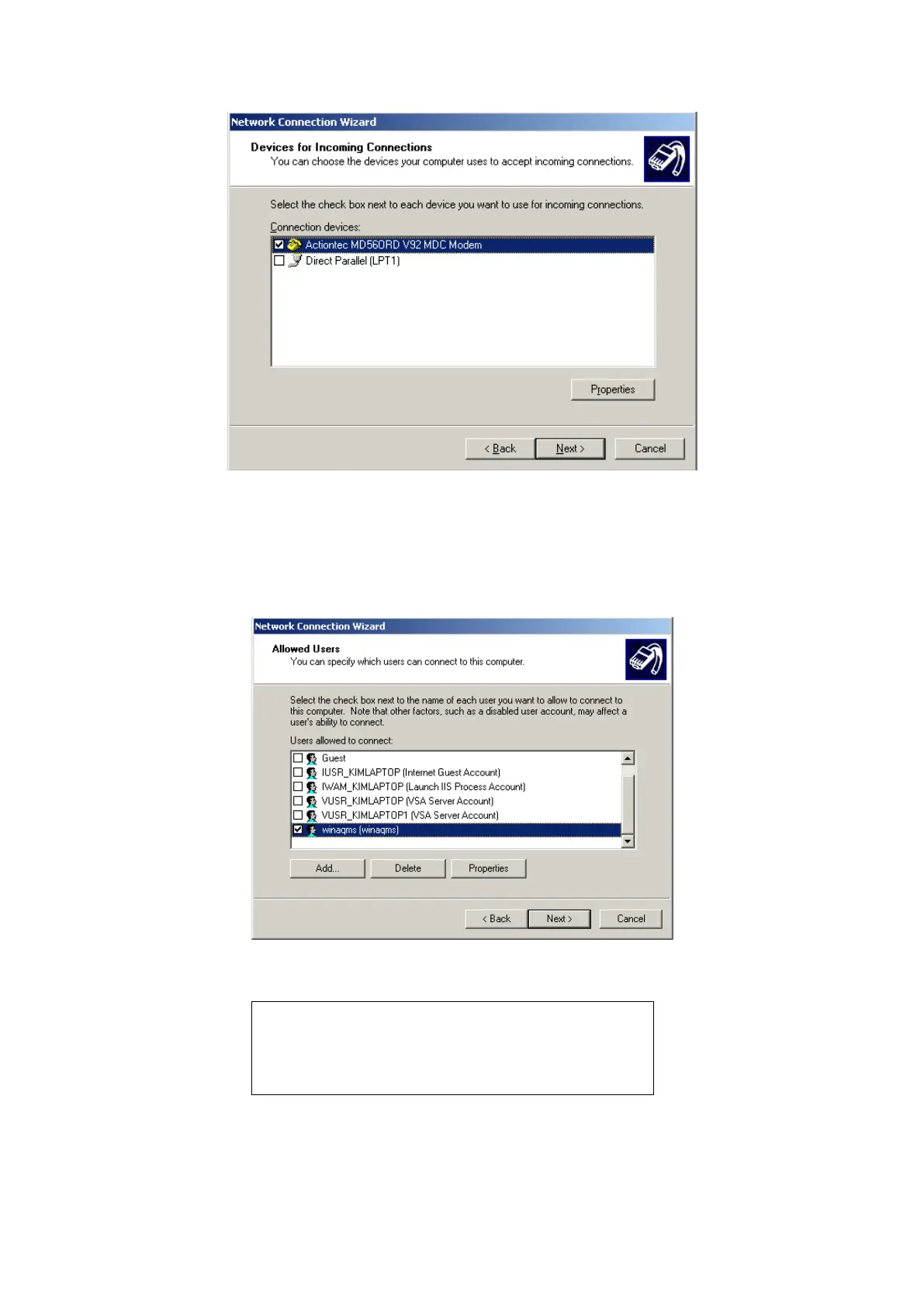
Figure 7 Selecting the incoming connection modem
The next window will ask about Virtual Private Connections. Do not allow virtual
private connections to the DAS and click on Next. Select the WinAQMS user account
and any others you want to be allowed to log in using a dialup connection by placing
a tick in their selection box as shown in Figure 8 below.
Figure 8 Selecting the incoming connection users
Note: Only the users on this list will be able to establish
a dialup connection to this DAS. By default WinAQMS
Mini DASs are set to allow dialup connections. These
users must also be able to access the shared Database
directory.
In the Networking Components list make sure that Internet Protocol (TCP/IP) is
selected, then highlight it and click on properties (Figure 9).



 To Next Page