WinAQMS Mini DAS User manual 1.0 Manual Menu
57
<STX>4AREG K0 8<ETX>
There is no key on the keyboard to send an STX character (ASCII code 2) or an ETX
character (ASCII code 3) but when the Convert non-printing characters option is set
you could send the string
[2]4AREG K0 8[3]
If the Convert non-printing characters checkbox is set then WinAQMS Mini DAS
knows to replace the [2] with an STX and the [3] with an ETX.
Any non-printing characters in the responses from the analysers will also be converted
to their ASCII codes and put into square brackets when shown in the Receive Text
box.
6.3 Communicate with Analyser
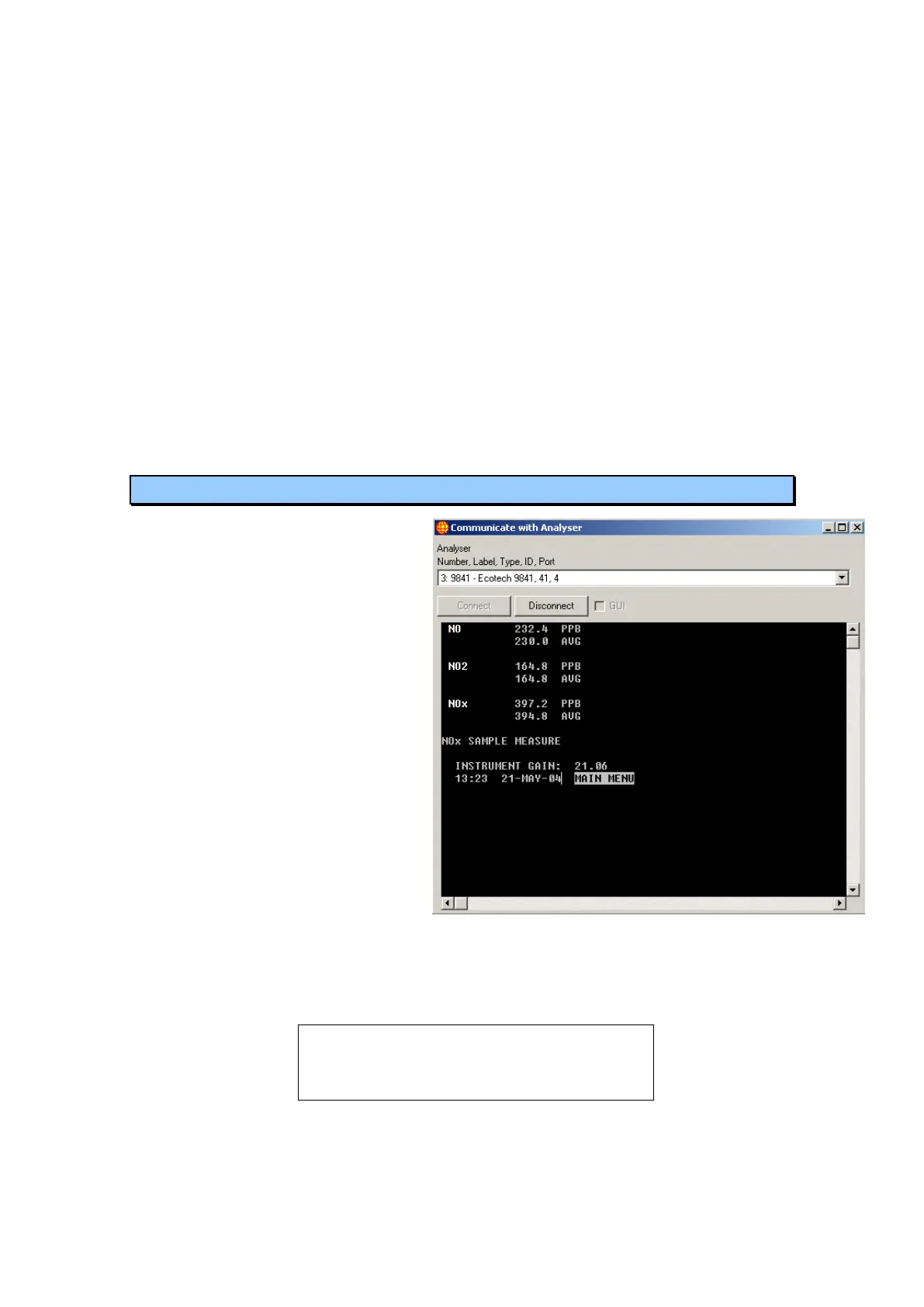
WinAQMS Mini DAS can
communicate with analysers which
have ANSI terminal modes. To
communicate with an analyser,
choose the Communicate with
Analyser option on the Manual
menu and select the analyser from
the dropdown box. The dropdown
box contains information which
will uniquely identify the analyser
such as analyser number, label,
manufacturer, model, ID and the
communication port the analyser
uses. Once a selection has been
made click on the Connect button
and the terminal screen for the
analyser will come up in the black
screen on the window. When you
have finished using the analyser in
terminal mode click on the
Disconnect button and WinAQMS
Mini DAS will release the communications port so that normal logging can be
resumed.
Note: When using a communication port to
communicate with an analyser in terminal mode
WinAQMS Mini DAS will suspend all logging on
that port. There is no timeout on this operation.
The Ecotech and Monitor Labs 98XX series analysers, Serinus series, Ecotech Aurora
Nephelometers and Ecotech Gascal-1100 have terminal modes. WinAQMS Mini
DAS can display a Graphical User Interface (G.U.I.) for the settings of an Ecotech
Figure 65 Communicate with Analyser



 To Next Page