Patient Monitor User Manual Monitoring C.O.
- 108 -
the parameter area and the start measurement time (7 in the above figure).
To ensure the accuracy of the measurement, it is suggested that a reasonable interval should take
place between two consecutive measurements. The length of the interval can be set in the C.O.
Setup menu (Time unit: second). The interval time counter is displayed on the screen. The next
measurement cannot be performed until the time reduces to zero and a message Ready for new
measurement appears. The adjustable range of Interval is: 5 to 300 seconds.
Repeat this procedure until you have completed the measurements you want.
A maximum of six measurements can be saved. If you perform additional measurements, the
earliest measurement will be automatically deleted when a seventh curve is saved. In C.O. review
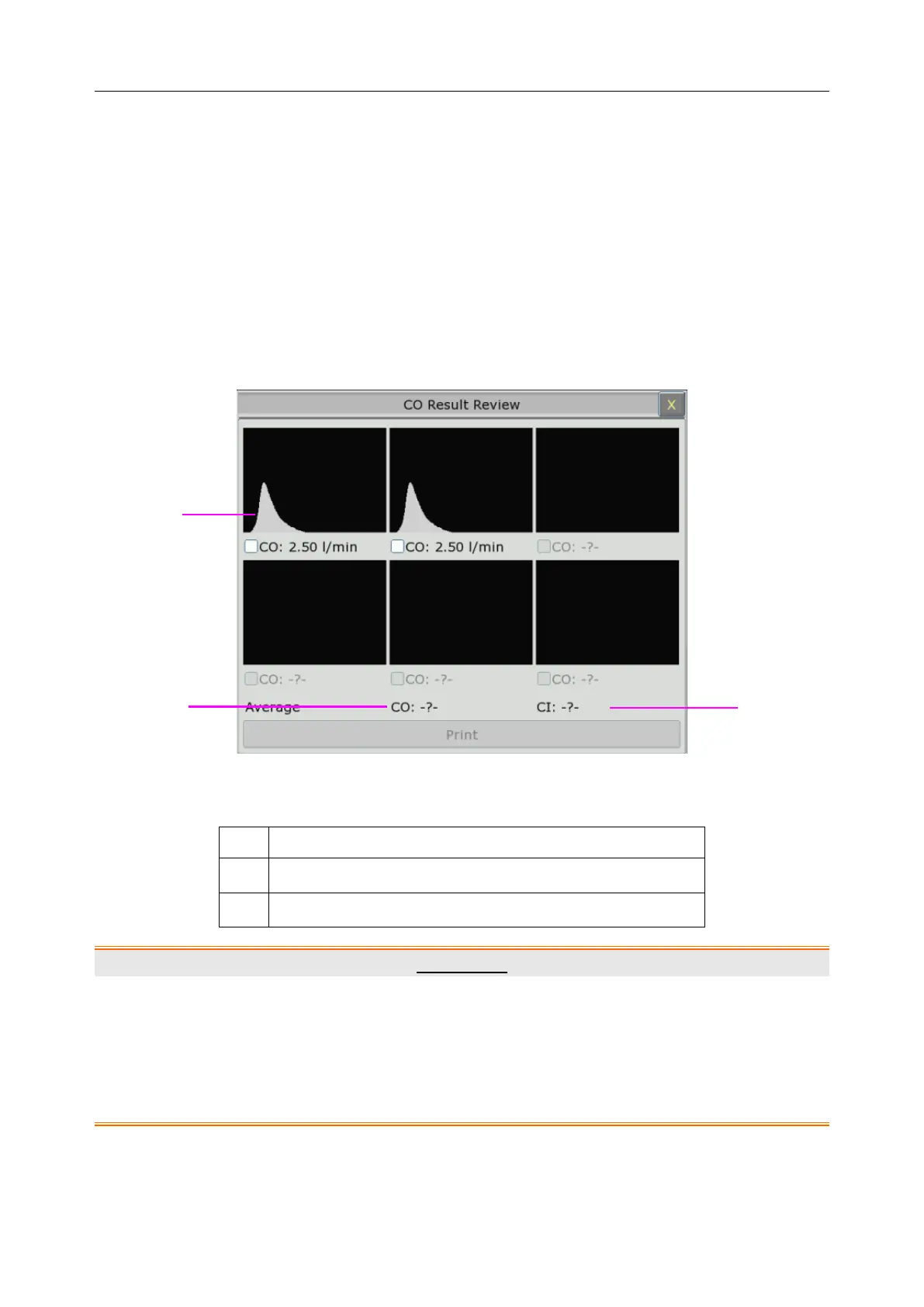
window, select required curves from the 6 measurement curves, and the monitor will
automatically calculate and respectively display the average values of C.O. and C.I. as following:
Window for C.O. Edit
Contents displayed in the window:
Six curves of the six measurements and C.O. value
WARNING
1 Make sure that the computational constant for the measurement is appropriate to the
catheter used.
2 Before a C.O. measurement is initiated, check the accuracy of patient setup. The
calculation of C.O. is related to the patient height, weight, and catheter computation
coefficient; therefore, incorrect input will lead to error in calculation.



 To Next Page