Patient Monitor User Manual Basic Operation
- 14 -
Chapter 3 Basic Operation
This manual is for clinical professionals using the X8 X10 and X12 patient monitors. Unless
otherwise specified, the information here is valid for all the above products.
This user manual describes all features and options. Your monitor may not have all of them; they
are not all available in all geographies. Your monitor is highly configurable. What you see on the
screen, how the menus appear and so forth, depend on the way it has been tailored for your
hospital and may not be exactly as shown here.
You may frequently use the follow functions:
ECG monitoring (Refer to Monitoring ECG for more information.)
SpO
2
monitoring (Refer to Monitoring SpO
2
for more information.)
PR monitoring (Refer to Monitoring PR for more information.)
NIBP monitoring (Refer to Monitoring NIBP for more information.)
Alarm (Refer to Alarms for more information.)
3.1 Overview
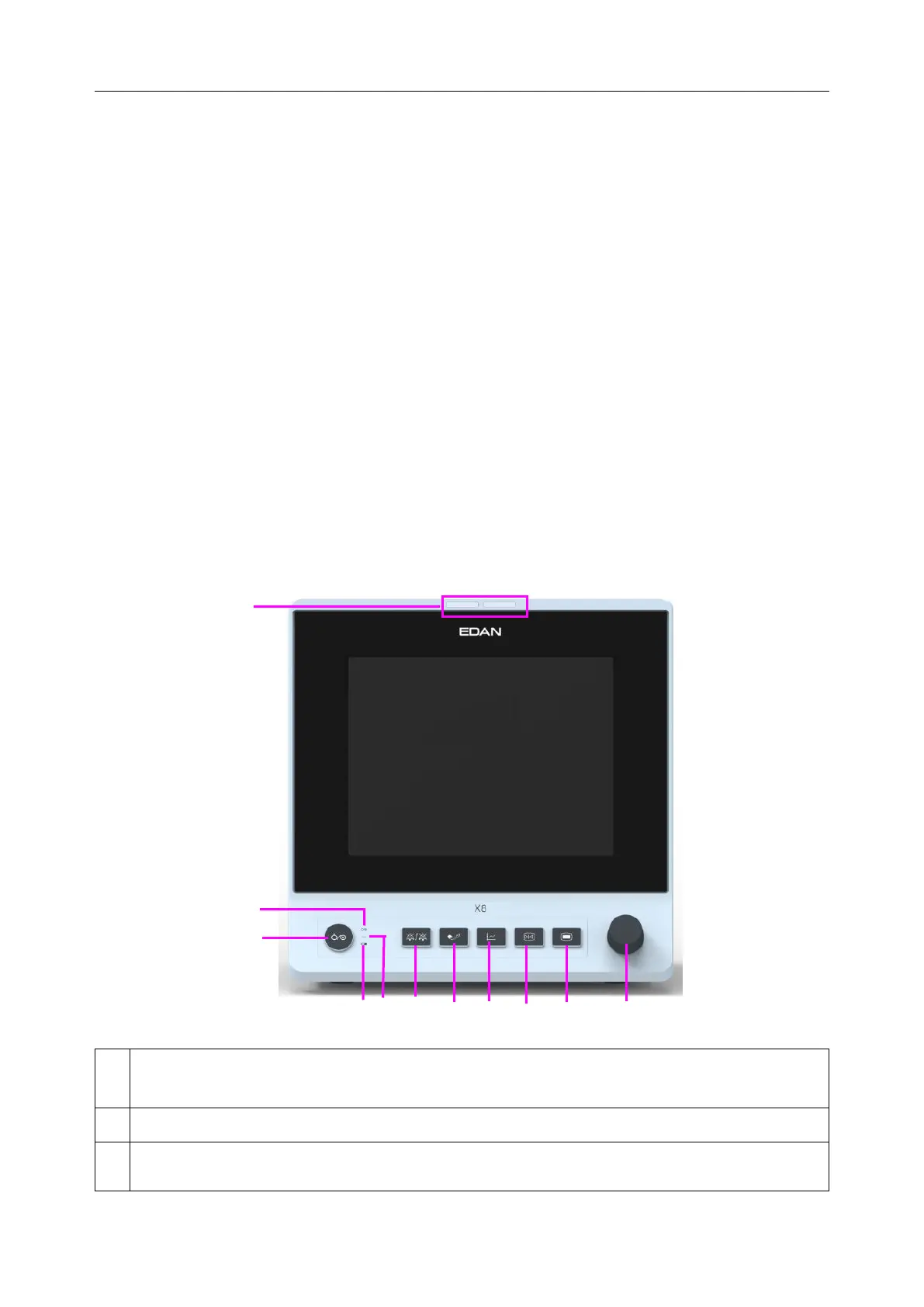
3.1.1 Front View
Alarm indicator — when an alarm occurs, the alarm indicator will light or flash. The color
of light represents the alarm level.
Power supply switch — when the monitor is connected to the AC power supply, press the
key to turn the monitor on. When the monitor is turned on, press the key to turn the



 To Next Page