Patient Monitor User Manual Using Battery
- 136 -
23.2 Battery Power Indicator
The indicator labeled Battery on the front panel of the monitor illuminates in green when the
monitor is battery powered and illuminates in yellow when battery is being charged. The
indicator is not illuminated when the monitor is not powered or fully powered, or when AC
power is applied.
23.3 Battery Status on the Main Screen
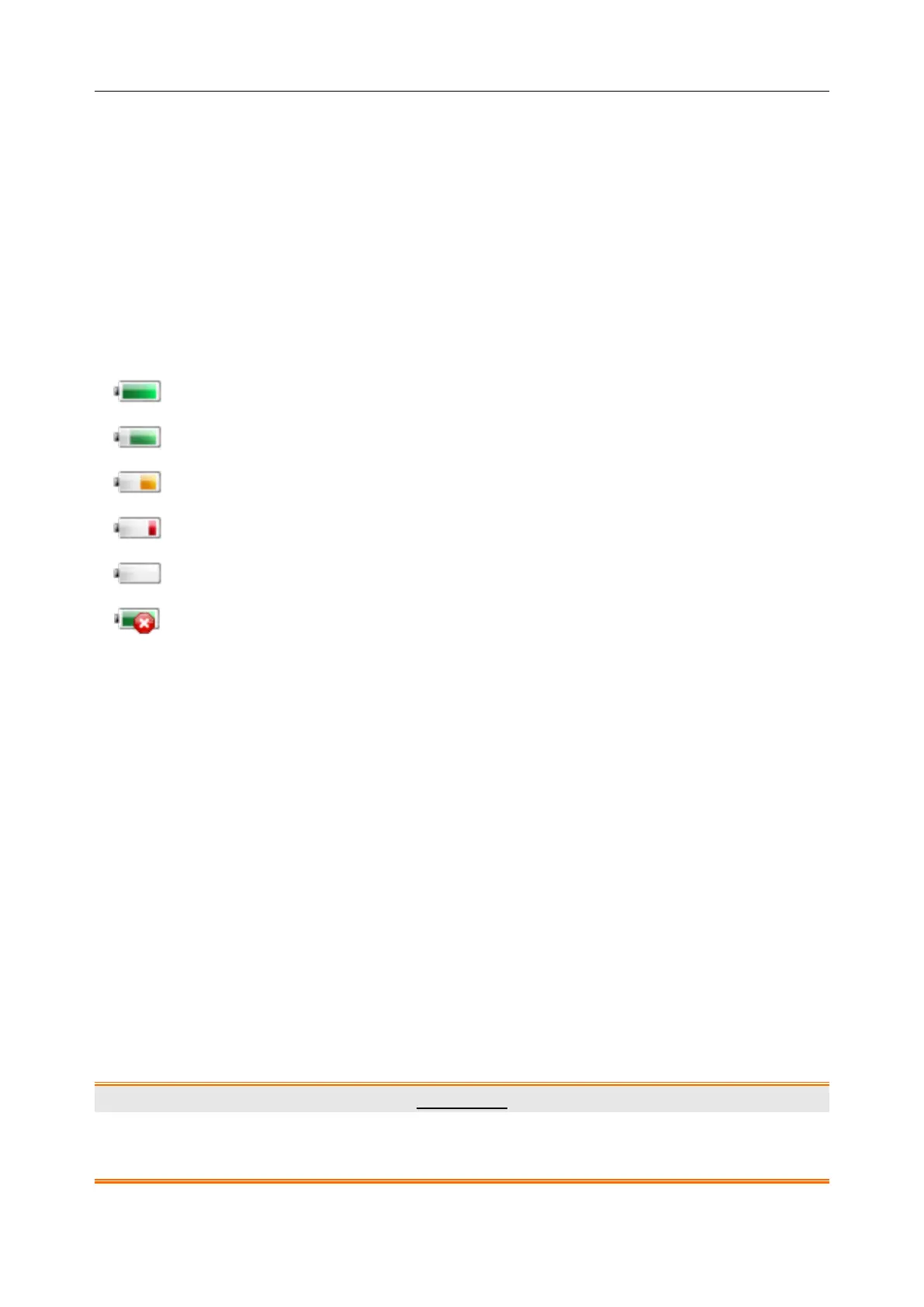
Battery status symbols show the status of each battery detected and the combined battery power
remaining.
Remaining battery power: 100%.
Remaining battery power: 75%
Remaining battery power: 50%
Remaining battery power: 25%
Batteries are almost depleted and need to recharge immediately.
23.4 Checking Battery Performance
The performance of rechargeable batteries may deteriorate over time. Battery maintenance as
recommended here can help to slow down this process.
1. Disconnect the patient from the monitor and stop all monitoring and measurement.
2. Switch the monitor power on and charge the battery for more than 6 hours continuously.
3. Disconnect monitor from mains power and let the monitor run until there is no battery power
left and the monitor shuts off.
4. The running time of the battery reflects the battery performance.
If the running time is obviously less than the specified time in the specification, please change the
battery or contact the service personnel.
23.5 Recycling the Battery
When the battery no longer holds a charge, it should be replaced. Remove the old battery from
the monitor and recycle it properly.
WARNING
Do not disassemble batteries, put them into fire or cause them to short circuit. They may
ignite, explode or leak, causing personal injury.



 To Next Page