12
ADVANCED USER GUIDE
Commander SX
IP66/Nema 4X variable speed drive
PARAMETER SETTING USING THE LCD KEYPAD
CONTROL TECHNIQUES
3854 en - 03.2008 / b
1.3.2 - Simplified parameter setting mode
(menu 0)
A user menu, known as menu 0, contains the most useful
parameters. Each parameter in menu 0 is the image of a
parameter contained in another menu in advanced
parameter-setting mode.
1.3.3 - Advanced parameter setting mode
(menus 1 to 21)
Advanced parameter setting mode provides access to all the
drive parameters. The parameters are arranged in menus.
The drive has 21 menus (menu 1 to menu 21).
A parameter is indicated by XX.YY, where the first two figures
(XX) refer to the menu and the next two figures (YY) refer to
the parameter number in the menu.
The change from simplified parameter setting mode to
advanced parameter setting mode is protected by an access
code (factory setting: 149).
1.4 - Commissioning using simplified parameter setting mode
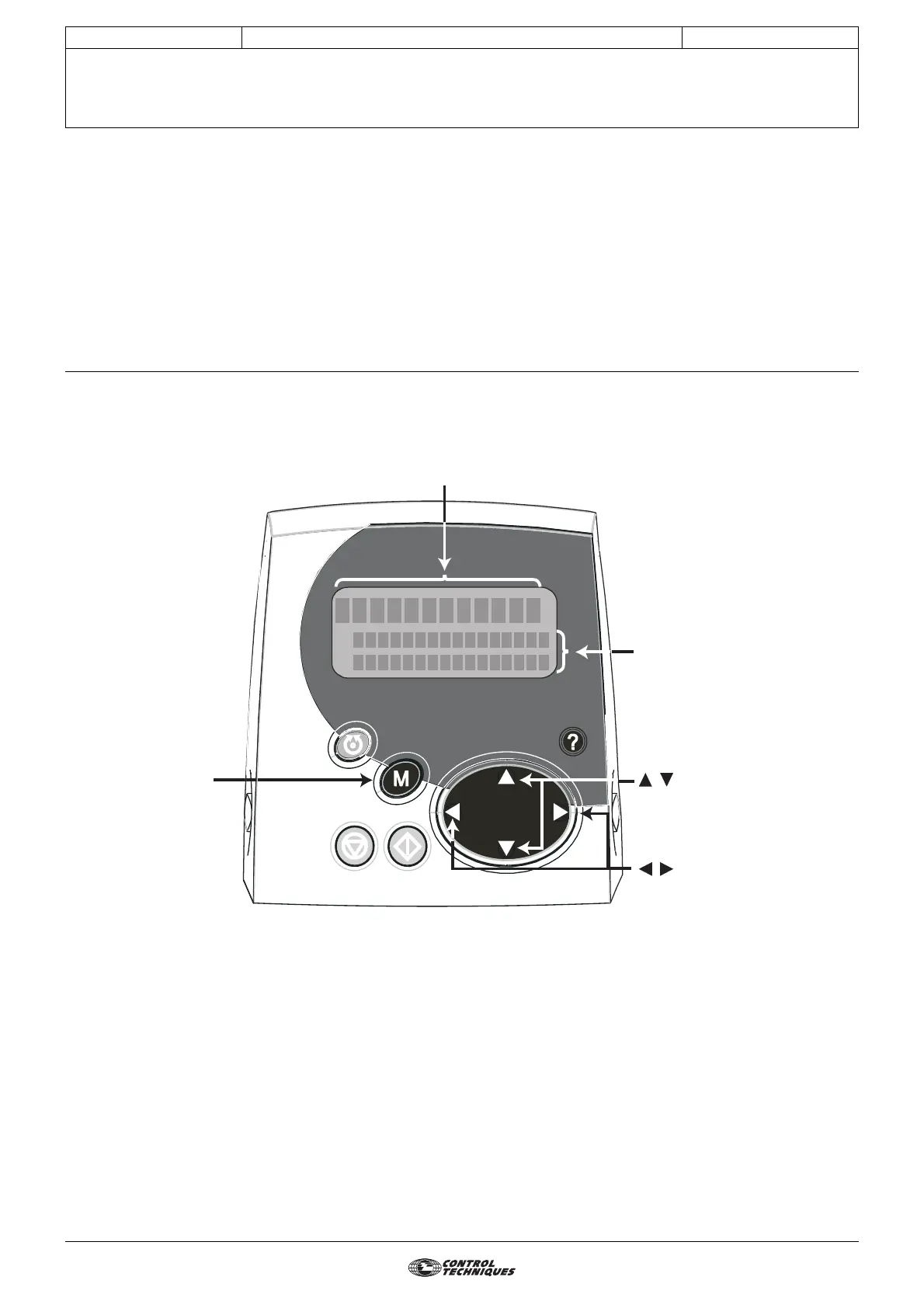
Press once to change
the value of the selected
parameter.
The second press on
the button is used to
confirm the modification
and access the other
parameters.
0
1500
rmp
1.06:
REFEREN
AMXIMU
, are used to select the
menu 0 parameter to be modified
or to increment/decrement the
value of the parameter currently
being modified.
, are used to exit
parameter-setting mode or to move
the cursor when modifying a value.
Parameter number and name
Parameter value
M
C
E
CL
AM
P




 To Next Page