27
ADVANCED USER GUIDE
Commander SX
IP66/Nema 4X variable speed drive
MENU 1: SPEED REFERENCE: SELECTION, LIMITING AND FILTERS
CONTROL TECHNIQUES
3854 en - 03.2008 / b
: Preset selector
Adjustment range :0 to 9
Factory setting :0
This parameter is used to select the preset references. It
works as follows:
0 (Term. inputs) (SEL): Is used to select the reference by
combining the digital inputs assigned to parameters
1.45 to 1.47.
1 (Preset 1) (Pr1): Preset reference 1
2 (Preset 2) (Pr2): Preset reference 2
3 (Preset 3) (Pr3): Preset reference 3
4 (Preset 4) (Pr4): Preset reference 4
5 (Preset 5) (Pr5): Preset reference 5
6 (Preset 6) (Pr6): Preset reference 6
7 (Preset 7) (Pr7): Preset reference 7
8 (Preset 8) (Pr8): Preset reference 8
9 (Timer) (Cycl): The reference is selected automatically by
a scan timer.
: Preset reference selector timer
Adjustment range :0 to 9999 s
Factory setting :0
When 1.15 = 9 (timer), is used to set the time between each
reference where the scan time is identical between each
preset reference (1.70 is set to 0).
: Keypad reference
Adjustment range :1.07 to 1.06 (1.10 = 0)
Factory setting :0
Indicates the reference value coming from the local control or
the LCD console.
to : Not used
to : Preset references 1 to 8
Adjustment range :± 1.06
Factory setting :0
In order, 1.21 to 1.28 are used to define preset references
Preset 1 to Preset 8.
and :Skip references 1 and 2
Adjustment range :0 to 1.06 rpm
Factory setting :0
Two skips are available to avoid a machine running at critical
speeds. When one of these parameters is at 0, the function is
deactivated.
and :Skip reference bands 1 and 2
Adjustment range :0 to 300 rpm
Factory setting :15 rpm
Define the skip band around the avoided speed. The total skip
will therefore equal the threshold set ± skip band. When the
reference is within the window determined in this way, the
drive will not allow operation in this zone.
and :Not used
: Reference in skip zone
Adjustment range :0 or 1
0 (Out) (OFF): The selected reference is not within one of the
skip reference zones.
1 (In) (On): The selected reference is within one of the skip
reference zones. In this case, the motor speed does not
correspond to the requested reference.
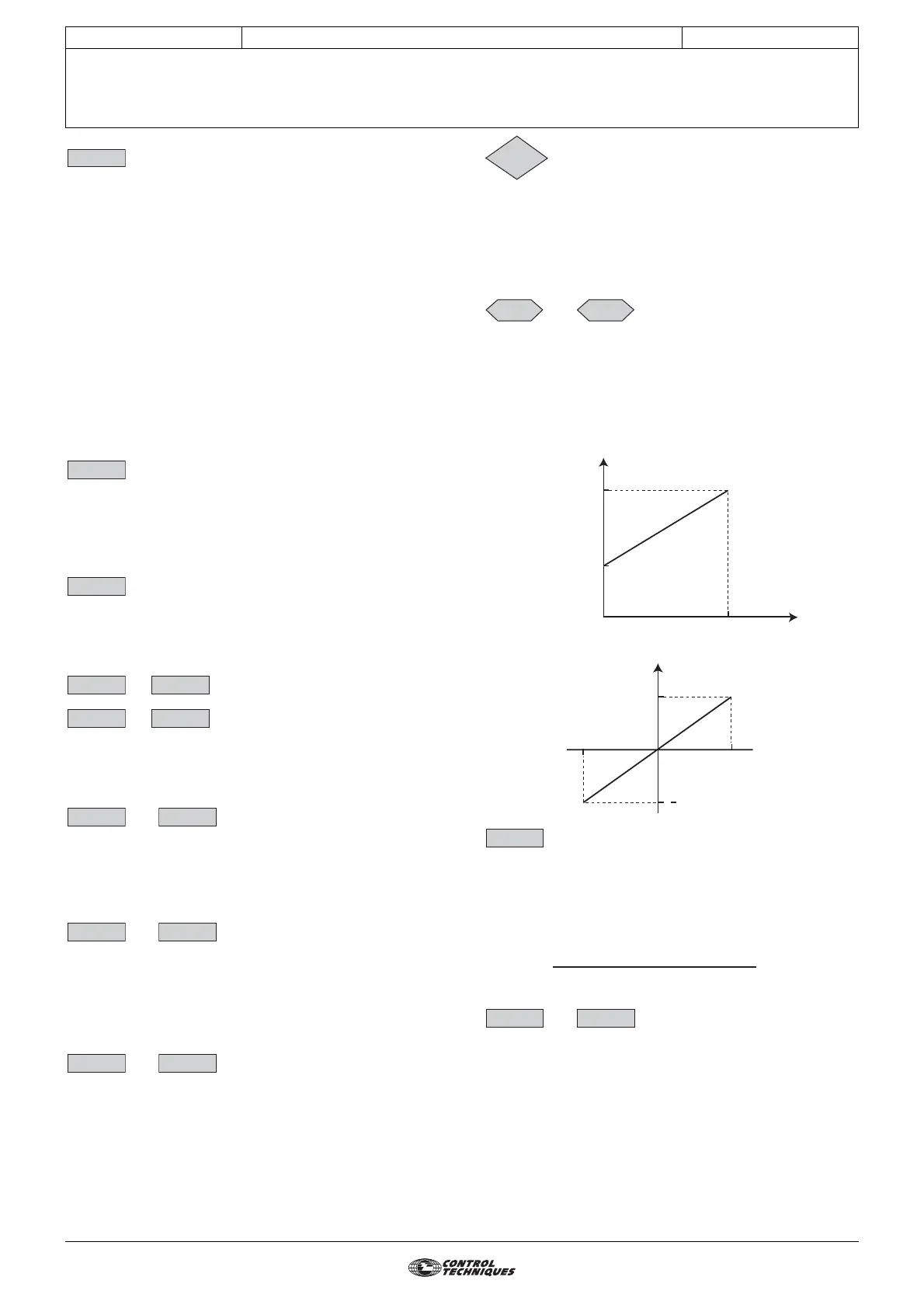
and :Analog references 1 and 2
Adjustment range :1.07 to 1.06 (1.10 = 0)
± 1.06 (1.10 = 1)
The analog inputs assigned to these parameters are
automatically scaled so that 100.0% of the input corresponds
to the maximum reference (1.06). Similarly the 0% input level
will correspond to the minimum reference 1.07 or 0
according to 1.10.
Unipolar mode (1.10 =0)
Bipolar mode (1.10 = 1), requires an Additional I/O option
: Percentage trim
Adjustment range :± 100.0%
Factory setting :0
An offset proportional to the selected reference can be added
to this reference.
The multiplication coefficient is determined by the analog
input assigned to 1.38.
Final ref =
and :Not used
1.15
1.16
1.17
1.18 1.20
1.21 1.28
1.29 1.31
1.30 1.32
1.33 1.34
1.35
1.36 1.37
Reference
1.06
1.07
0
100.0
%
Reference
1.06
1.06
- 100.0
+ 100.0
%
1.38
selected reference x (1.38
+ 100)
100
1.39 1.40




 To Next Page