65
ADVANCED USER GUIDE
Commander SX
IP66/Nema 4X variable speed drive
MENU 6: PROGRAMMABLE LOGIC AND TIMERS
CONTROL TECHNIQUES
3854 en - 03.2008 / b
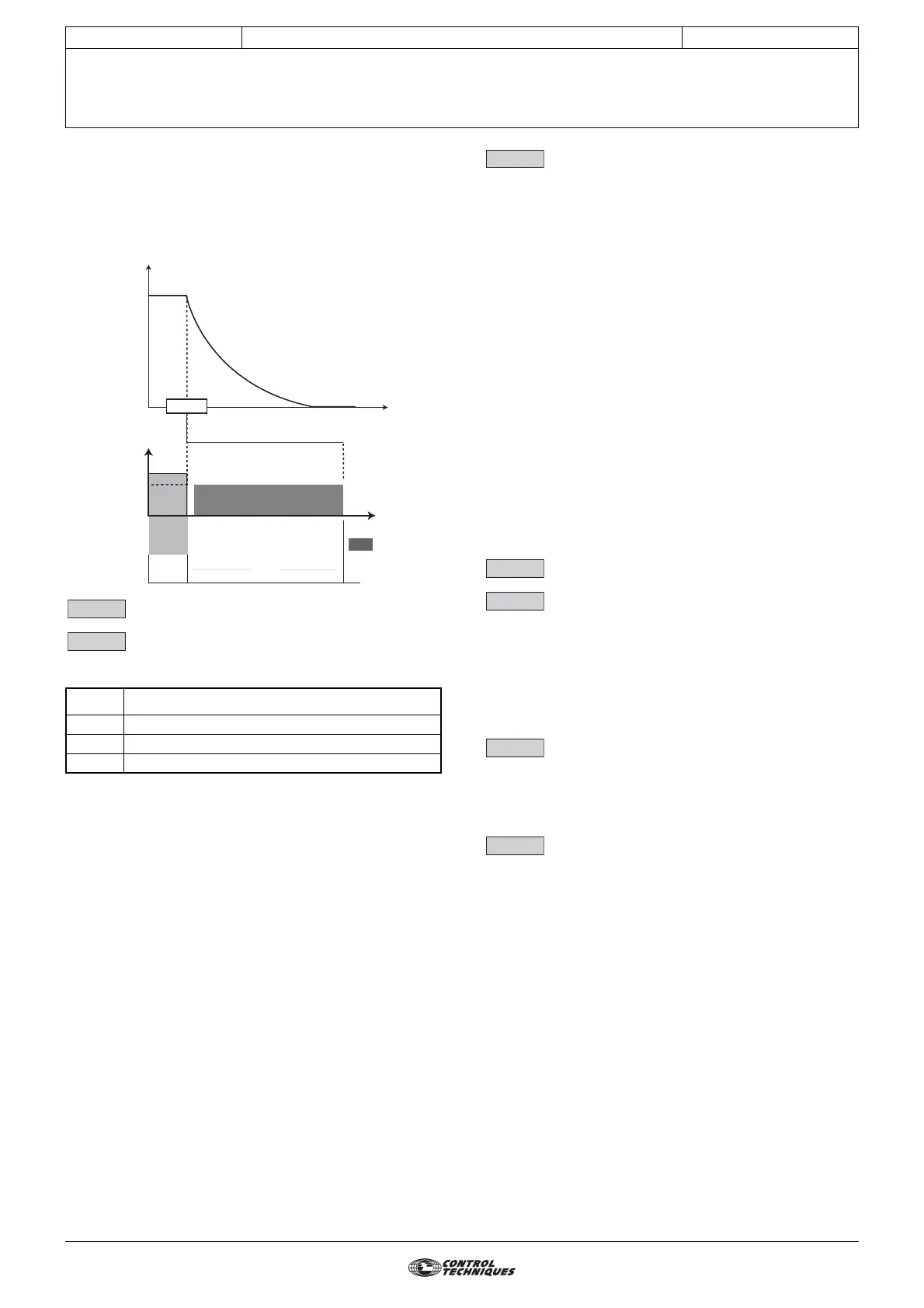
4 (Timed DC) (dC-t): Stop on DC injection with a set period
of time.
The drive decelerates the motor by setting a current defined
by parameter 6.06 for a time defined by parameter 6.07,
and then the drive displays "rdY". No run command can be
taken into account until "rdY" is displayed.
: Not used
: Mains loss mode
Adjustment range :0 to 2
Factory setting :0
0 (NO DETECTION) (diS): The drive does not take
account of mains supply breaks and continues to
operate while there is sufficient voltage on the DC bus.
1 (FULL STOP) (StOP): In the event of a mains supply break,
the drive will decelerate on a ramp, automatically calculated
by the drive, so that the motor feeds back energy to the drive's
DC bus and therefore continues to power its control
electronics. Upon return to normal conditions, deceleration
continues until the motor stops, but according to the
deceleration mode configured in 2.04.
2 (DELAYED STOP) (rd.th): In the event of a mains supply
break, the drive will decelerate on a ramp, automatically
calculated by the drive, so that the motor feeds back energy
to the drive's DC bus and therefore continues to power its
control electronics. Upon return to normal conditions, the
motor re-accelerates up to the reference speed.
: Start/stop logic select
Adjustment range :0 to 2
Factory setting :0
Used to choose one of 3 Run/Stop command and Direction of
rotation management modes.
0 (Run no latch) (Lchd) : DI2 terminal used as
FWD/Stop, DI3 terminal used as REV/Stop. Commands
given via latched contacts.
1 (Run Latched) (Puls) : DI2 terminal used as
FWD, DI3 terminal used as Stop, DIO1 terminal used as REV.
Commands given via pulsed contacts.
In this mode, the DI4 input can be assigned by the customer
but only as a latched contact and the stop command via DI3
cannot be reassigned. To change from FWD to REV or vice
versa, go via a stop command.
2 (Run-Fwd/Rev) (r.InP) : DI2 terminal used as Run/Stop,
DI3 terminal used to select the direction of rotation.
Commands given via latched contact.
These three configurations result in automatic assignment of
the digital inputs. If, within a configuration, an input is not used
by the application (no Reverse operation for example), the
corresponding input can be reassigned using menu 8.
Note: Modifications to 6.04 must be made with the drive
disabled.
: Not used
: DC injection braking level
Adjustment range :0 to 4.07
Factory setting :100.0%
This parameter defines the level of current used for DC
injection braking.
WARNING:
For efficient braking, the value of parameter 6.06 must
be 60% minimum.
: DC injection braking time
Adjustment range :0 to 25.0 s
Factory setting :1 s
This parameter defines the DC injection braking time when
6.01 is at 2, 3 or 4.
: Hold zero speed
Adjustment range :0 or 1
Factory setting :0
0 (Disabled) (OFF): The drive output is deactivated when
the speed is zero.
1 (Enabled) (On): The drive output remains active at zero
speed in order to hold the torque at standstill. The drive output
is deactivated when 6.08 changes to 0. While holding zero
speed, the display indicates "StoP".
Note: When the drive is in the "StoP" state and the Run
command has not been activated after one minute, the drive
returns to the "rdy" state (drive output deactivated).
6.03 Function
0 Transparent to micro-breaks
1 Deceleration down to stop
2 Deceleration until the mains returns
Motor
speed
Motor
current
t
Time
Braked stop
Motor
current
DC
injection
6.06
Stop
rdY
6.07
6.02
6.03
6.04
6.05
6.06
6.07
6.08




 To Next Page