Product description
Eppendorf Xplorer
®
/Eppendorf Xplorer
®
plus
English (EN)
17
3.5 RFID chip
The Eppendorf dispensing device is equipped with a RFID chip. The RFID chip can be
read and written with the TrackIT reader and TrackIT software. The scanned device data
is saved in a database and can be opened at any time. The device data can be exported
individually or automatically in various formats.
3.5.1 RFID position
The position of the chip on dispensing devices is marked with the lettering RFID.
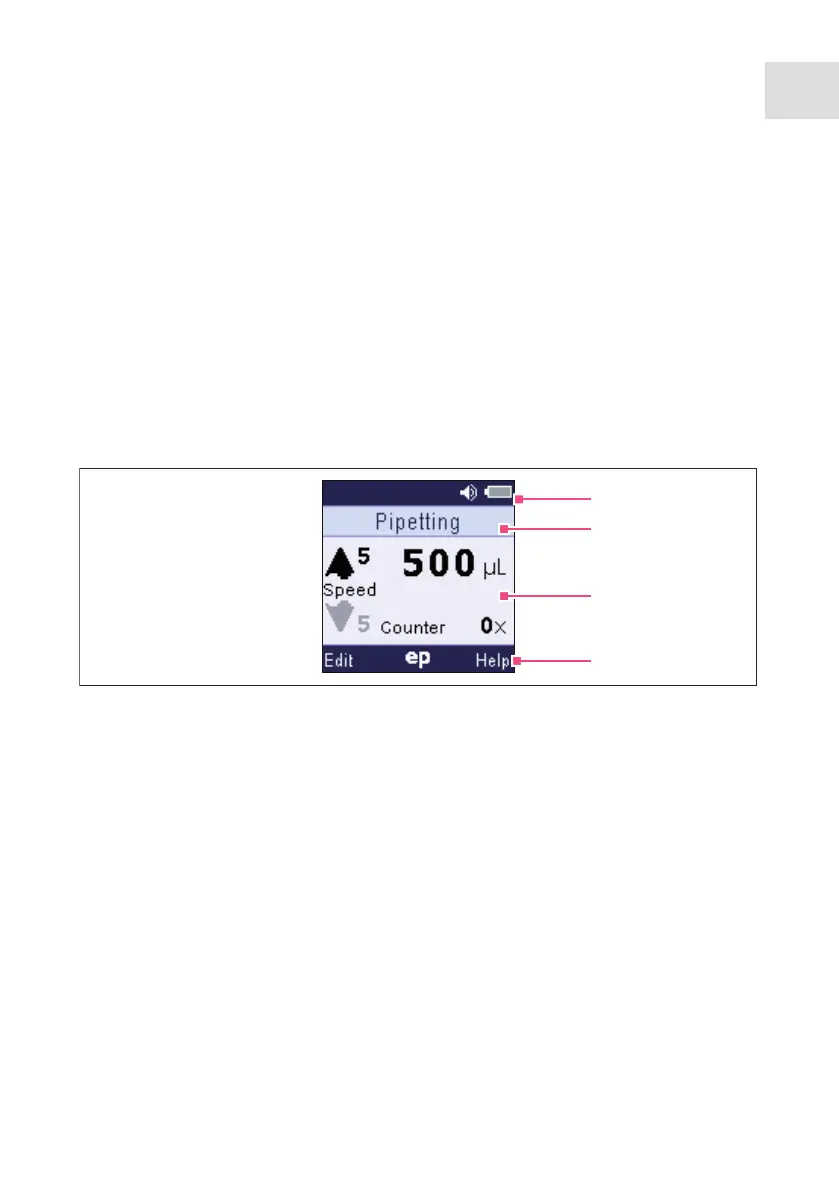
3.6 Display
The brightness of the display can be changed in the options. The display dims during
usage intervals and switches off after a prolonged usage interval. Move the Xplorer
pipette to switch the display back on.
1 Header
Adjustment, type of adjustment, volume
| Acoustic signal, charging status
2 Status bar
Operating mode or parameter
3 Main field
Dispensing speed, dispensing volume,
number of dispensing procedures
4 Footer
Softkeys
1
2
3
4



 To Next Page