Troubleshooting
Eppendorf Xplorer
®
/Eppendorf Xplorer
®
plus
English (EN)
61
6 Troubleshooting
6.1 Reset
The pipette will be reset to the initial state during the reset. The settings you have saved
are retained.
6.2 Error search
6.2.1 Rechargeable battery
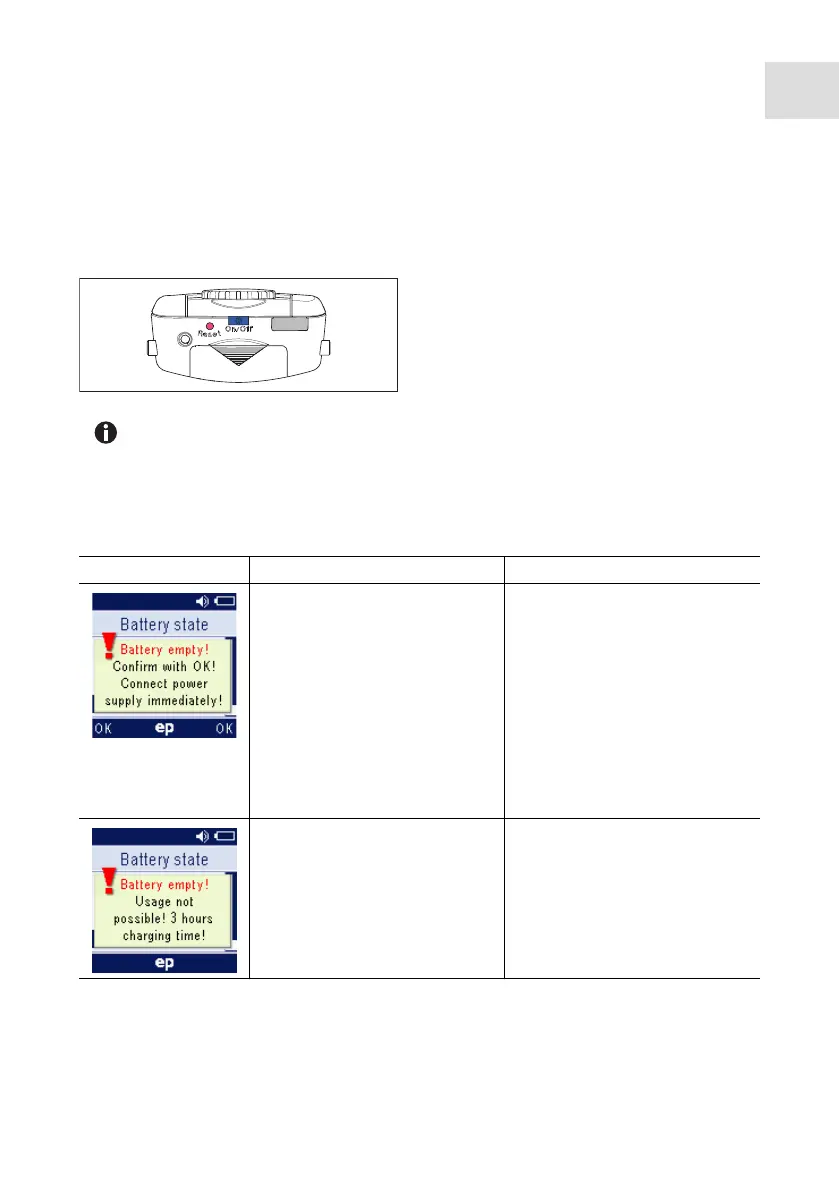
Press the Reset key using a pipette tip or
another pointed object.
The personalization and software version
will be shown in the display during the
reset.
You will be prompted to press the rocker down in the display. Make sure that any
liquid in the pipette tip is dispensed correctly. Then, you need to confirm the
Date and Time.
Symptom/Message Possible cause Remedy
• The rechargeable battery is
heavily discharged.
Confirm the message with
the OK softkey.
Complete the dispensing
operation as quickly as
possible. You can continue
dispensing with the power
supply connected. Then
charge for an additional
3 hours.
Charge the rechargeable
battery for 3 hours.
• The rechargeable battery is
almost completely
discharged.
The remaining rechargeable
battery capacity is only
sufficient for displaying the
information on the display.
Charge the rechargeable
battery for at least
15 minutes.
Charge the rechargeable
battery for 3 hours.



 To Next Page