Operation
Eppendorf Xplorer
®
/Eppendorf Xplorer
®
plus
English (EN)
43
5.15 Special operating modes (Xplorer plus)
If you have never worked with the Xplorer pipette, we recommend becoming familiar with
one of the simple operating modes first, e.g., Pipetting or Dispensing. If you turn the
selection dial to the Spc dial setting, the special operating modes will be shown in a
selection list in the display.
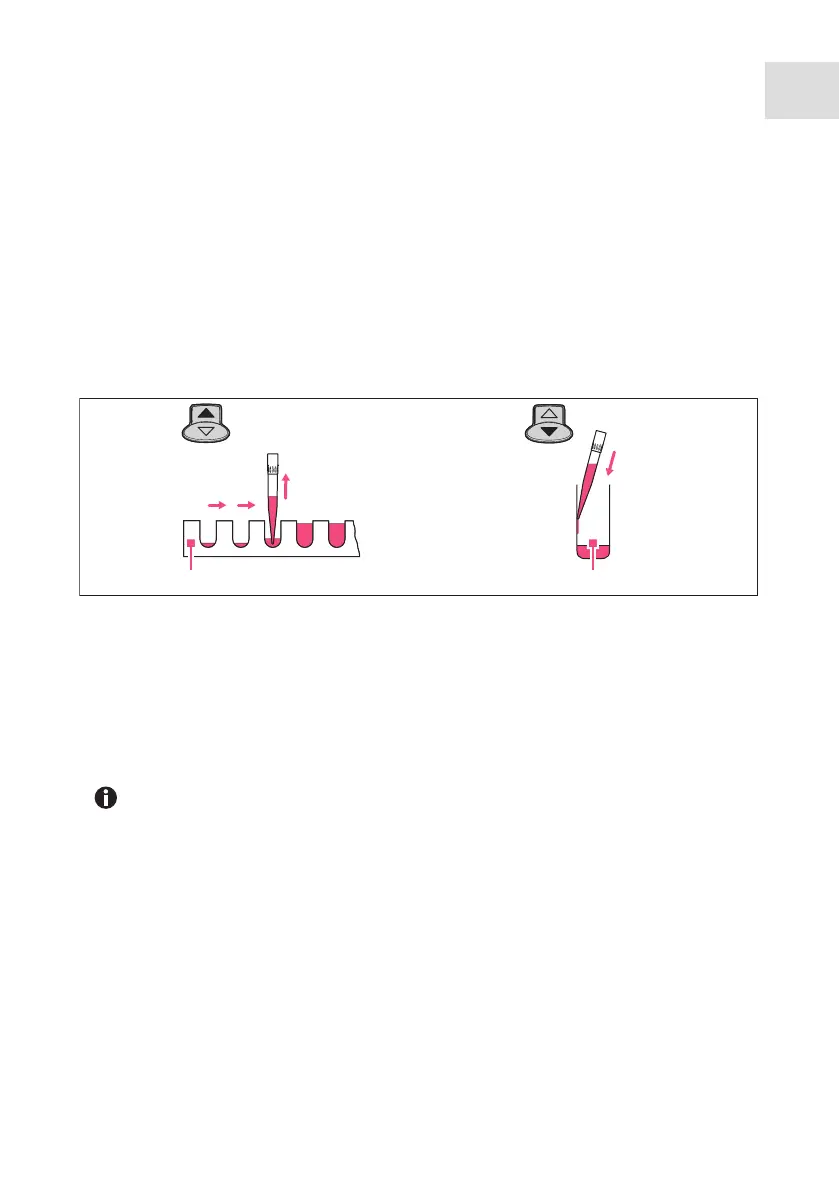
5.15.1 Multiple aspiration of liquid (Aspirate) – Spc selection dial setting
A specific volume will be aspirated in the Multi-Aspirate mode several times. All of the
liquid will be dispensed after the aspiration. The Multi-Aspirate mode is the opposite of
the dispensing mode.
Prerequisites
• The pipette is switched on.
• The Multi-Aspirate (Spc) operating mode has been selected.
• The parameters have been set.
• The pipette tip has been attached.
1. For every aspiration, press the rocker up to aspirate liquid.
The following message appears on the display after aspiration has been completed:
Piston is in top position! Press rocker down!
2. Press the rocker down to dispense all of the liquid.
3. Press the rocker down again to trigger the blow-out (Blow).
4. If the piston is back in the basic position: press the Back softkey to exit the mode.
1 Aspirating partial volumes 2 Dispensing
The Set volume/step parameter determines the volume to be aspirated for each
step. The maximum number of aspiration steps (Steps) will be displayed when
the Set volume/step is set.
1234
5
1 2



 To Next Page