C8-B/C12-B Service Manual Maintenance Disclosure Scope: Maintenance Trained Personnel Only
(C) Seiko Epson Corporation 2-217 Rev.1
Installing the Motor Unit
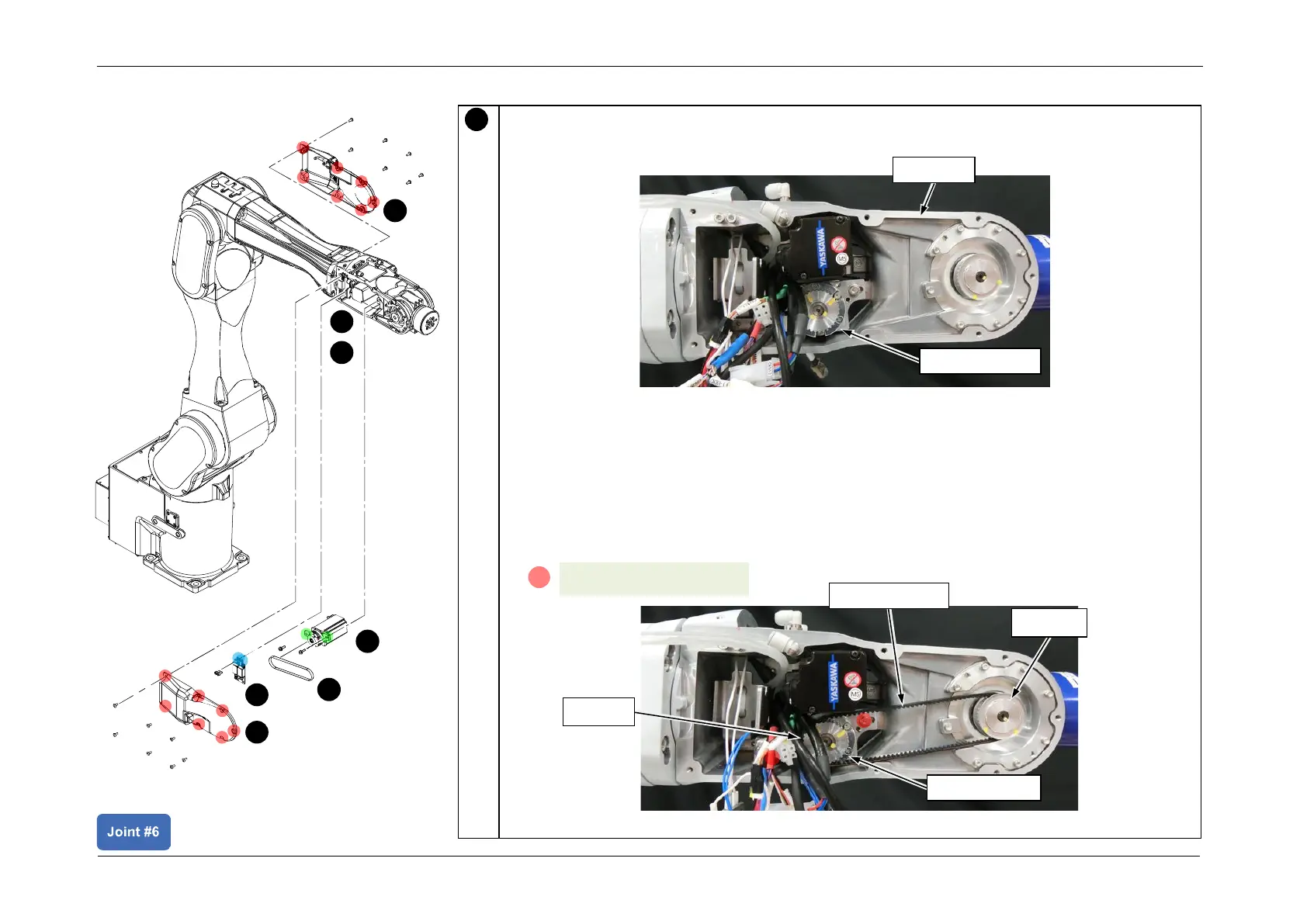
Install the J6 Motor unit.
1. Insert the J6 Motor unit inside Arm4.
POINT
First pass the CN161 cable, and insert into the arm from the bottom of the motor.
2. Set the Timing Belt around pulley 1 and pulley 2, and temporarily secure the J6 Motor
unit.
POINT
First place the belt on pulley 2.














 To Next Page