C8-B/C12-B Service Manual Adjustment Disclosure Scope: Maintenance Trained Personnel Only
(C) Seiko Epson Corporation 3-16 Rev.1
4. Calibration
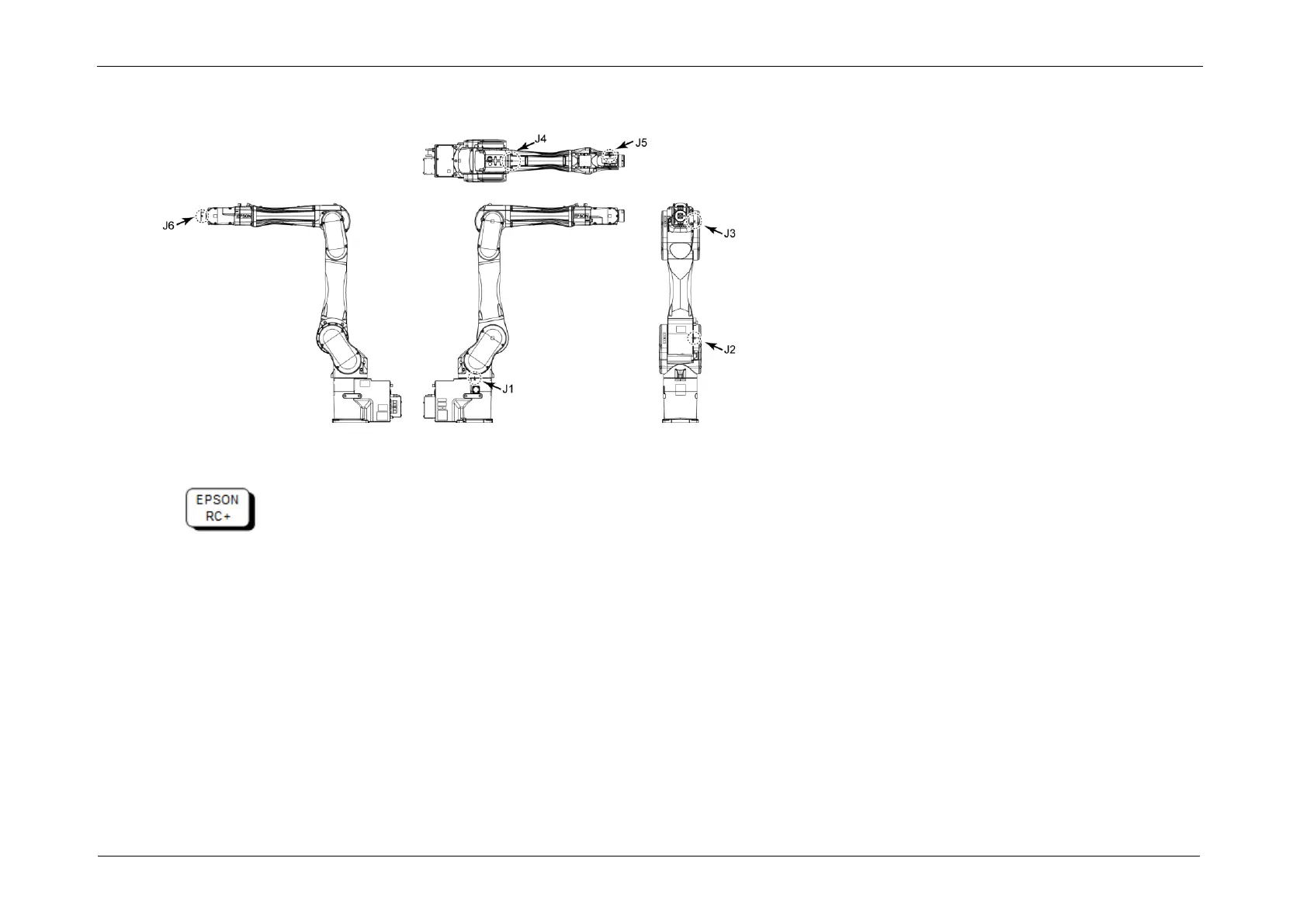
Calibration marks of each joint
4-1. Move the arm you want to calibrate to the position of the calibration mark.
Select menu-[Tool]-[Robot Manager]-[Jog & Teach] panel to move the Manipulator.
If an error occurs after replacing the motor and you cannot use the [Jog & Teach] panel or “Brake OFF, *” does not work (* is an axis
number to calibrate.), go through the steps 4 and 5 now.
Then, [Jog & Teach] panel and “Brake OFF, *” will be available. Move the arm you want to calibrate to the position of the calibration
mark.














 To Next Page