SC-F2000 Revision C
ADJUSTMENT Head Related Checks and Adjustments 236
Confidential
[Blue]: Button or menu name on the program screen / [Black]: Button or menu name on the operation panel of the printer
2. Assemble the printer.
3. Turn the printer ON.
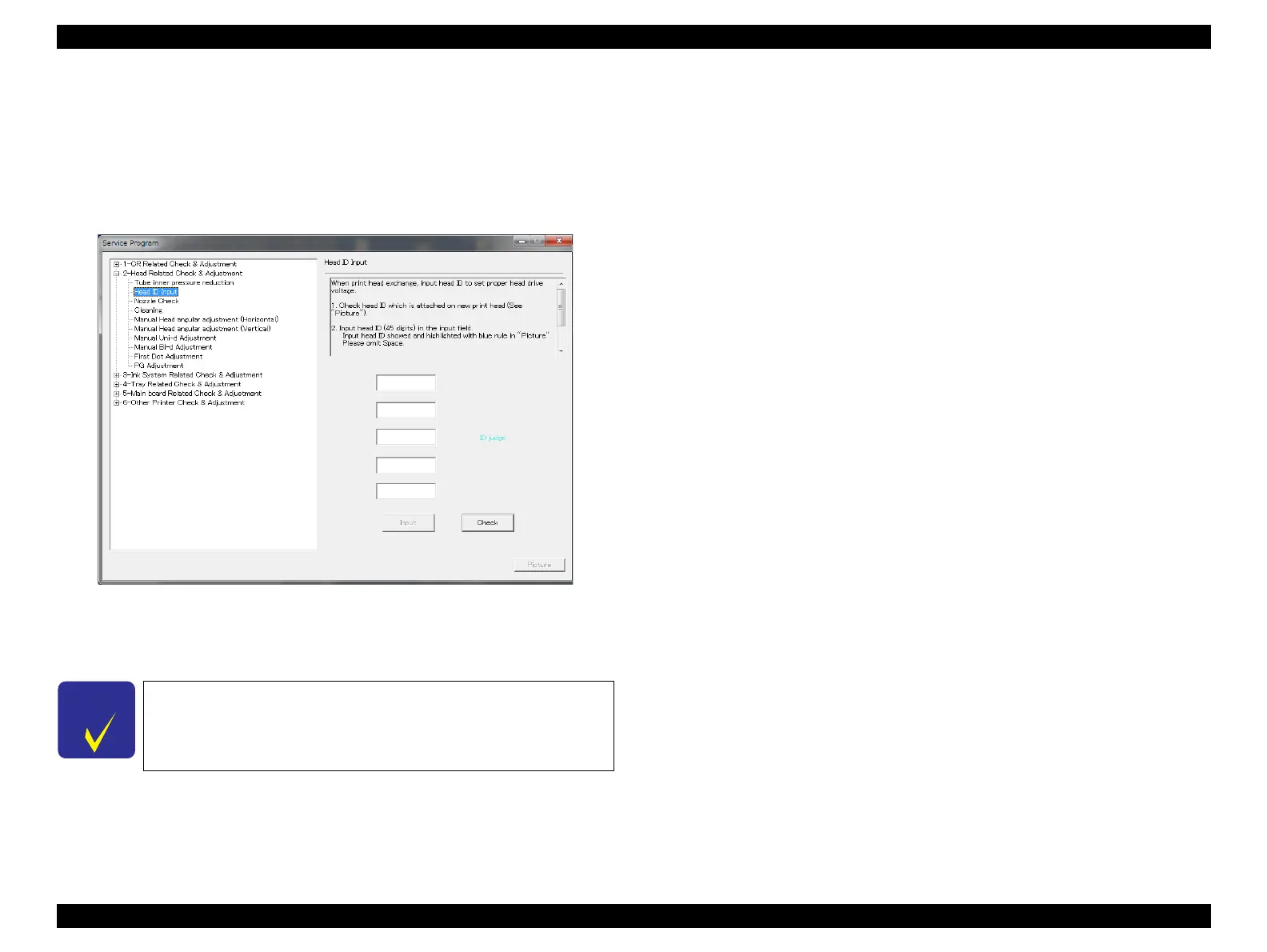
4. Start the Service Program and select [Head ID Input].
5. Enter the 45-digit ID into the edit boxes in the same way as indicated on the label.
(Enter the digits continuously without pressing the Space, Enter, or Tab key.)
Figure 4-34. [Head ID Input] Screen
6. Click [Input].
7. Click [OK] and the printer is turned off automatically.
The currently registered head ID can be checked by clicking
[Check].


 To Next Page
 Loading...









