Page 37 of 159
5.6 Using the Graphical User Interface
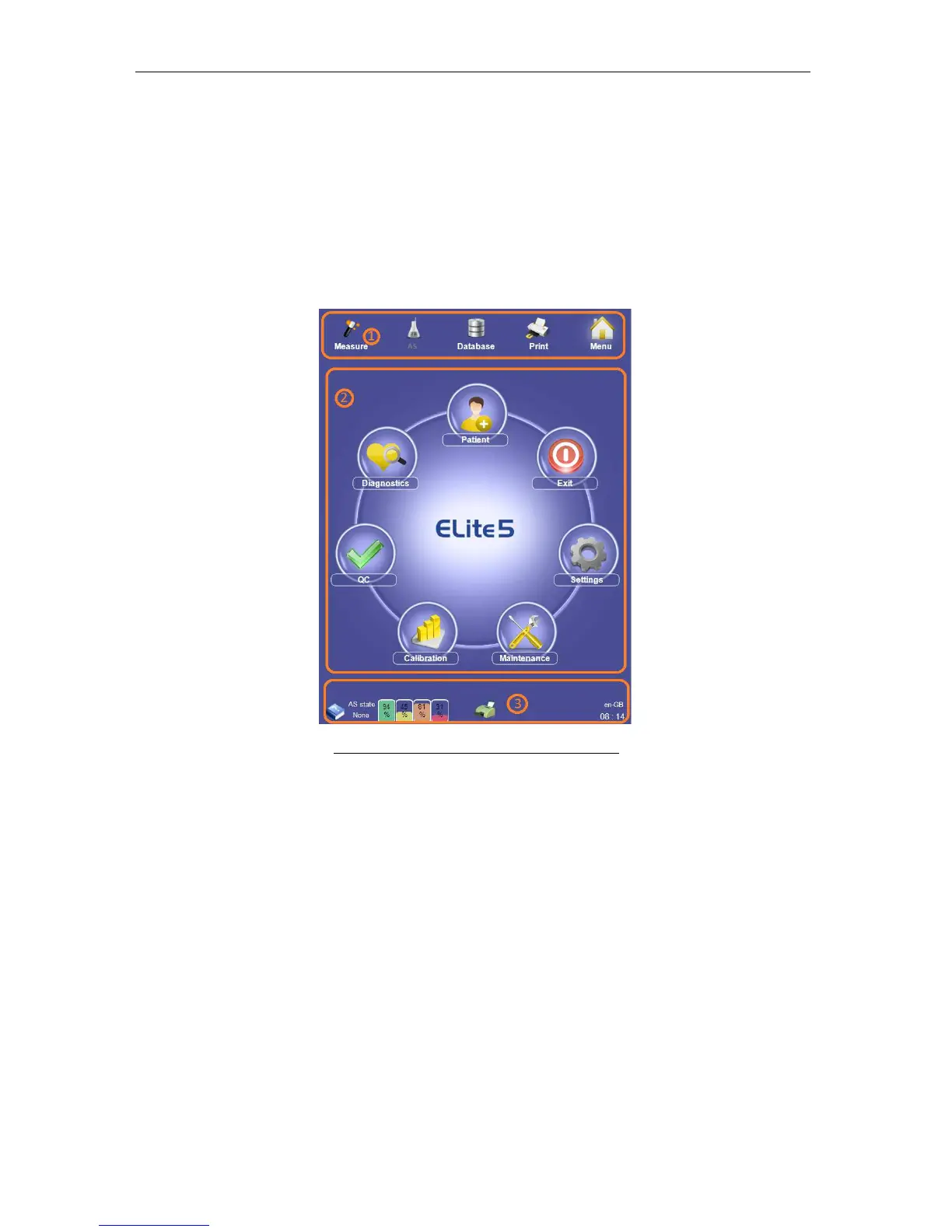
The graphical user interface (GUI) of the ‘ELite 5’ is divided into three main sections. Refer to
Chyba! Nenalezen zdroj odkazů. to see these sections:
1. Quick links to main functions (top section)
2. Interactive display area (middle section)
3. Status display (bottom section)
The main menu shown below is displayed in the interactive display area when the ‘ELite 5’
analyzer is initially powered up.
Figure 21. Graphical User Interface Sections
5.6.1 Quick Links
The upper part of the GUI is always visible during all operations and presents several quick
link buttons. Selecting one of the quick link buttons determines what is displayed in the
interactive display area. The selected button is framed on three sides for clear visual
feedback. The quick link for Auto-sampler functions is enabled only if the optional Auto-
sampler is connected and turned on.
5.6.2 Interactive Display Area
The middle section is used to display the main menu, functions, information, results, and all
the panels that contain information about the active mode.



 To Next Page