Page 48 of 159
• Contaminated reagent may cause high background. Perform cleaning/hard cleaning,
replace the diluent and try Blank measurement again.
• An extended period of inactivity without performing a ‘prepare for shipment’ procedure
may result in salt crystal development in the pneumatic components, which will
increase background count. Perform cleaning.
Running additional blank measurements will usually bring the blank measurements down to
an acceptable level. Blank measurements will be flagged if they exceed the following
thresholds:
• WBC ≥ 0.2 * 10
3
cells/µL
• RBC ≥ 0.05 * 10
6
cells/µL
• PLT ≥ 15 * 10
3
cells/µL
• HGB ≥ 100 g/dL
If the ‘ELite 5’ was not in use for an extended period of time, the start up of the
pneumatic system components can take significantly longer time and require more
blank measurements. To prevent these problems, use the ‘prepare for shipment’ process
when the ‘ELite 5’ analyzer will be inactive for an extended time.
6.3 Exiting the ‘ELite 5’ Analyzer
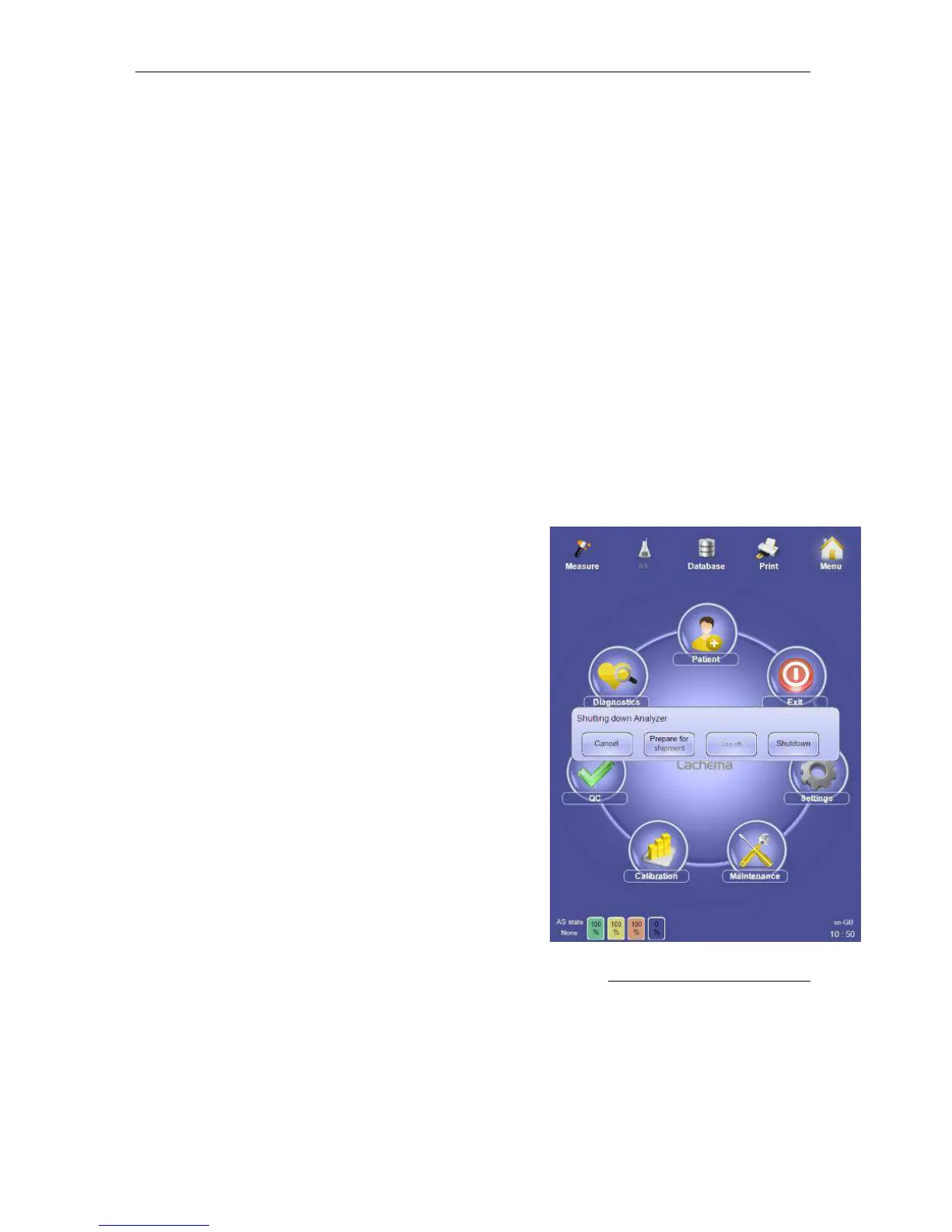
After you have completed lab operations and you are
ready to exit the ‘ELite 5’ analyzer, you can:
• Log off
• Shut down the ‘ELite 5’
• Power off the ‘ELite 5’
• Prepare the ELite 5’ for shipment
Click or tap the Exit icon on the main menu to access
various exit options. Click or tap the ‘Cancel’ button to
return to normal operation.
6.3.1 Log Off
Clicking or tapping the Exit icon on the main menu brings up the ‘Shutting down Analyzer’
panel. Select ‘Log off’ to end the active user session.
Figure 29. ‘ELite 5’ Exit Options



 To Next Page