Page 87 of 159
9.3 Sorting Database Information
The database is sorted by Result ID by default. Clicking or tapping the following database
column headings changes the sort order of the database records:
Sample ID Sample ID entered by the operator or read from a sample tube barcode
label
Patient Identifier that associates a result record with a patient records
Analysis Time Time and date this sample tube was analyzed
Result ID Unique sequential identifier assigned by the ‘ELite 5’ to each records
Table 11. Database Sort Criteria
Clicking or tapping the same column heading again changes the ascending or descending
order of values in the column.
9.4 Manual Selection of Database Records
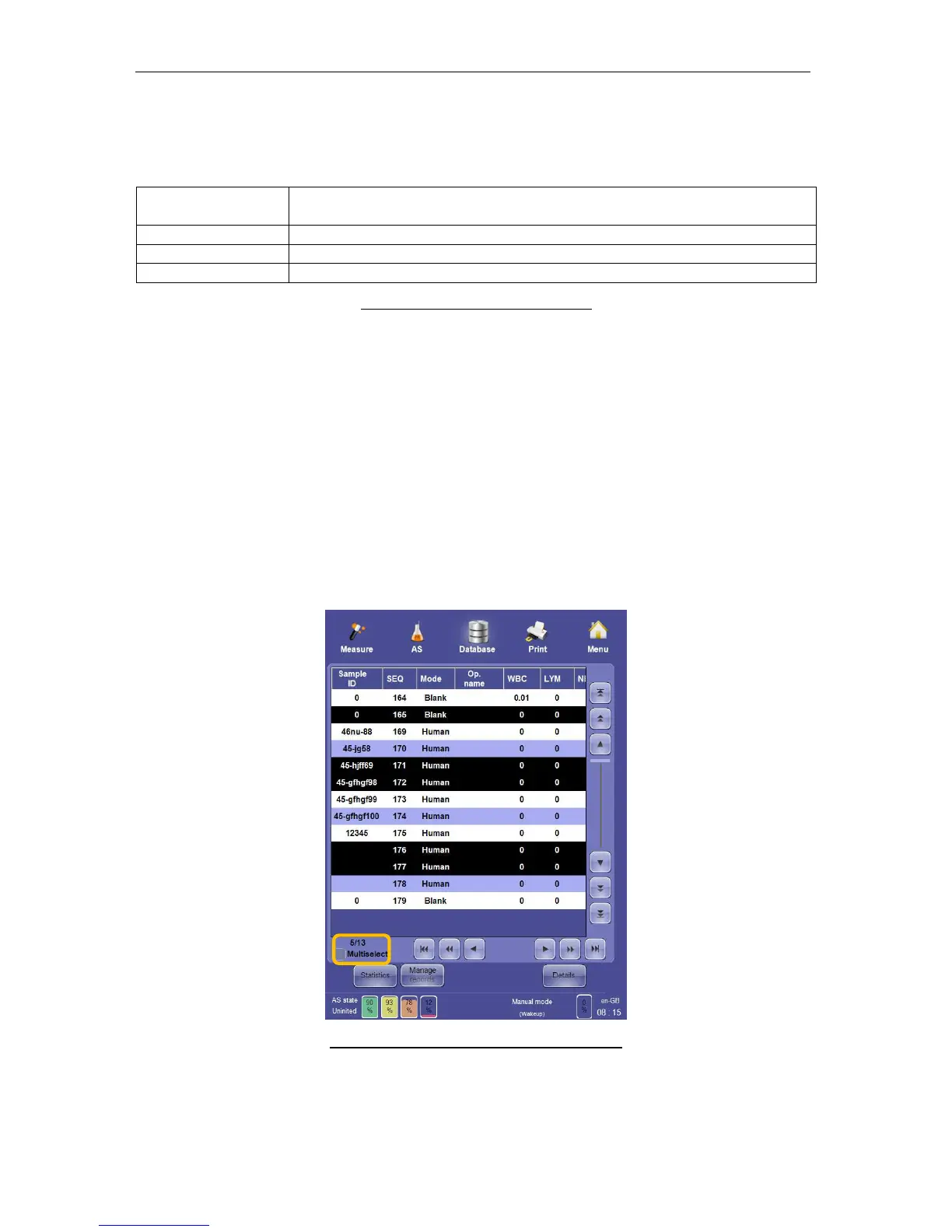
Clicking or tapping on a row in the database display single-selects a row. Clicking or tapping
it again de-selects the row. Selecting another row will de-select previously selected rows in
single selection. Selected rows are highlighted with white text on a black background.
Checking the ‘Multiselect’ check box below the left side of the database table allows the
selection of multiple rows. Tapping or clicking once selects a row, but previous selections
remain selected unless you click or tap it again to de-select it. Un-checking the Multiselect
check box will de-select all selected records.
Figure 61. Multiselect and Multiple Selection



 To Next Page