Page 59 of 159
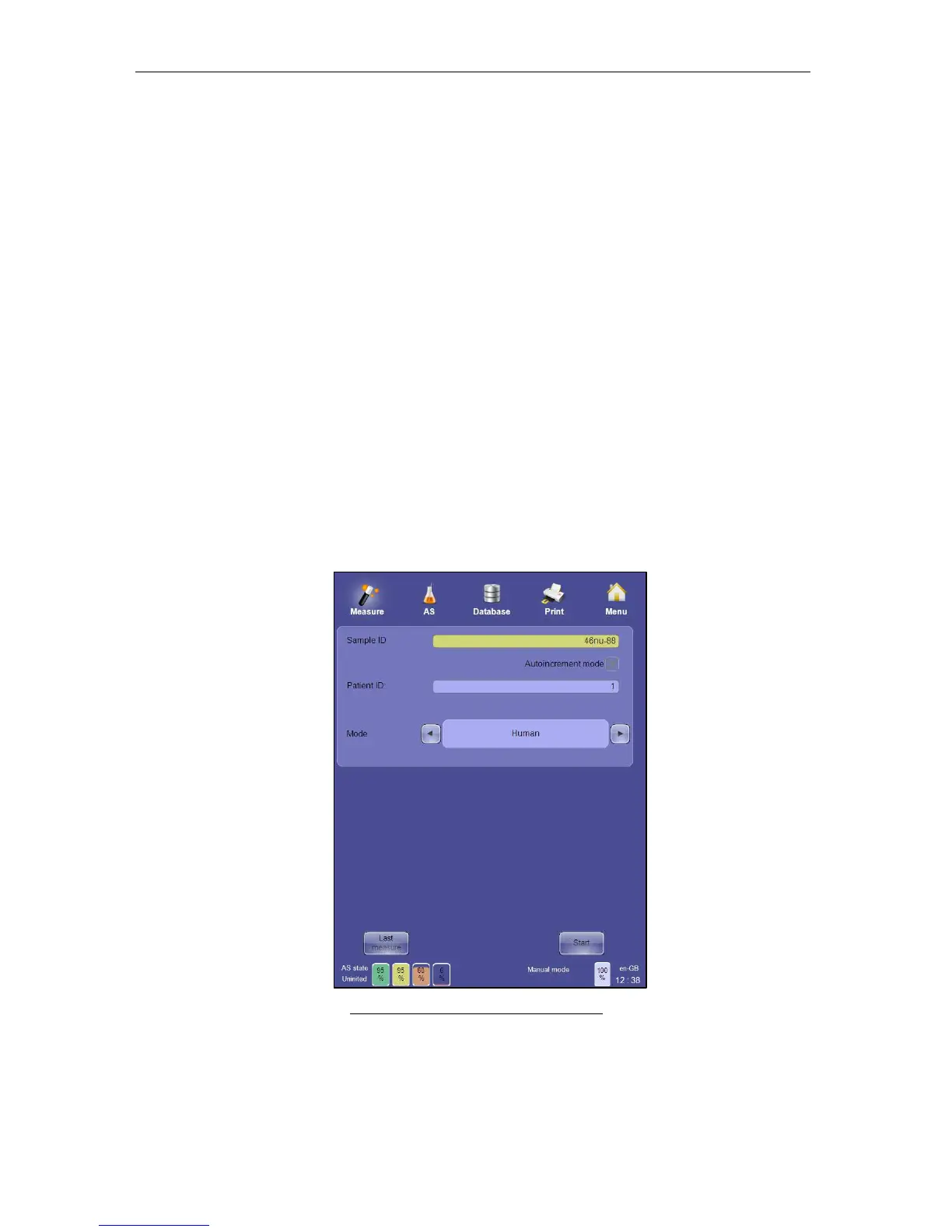
- The name of this field can be ‘Name’ or ‘ID’ depending on the ‘Main Menu
Settings/ Customize/Patient’s displayed data’ setting.
- If you don’t select a patient then the default patient will be used.
- As you select the patient field, the patient menu is displayed. You can select
an existing patient or define a new one. See section 12 or more detail about
Patients on the ‘ELite 5’ analyzer.
• Select the sample mode:
- Blank: a blank measurement will be processed. This is the only option
available if the pneumatic system is not initialized, or the ‘ELite 5’ was inactive
for an extended period of time. After performing and accepting a blank
measurement the other modes will be available.
- Control: QC sample is expected. QC measurements initiated from this menu
will not be saved into the QC database, and are not part of the QC procedure.
This mode is intended only as a quick system checks. See section 11 for more
information about the QC process.
- Human blood modes: Human, Male, Female, Alternate 1 and Alternate 2.
Select the mode which has the appropriate normal ranges. NOTE: Alternate 1
and Alternate 2 are sample modes that are different than Human, Male and
Female and have user-definable normal ranges.
• Start the measurement by clicking or tapping the ‘Start’ button on the screen or by
pressing the physical ‘Start’ button located on the front panel of the ‘ELite 5’.
Figure 38. Sample Measurement Panel



 To Next Page