Controlling Your Lighting System 25
Note: Not all color mixing systems can produce precise color matches and a full range of col-
ors. It is advisable to control color on only one fixture type at a time.
You may find it necessary to pick colors independently for different lights in order that they all produce a
similar color.
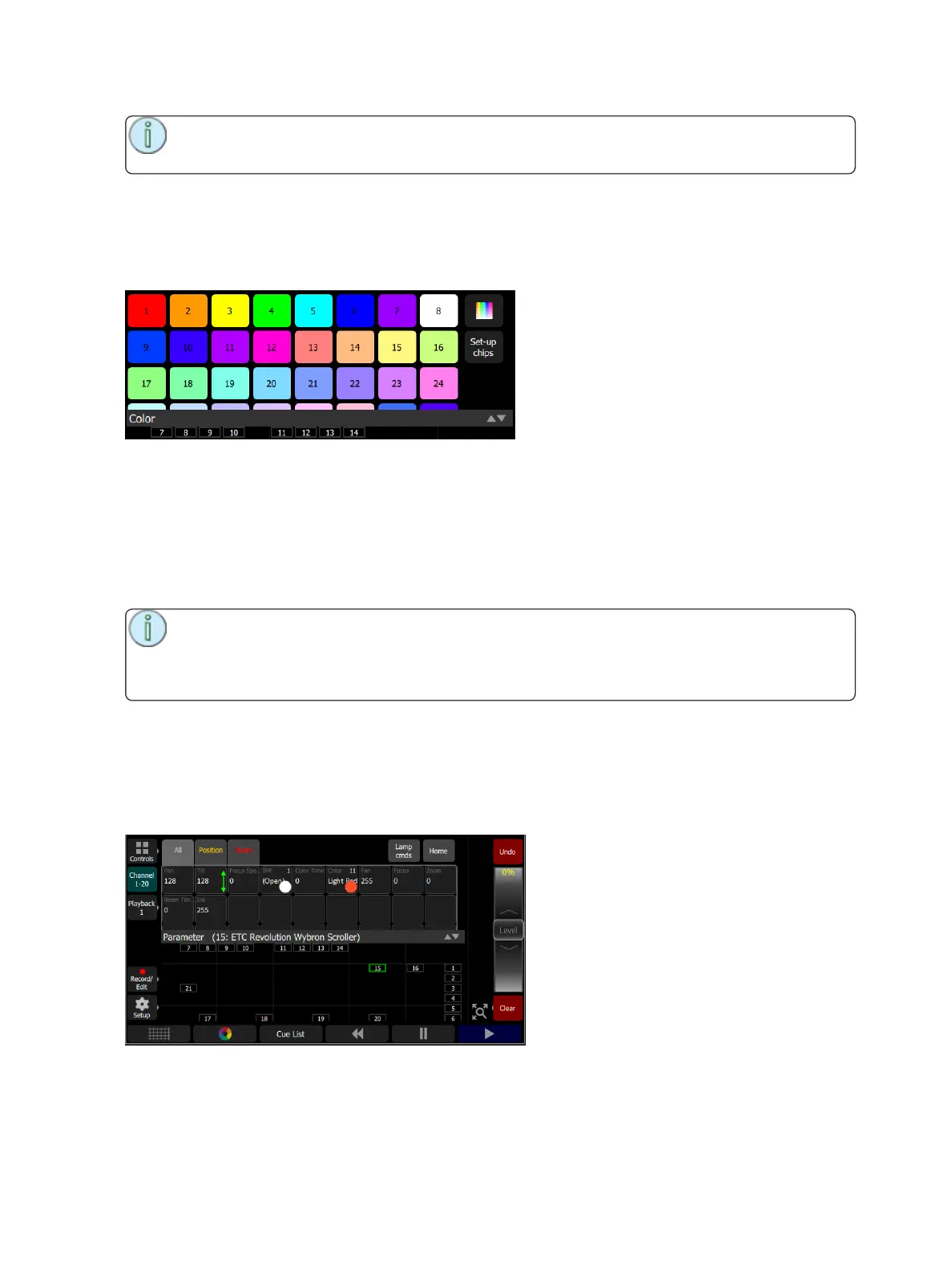
Setup Color Chips
Color chips may be programmed to carry any color mix.
How to Program a Color Chip
1. Press the Setup Chip button.
2. Pick a chip to re-program.
3. Switch to the continuous color picker display, the top right button next to the color chips.
4. Pick a color, move around until you find the one you require.
5. Select Exit setup to close the function and save the new chip.
Note: Not all lights can produce all colors, and not all lights can match colors accurately, either
between similar models or with other different models.
You may find it convenient to make several similar chips for different lights in order that they all
produce a similar color.
Parameter
All the controllable features of an automated light, with the exception of the intensity and the color mixing,
are known as the parameters of the light.
Parameters may include position (pan/tilt), beam control (iris, focus, et cetera), or fixed-choice colors. The
tab along the top allows viewing of all parameters or only the position or beam parameter types.
Each cell on the parameter display is a controllable button to alter the value. Press and hold on the cell and
you can wipe the value up and down, using the entire screen height for control.



 To Next Page