70 System Settings and Setup
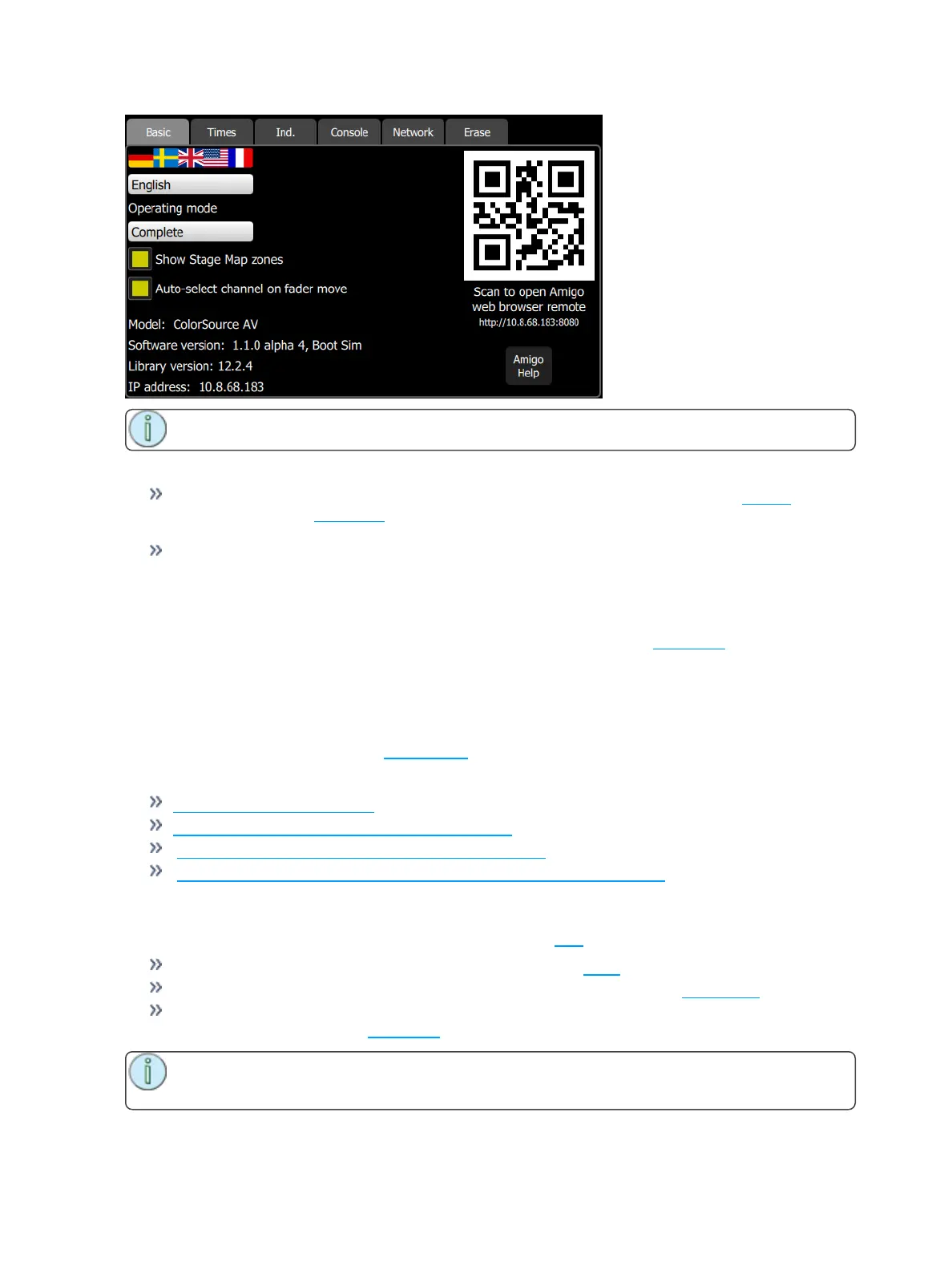
Note: If the QR code is not visible, your console is not currently connected to a network.
Choose the operating mode:
Simple Mode: Simple mode offers a very basic set of lighting controls. There is no cue list, no fader
paging and only four playbacks. Simple mode is ideal for setting up a few static lighting states
without needing any training or deep knowledge of lighting control.
Complete Mode: Complete mode offer the whole set of functions and is suited to trained users and
experienced lighting professionals.
Choose the operating language. Current options are English, French, German, Japanese, Italian, Russian,
and Spanish.
Show stage map zones, when selected, will show the stage map zones. See stage map for more inform-
ation.
Behavior of faders to auto-select channels on move can be disabled here.
The hardware model, current software version, personality library version, and IP address are also dis-
played on this tab.
You can change the IP address is the Network tab under Settings.
For information about using Amigo:
Amigo Remote Web Browser
Using Help with the Amigo Remote Web Browser
Connecting the Amigo Remote Web Browser via WiFi
Connecting Amigo Remote Web Browser via Cable to a Wired Network
Settings: Times
Sets the following times used as default settings for Clear and Cue programming:
Clear Time: Sets the fade time for clearing channels on the Clear button.
Default Cue Time: The default time for In-fade and Out-Fade in Cues and Sequences.
Default Move Time: The time for parameters to move to new values during move dark and when
picking preset values on the Parameter screen.
Note: Move Dark happens automatically for cue playback and ensures that lights will be moved
to their correct position before the cue in which they appear is played.



 To Next Page