Showfile Management 77
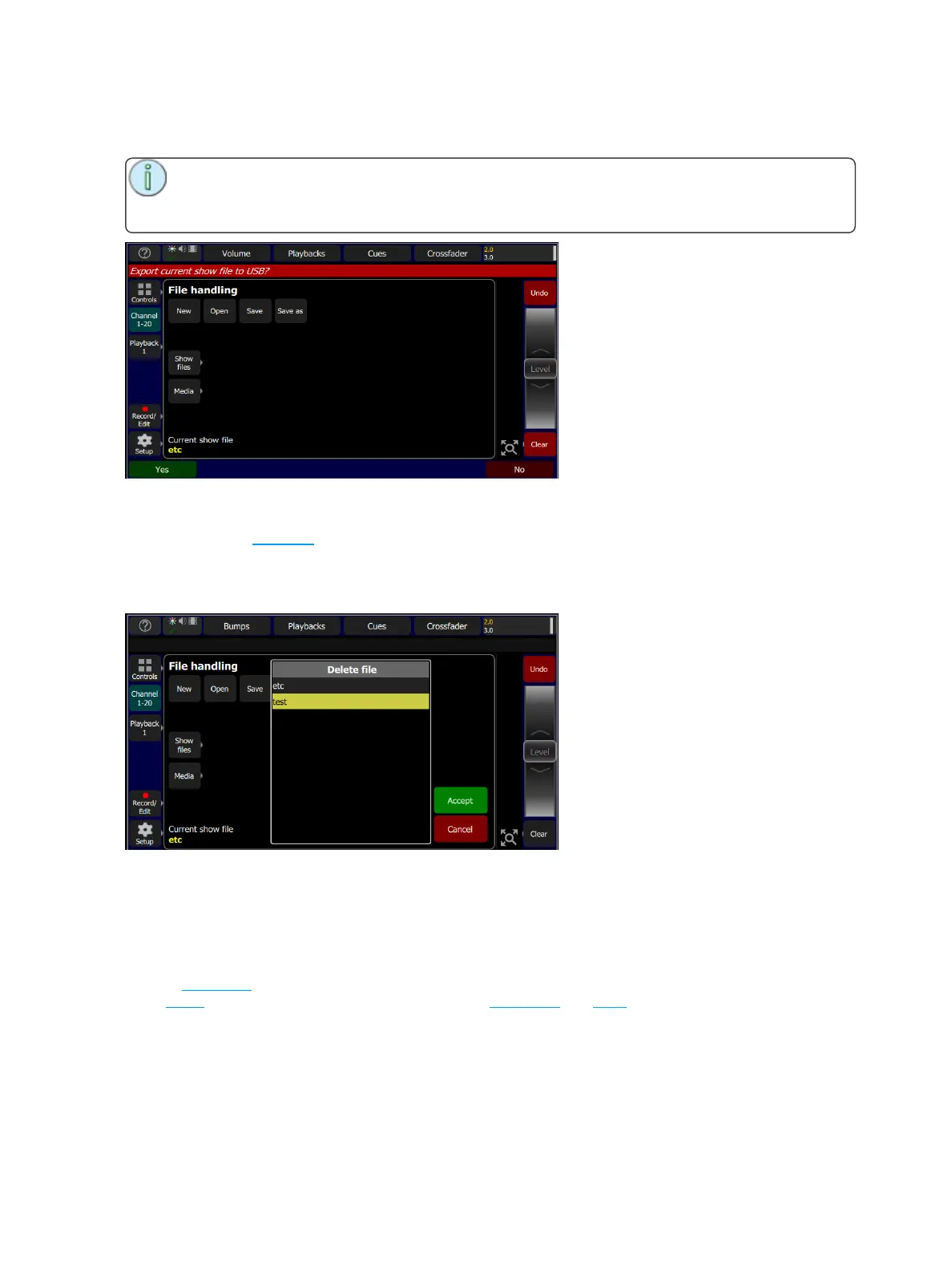
When the Export button is pressed, the following screen will display. Press Yes to export. If you want to
leave this display without exporting, press No.
Note: Exported shows contain all the media used in the show. If there is a large amount of
image or audio clip content, the save may take some time to complete. Please ensure the USB
drive has sufficient free space.
File, Delete
Delete an existing show file off the console by going to Setup>Files>Shows>Delete.
When the Delete button is pressed, the following screen will display showing the available show files.
Select the desired file, and then press Accept. If you want to leave this display without deleting, press
Cancel.
Files, Show files
You can open and save shows by going to Setup>Files
Shows are saved internally with all content, including lighting,effects, and media.
Pressing the Show files button gives you the default show options.
When a new show is started, it will be based on the default show template, which you may define to con-
tain a patch or part-patch, some show data, including playbacks and cues, or nothing as required.
If your lighting rig is fixed and usually the same set of equipment set to the same addresses, the default
show will help you save patching and setup time. If you prefer to start with a blank state each time, no
patch and no data, then you can save an empty default show.



 To Next Page