System Settings and Setup 73
Open Sound Control (OSC)
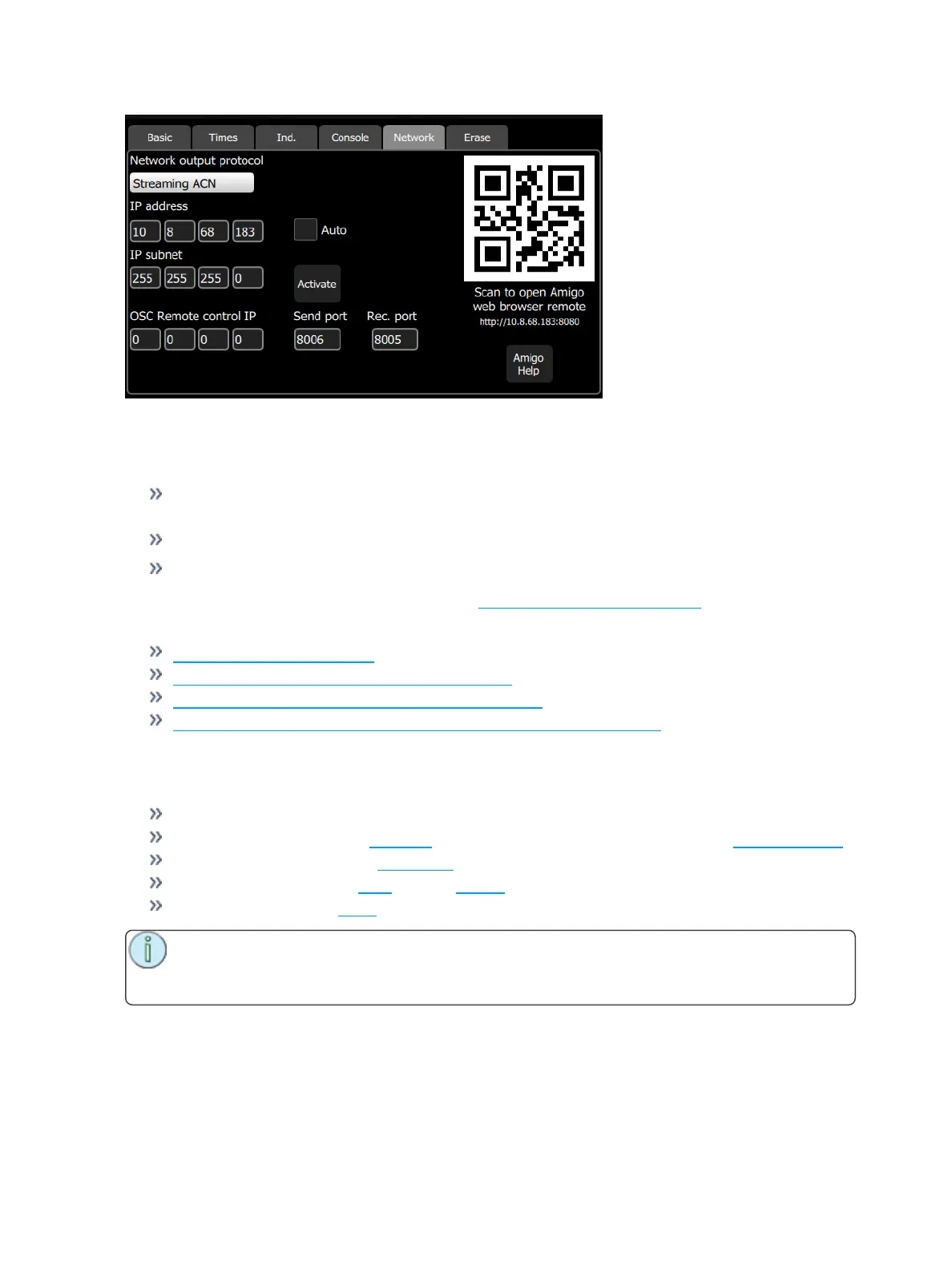
OSC is a protocol that uses network communication (wired or wireless) to communicate between various
audio, video, and lighting devices, and other devices, such as tablets for remote control of your console.
OSCRemote control IP- sets the IPaddress of the device that the console will be sending
OSCoutput to or receiving OSC input from.
OSCSend Port - sets the port address that the console will send OSCstrings to.
OSCReceive Port - sets the port address that the console will receive OSCstrings from.
For a list of supported OSCcommands, please see OSC Commands (on page63).
For information about using Amigo:
Amigo Remote Web Browser
Using Help with the Amigo Remote Web Browser
Connecting the Amigo Remote Web Browser via WiFi
Connecting Amigo Remote Web Browser via Cable to a Wired Network
Settings: Erase
The following erase operations are available in this tab:
All: Erases all of the show data.
Memories: Erases all of the playback memories. To erase just one playback, use Erase Playback.
Sequences: Erases all of the sequences.
Cue List: Erases all of the cues from the cue list.
Patch: Erases all of the patch.
Note: Erasing an item removes it from the show permanently. Erasure is not the same as clear-
ing a cue or playback. A cleared item can be run again, an erased item cannot be run once
removed.



 To Next Page