Recording Your Looks For Playback 29
Recording Your Looks For Playback
This sections covers the multiple ways that you can record lighting looks for playing back. You can record
cues, playbacks, and sequences.
A playback memory can contain one lighting look and media.
A cue is a recorded stage look that can include channel settings for intensity and other parameters,
effects, and media.
Sequences play back on the playback faders. A sequence may contain up to 99 steps with fade and
step timing.
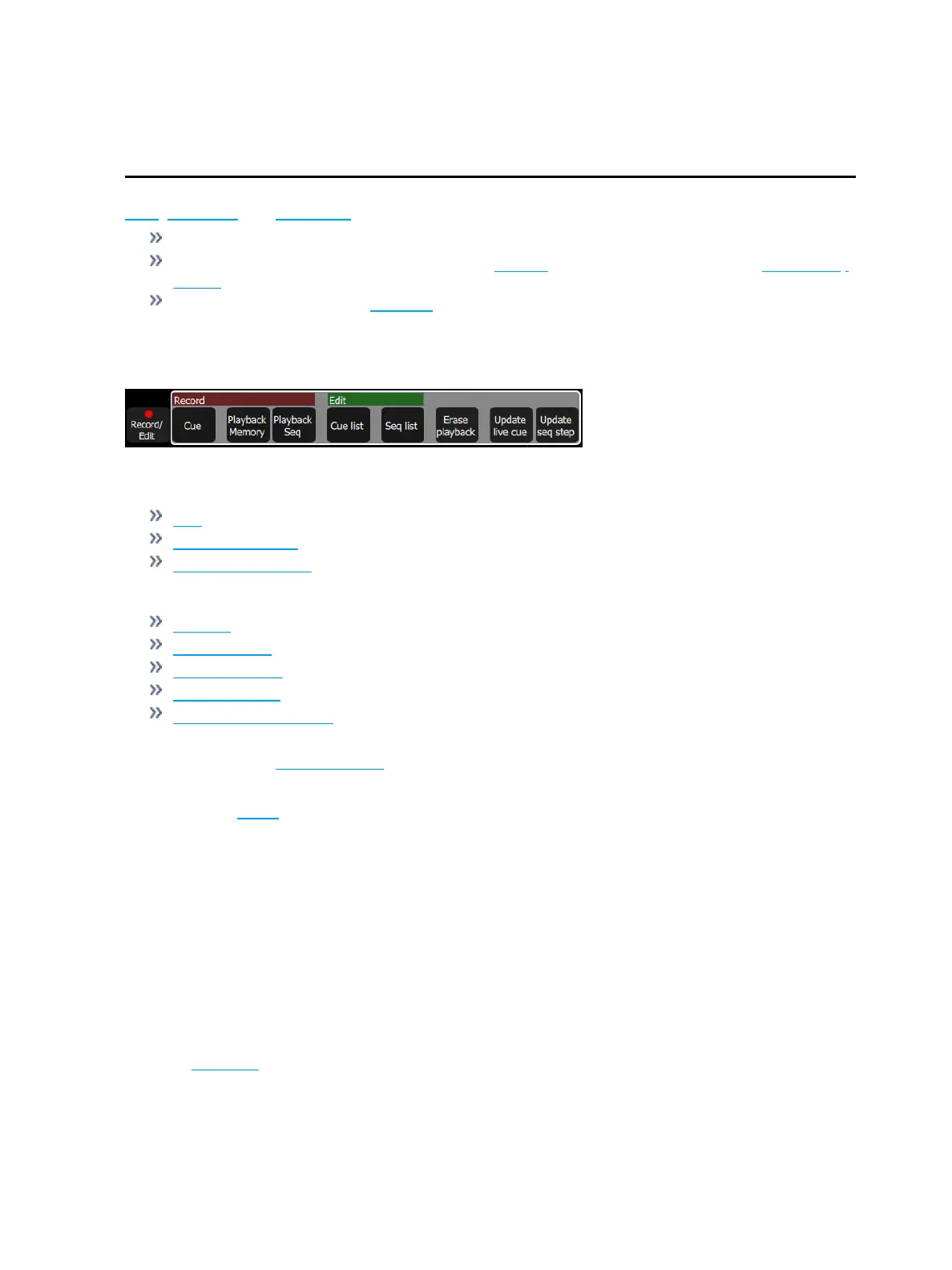
Record / Edit
All recording and editing is performed here.
The following options are available:
Record
Cue
Playback Memory
Playback Sequence
Edit
Cue List
Sequence List
Erase Playback
Update live cue
Update Sequence Step (only displays when a step needs to be updated.)
Recordings are made by capturing the output being sent to the stage. You may choose which parts of the
scene to record using Include Options. If you do not specify the Include Options, only lights set to an intens-
ity above zero will be recorded.
If audio or video media is playing at the time, you will be prompted to include it in the recording.
In Simple Mode
Recordings are made by capturing the output being sent to the stage.
Pick one of the four Memory Master faders above the screen to record to.
Recorded faders are indicated in Mauve color.
To edit an existing memory raise its master so that it plays on stage then make some changes using the
channel faders, the color picker, parameters or the keypad, then re-record to the same master position.
Playbacks
The faders can operate the levels of the playbacks. Playbacks can contain one lighting look, or they can
contain a sequence, which is made up of multiple lighting looks. Playbacks are mixed with Highest-Takes-
Precedence (HTP) for both intensity and color. HTP means that the highest level of all sources will be
used.



 To Next Page