72 System Settings and Setup
Tap
Video Off
These buttons default to Color, Cue List, Back, Pause, GO.
Note: The left-hand button cannot be re-assigned and always selects the Stage Map display.
You can also assign the four master faders above the screen to the following functions:
Volume
Bumps
Crossfader
Cues
Playbacks
These buttons default to Volume, Playbacks, Cues, and Crossfader.
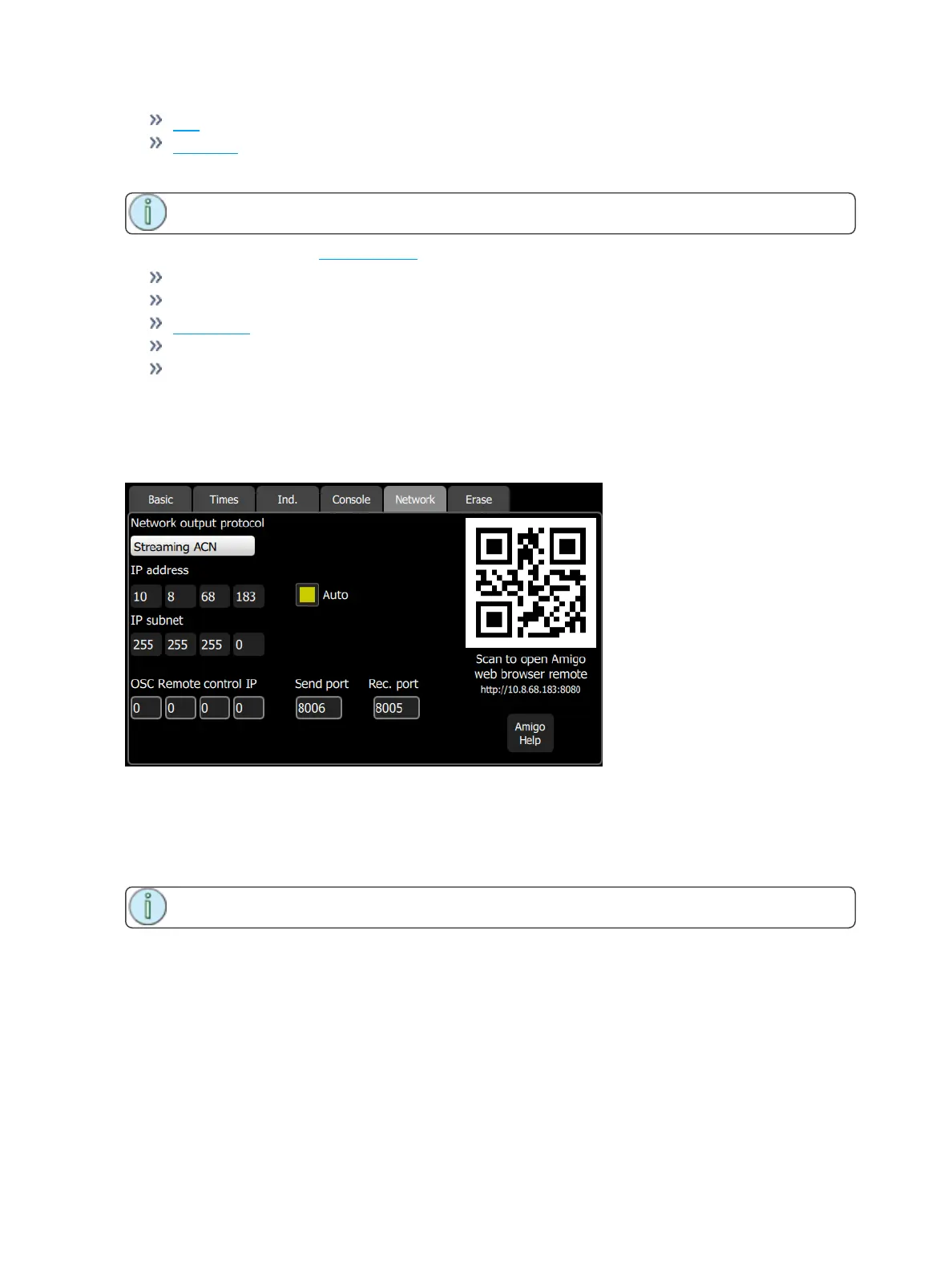
Settings: Network
From this tab you can configure the network for your ColorSource AVconsole.
Choose the network output protocol. Current options are Streaming ACN(sACN) or ArtNet.
When Auto is enabled (the box will be yellow), the IPaddress and subnet will automatically be set via a
DHCP server. This is the recommended setting.
If Auto is disabled, you will need to set the desired IP address and subnet. After you set those, press the
Activate button to apply your changes.
Note: If the QR code is not visible, your console is not currently connected to a network.



 To Next Page