ColorSource Overview 9
ColorSource Overview
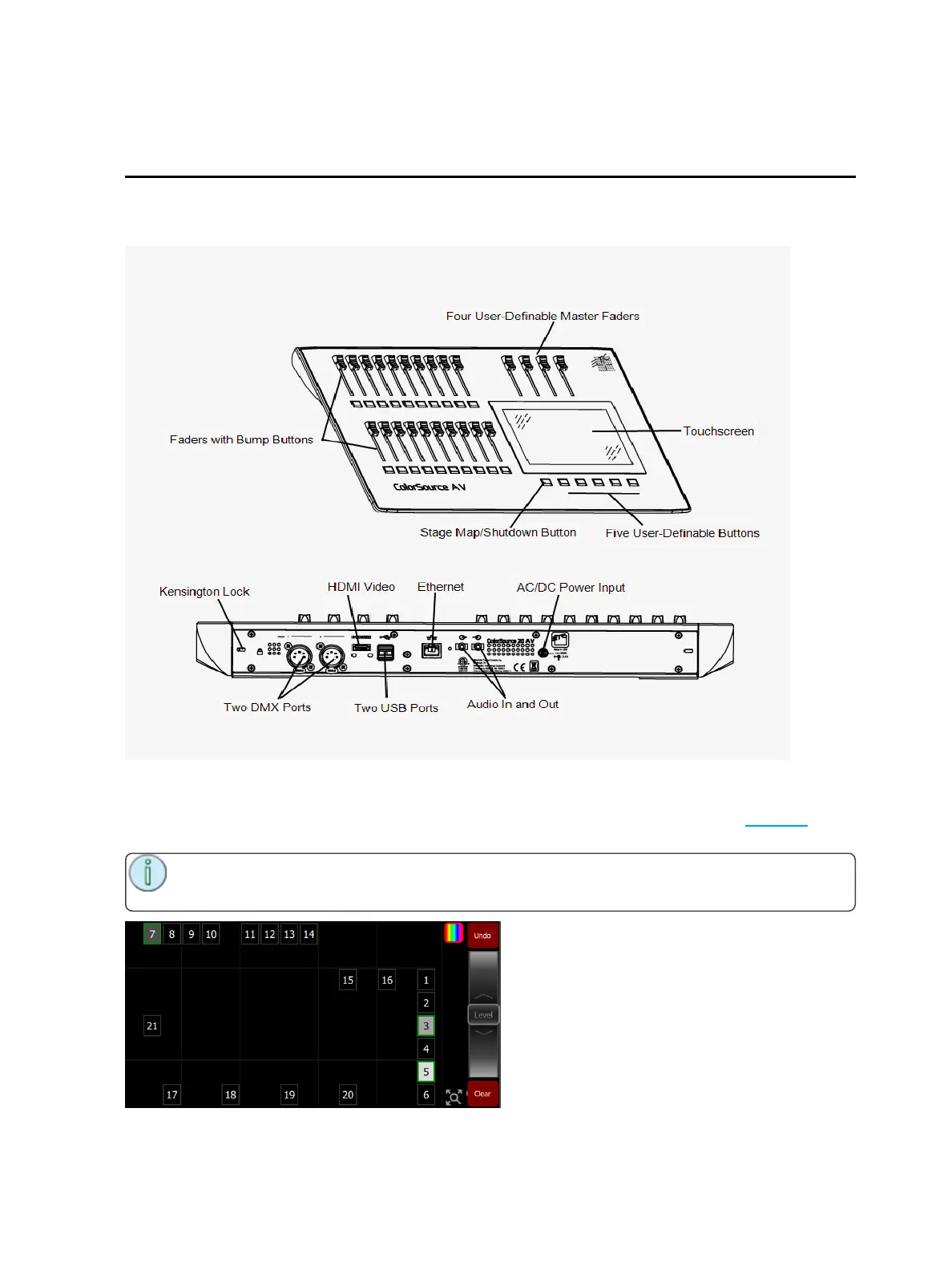
The ColorSource console is made up of four different physical areas; the touchscreen (stage map), the
faders and bumps, the crossfader, and the master faders. It is important to familiarize yourself with these
different areas as you learn to use your console.
Stage Map
The Stage Map button (left-most button below the screen) displays a topographical map of channels full-
screen at maximum size. You may select channels on the topographical stage map for control.
Note: The Stage Map button will toggle between displaying the Stage Map or the previously
selected display.



 To Next Page