34 Recording Your Looks For Playback
Cues are played back with the Cue Transport ( ) buttons or by moving
the crossfader up and down.
The Cue Transport buttons are Back, Pause, and GO. These buttons may be assigned to the hard buttons
below the screen, and are also always available by pressing on the cue viewer in the upper right corner.
The live and next cues are indicated on the main cue list and also on the small cue viewer (
) in the upper right corner.
Cues are played back through the cues fader.
Note: For the cues to be seen on stage, the cues fader must be up.
More
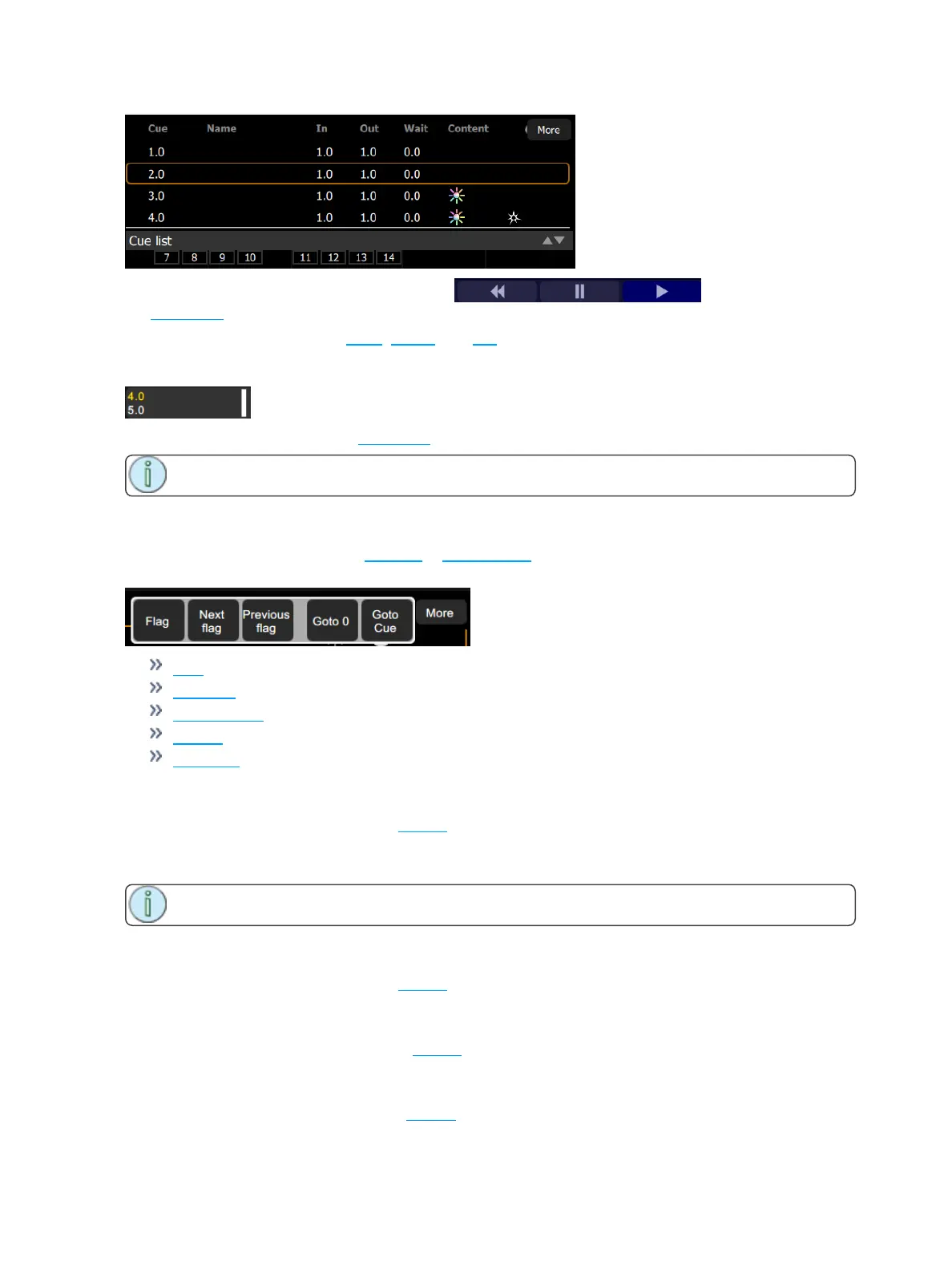
Pressing on the More button in the Cue List or Edit Cue List displays will allow access to the following
options:
Flag
Next flag
Previous flag
Goto O
Goto Cue
Flag
Cues may have a flag attached to aid in cue list navigation. Typically flags are useful to repeatedly return to
the same place in the list, for example during rehearsals.
Press Flag to place a flag on the current live cue. Press Flag again to remove a flag on the current cue.
Note: The placing and removal of a flag is a toggle action on the current live cue.
Next Flag
Advances to the next flagged cue in the cue list.
Previous Flag
Returns to the previous flagged cue in the cue list.
Goto Cue
Allows you to go to a specified cue in the cue list.



 To Next Page