Using Effects 45
Note: Effects containing fully saturated colors, such as Rainbow, cannot be made
'more' saturated with the Chroma control.
Running Effect Control
When effects run, an icon is displayed in the vertical area to the right of the stage map. This may be selec-
ted at any time to manipulate the effects.
Effects may be edited, removed, or reduced via the wheel control when they are playing back from play-
backs or cues.
Effect, Shape
Applies shape (motion) effects to chosen channels.
Note: The shape effect system only works with lights capable of pan / tilt movement.
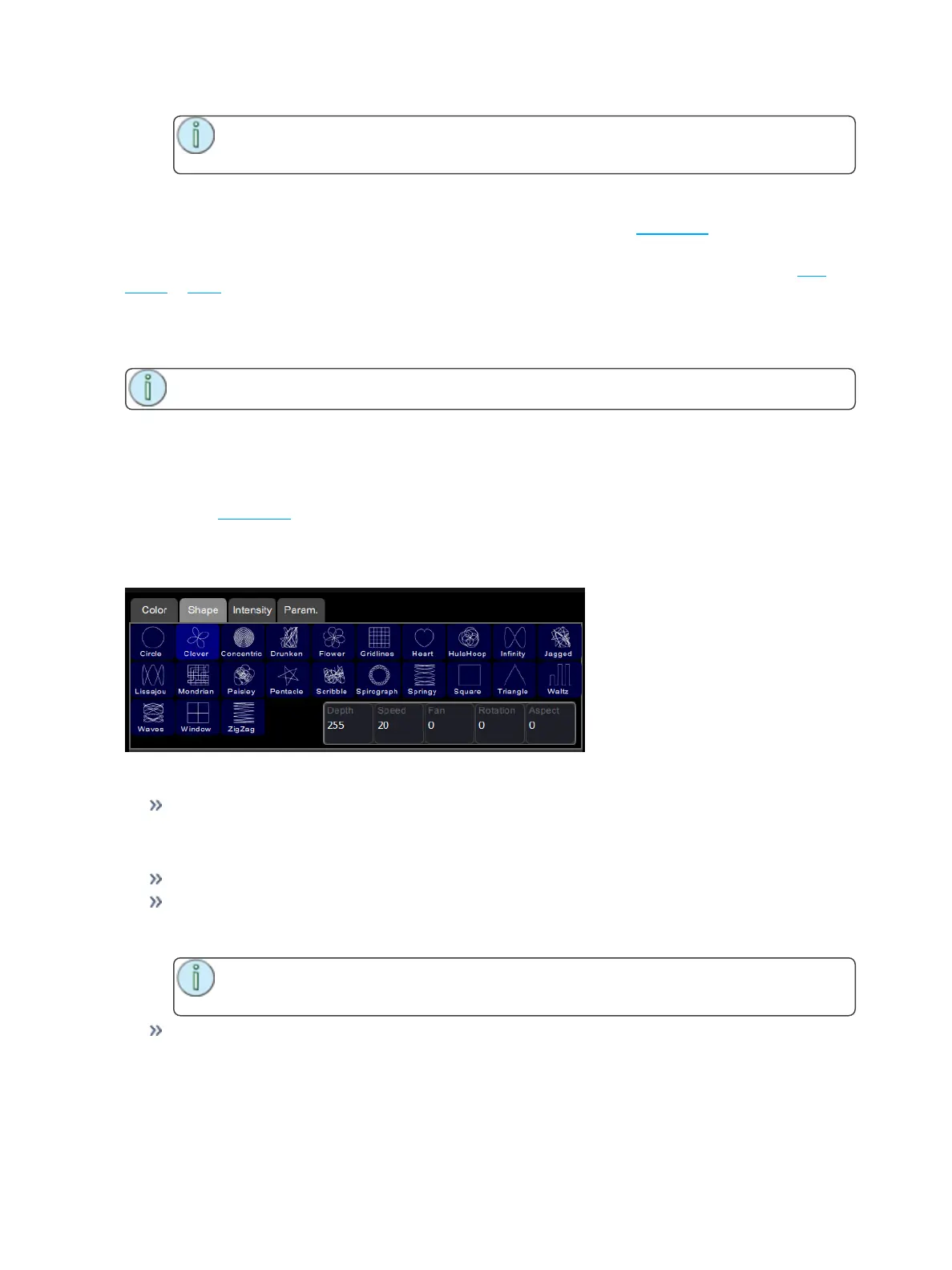
How to Apply a Shape Effect
1. Select some channels.
2. Go to Controls>Effects.
3. Press Add Effect.
4. Choose the shape tab from the tab area.
5. Select a pattern.
6. Adjust the effect settings for the desired result.
Adjustments
Depth- The amount that the effect deviates from the static position set on the light. When set to full
the light follows the shape entirely, which will be very large. When set to 50% the resulting Shape
will be half way between the light's static rest-state position (the position it was before the effect
was chosen), and so on.
Speed- The speed or rate that the effect runs at.
Fan- The amount the effect is spread-out over the selected lights. With no fan all the lights change
together at the same time. With increasing values of fan the lights respond to different parts of the
effect, offset from each other.
Note: The order in which the lights are selected will affect how they are spread-out by
the fan setting.
Rotation- The angle of the effect. In the zero setting, 0, the effect is played back normally. As rota-
tion is increased the shape will rotate. The effect of rotation will only be apparent on shapes with dis-
tinct edges or asymmetry. For instance, the circle effect looks the same no matter what is the
rotation setting whereas the Square effect appears as a diamond if set to 45 degrees rotation.



 To Next Page