66 AV Functions
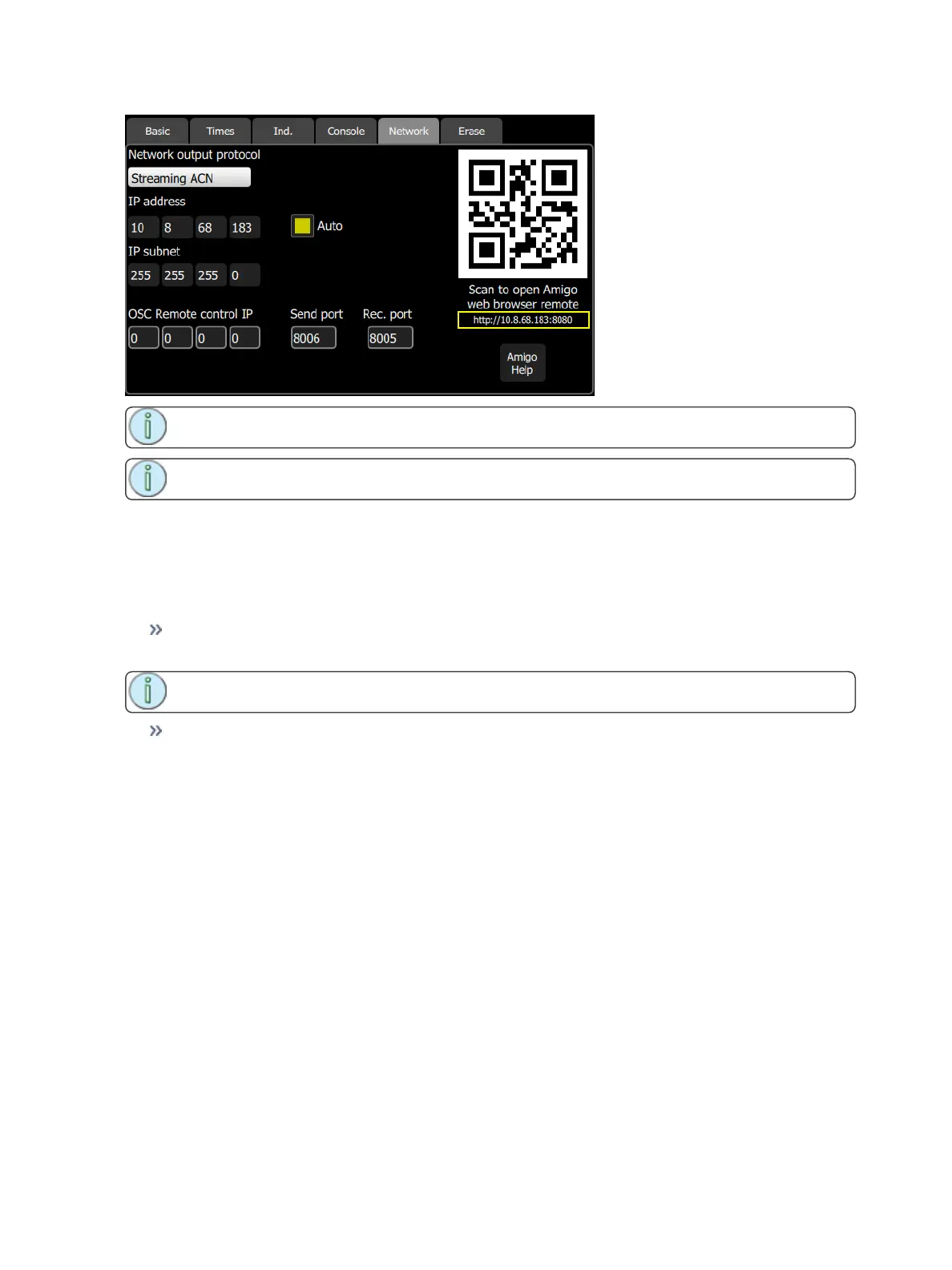
Note: If the QR code is not visible, your console is not currently connected to a network.
Note: A QR reader is required for automatic connection with QR code.
1. Open the Setup>Settings>Basic or Setup>Settings>Network tab.
2. Snapshot the QR code. You may need to wait a few moments for a connection be established.
Setting Up Your Computer, Phone, or Tablet
Open the Setup>Settings>Network tab on your ColorSource AVconsole.
If Auto is enabled, then it is recommended that you set your computer, phone, or tablet to be auto-
matic (DHCP) as well.
Note: Auto is enabled by default on your console, and may be on your device as well.
If Auto is disabled, then you will need to manually set the IPaddress in your computer, phone, or tab-
let to be compatible with your ColorSource AV console
Entering Addresses Manually
1. Find the IP address of the console on the Setup>Settings>Basic or Setup>Settings>Network
tab. This is four sets of numbers separated by periods. For example: 192.168.0.17 (the actual num-
bers may be different)
2. Connect a computer to the network port, or to a network switch that is connected to the network
port.
3. Make sure the computer is in the same IP address range. The first two sets of IP address digits
need to be the same. If they are not, then the computer will need to be restarted while connected to
the ColorSource console network. The computer should then find an address starting with either 192
or 169. If you are using manual addressing, you must also manually address the computer accord-
ingly.
Connecting To Amigo
1. Open your internet browser. Supported browsers include: Firefox, Chrome, Safari, and Internet
Explorer v11.
2. On the address line, type http:// then the IP address followed by a colon and then the digits 8080.
Example: If the ColorSource IP address is displayed as 169.254.12.48, type:



 To Next Page