Operating Instructions
Modular Safety Control System MSC
68
(Translation of the original operating instructions) 2121331-04-04/19
9.1.7. Creating a new project (conguring MSCB system)
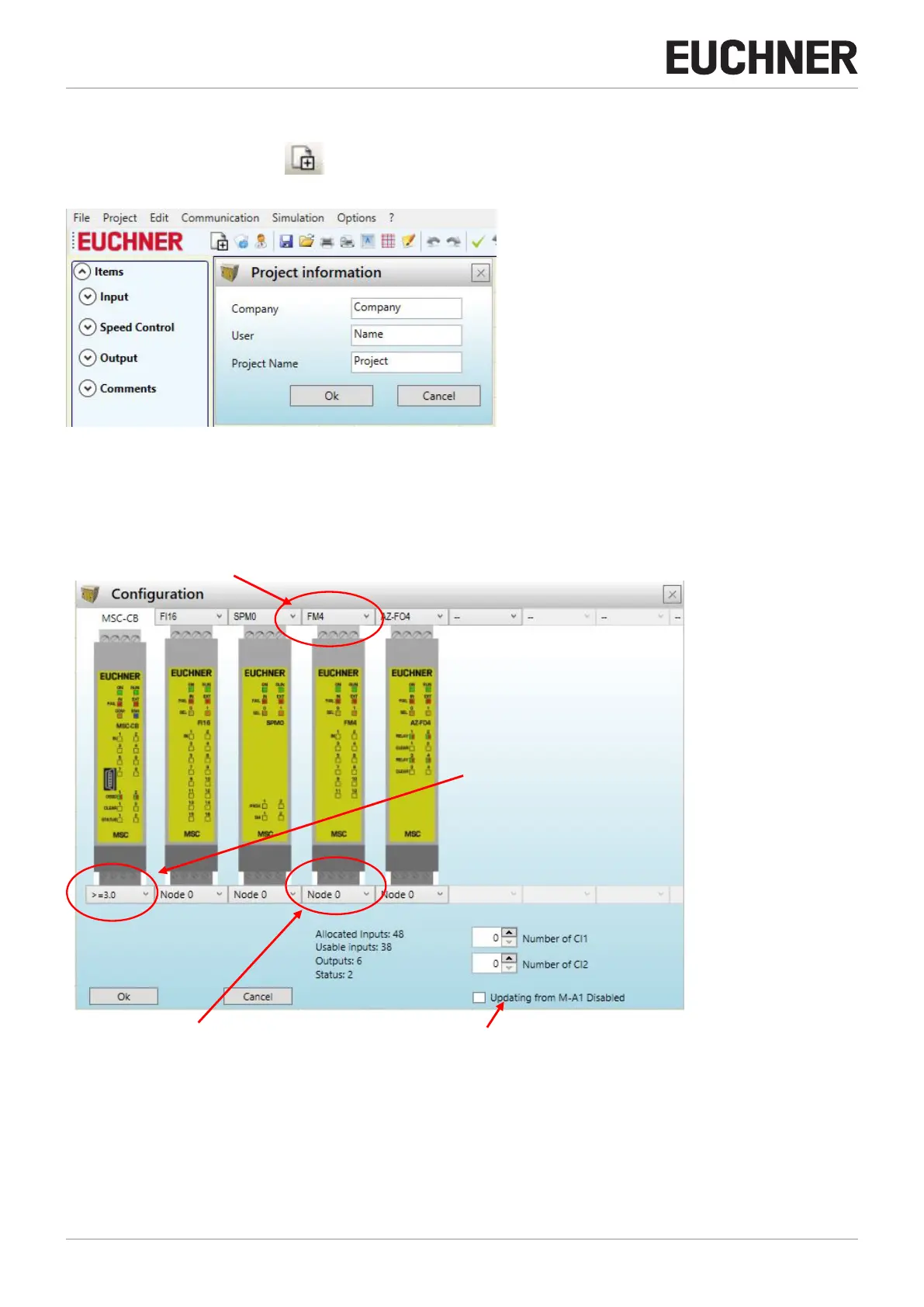
To start a new project, select the button on the default toolbar. The window with the project information is displayed
(Figure 43).
Figure 43: EUCHNER Safety Designer, Project information
Then a window appears in EUCHNER Safety Designer in which only the module MSC-CB is shown.
You can add the modules necessary for the system using the list boxes at the top of the screen (Select extension module).
The node can be selected using the list box at the bottom of the screen.
SELECT EXTENSION MODULE (to add to the conguration)
SELECT NODE (from 0 to 3) Deactivates the process of reading from the M-A1 memory card
Figure 44: EUCHNER Safety Designer, selecting extension module



 To Next Page